AI-powered OCR software for prescriptions
Extract drug names, dosages, frequencies, prescriber details, and patient data instantly. Koncile’s AI OCR for prescriptions is fast, reliable, and easy to integrate via API.

The OCR that detects key data from prescriptions
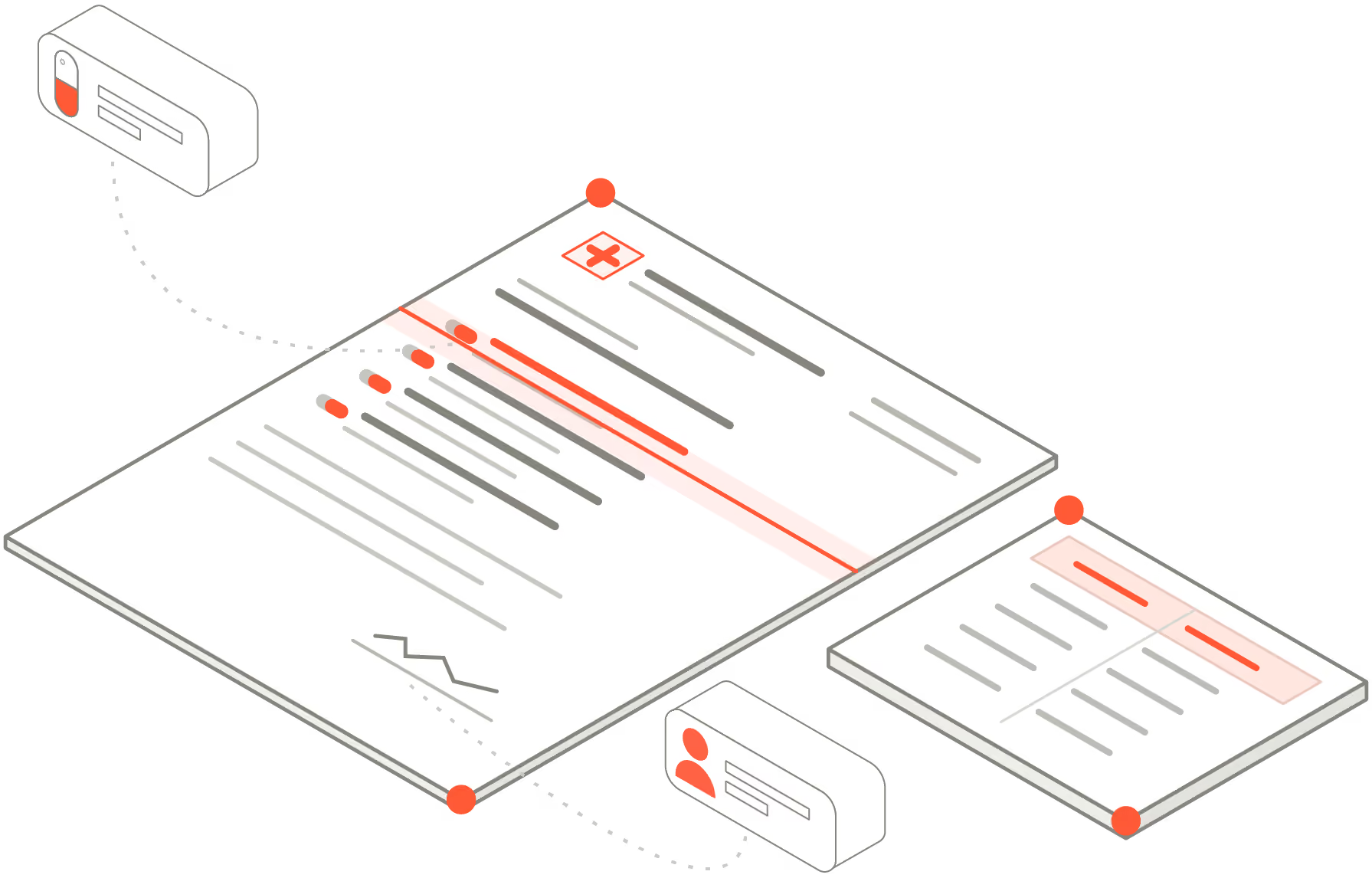
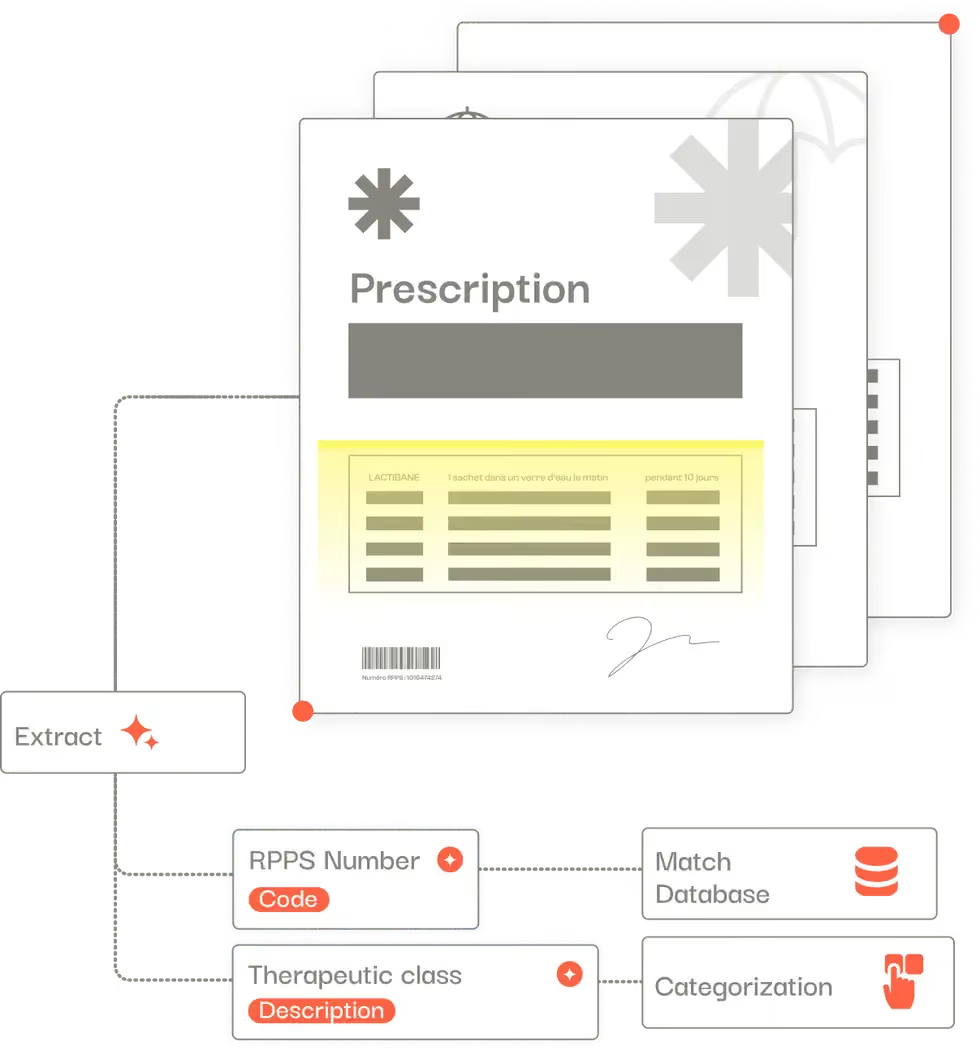
Koncile's medical prescription OCR reads, extracts, and structures prescription data in seconds, whether printed or handwritten.
It identifies the patient's name, doctor's name, RPPS number, prescribed medication, dosage, and automatically flags inconsistencies or errors across large document volumes.
Getting started takes under 5 minutes: upload your prescription files (PDF, PNG, JPEG) directly into the Koncile interface or via API. The AI engine processes each document and returns structured data in JSON, CSV, or spreadsheet format, ready to feed directly into your existing systems.
Whether you process 10 prescriptions a day or 10,000, Koncile scales without compromising accuracy. The prescription template works out of the box, no configuration required.


Koncile automates the intelligent extraction of contractual data. Despite the complexity of our clients’ contracts, the tool ensures quality and speed, saving us valuable time.
Complete extraction of all key information from medical prescriptions using specialized OCR technology
Koncile's OCR solution streamlines prescription management across every healthcare workflow. By leveraging medical reference data, the system intelligently suggests relevant tests or examinations based on each prescription, and enables automated document classification for sorting, scheduling, and reimbursement workflows.
Hospitals & clinics : Eliminate manual re-entry into patient records and automatically route each prescription to the right exam scheduling queue.
Pharmacies : Extract medication names, dosages, and refill instructions from prescription images and feed the data directly into your dispensing software.
Health insurance teams : Cross-reference extracted prescription data against policy databases to automate eligibility checks and reimbursement workflows.
Medical labs & imaging centers : Automatically map prescriptions to your internal exam nomenclature, matching each procedure to the correct code without manual lookup.
Nom | Type | Exemple | Instruction | |
|---|---|---|---|---|
Validité | Text | Oui | Vérifie que le RIB est bien constitué des éléments suivants : | |




Why choose Koncile OCR for your prescriptions?
.webp)
Unparalleled precision for your health documents
AvWith a success rate of over 99%, our OCR engine offers exceptional precision on key fields in health documents.
Whether it is dates, identities, codes, acts or prescriptions, each piece of information is extracted reliably.
Our integrated anomaly detection system allows you to identify errors or inconsistencies in advance, guaranteeing automated quality control and faster decision-making.
Multilingual medical OCR
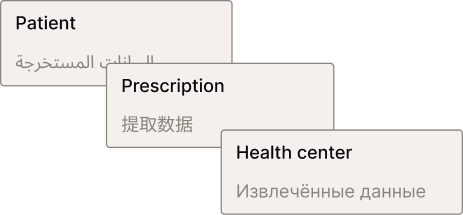
Our OCR engine, enriched by advanced language models (LLM), recognizes alphabets and languages from around the world with high accuracy.
Chinese, Arabic, Cyrillic, Japanese... regardless of the language used in patient records, prescriptions or analysis results, Koncile identifies essential information and offers automatic translation.
Easily digitize, extract, and centralize your health data, even in a complex multi-lingual environment.
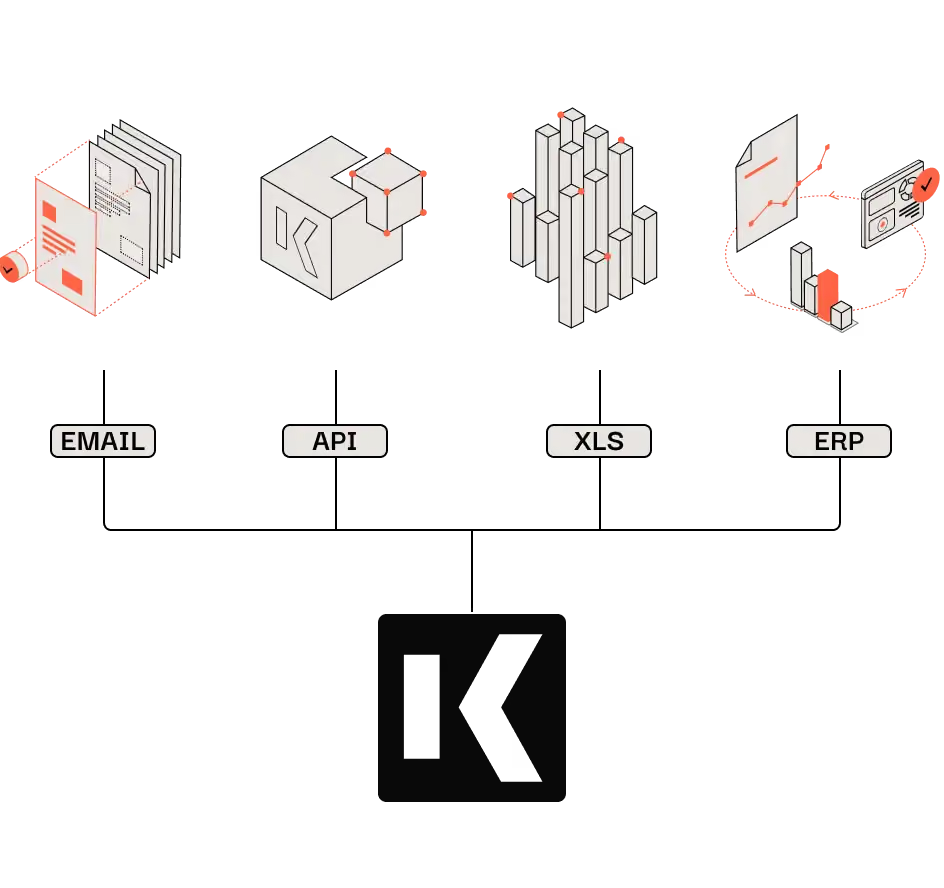
Compatible with your health business tools.
Koncile integrates naturally into your digital health environment: connection via API, automatic import from your secure messaging systems or direct synchronization with your business software.
Easily import your documents, launch automated extractions, and retrieve structured data where it's needed: patient records, databases, billing tools.
Whether you use a DPI, Outlook, Excel or hospital software, Koncile adapts to your organization to streamline document management and strengthen your daily efficiency
Experience next-generation data extraction
Start with a ready-to-use prescription template, test on a document and scale
An OCR solution adapted to the capture of medical prescription data

Automatic extraction of information from medical prescriptions:
Drug name, dosage, side effects, active ingredients, active ingredients, etc. Automatically extracts key data from drug packages or leaflets.

From prescriptions to a database
Facilitate the management of medical prescriptions by transforming your prescriptions into structured and usable data.

Multi-format processing
Connect Koncile to your EHR, pharmacy system, or billing platform via REST API in under 15 minutes. Structured JSON output, ready to integrate.

Parsing medical prescriptions using an API
Create a comprehensive prescription database, integrated into an application and accessible via API, to automate the management of prescriptions and treatments.
Beyond OCR: Validation and verification of extracted fields
Is the prescription information correct? Are the dosage and quantity prescribed well indicated? Is the prescribed medication valid? Are there any mistakes in the name of the patient or doctor? Optimize prescription management with intelligent OCR.
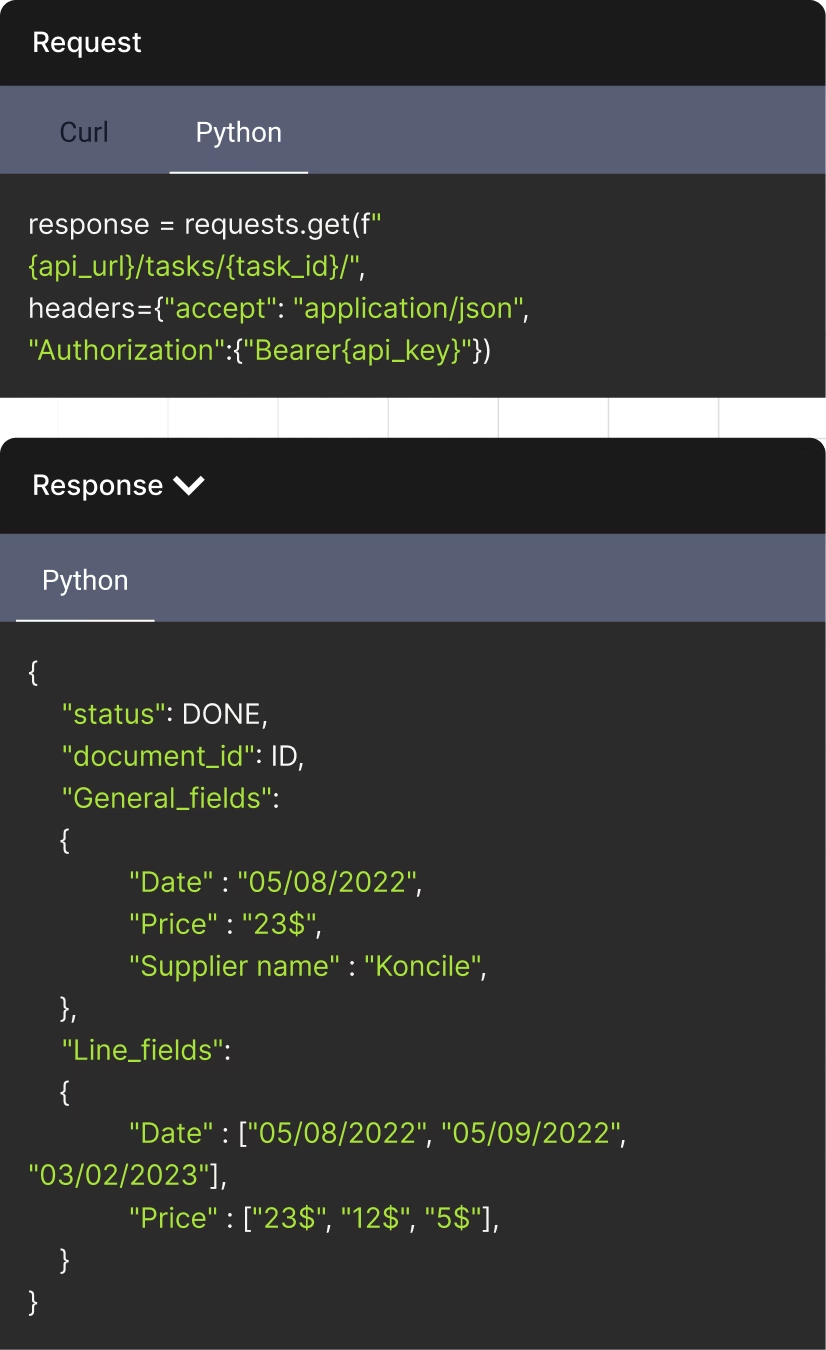
The API to streamline your document management
Document status can be DONE, DUPLICATE, or IN PROGRESS
Unique identifier assigned to each document
Fields that appear once per document. Returns in the format: {field_name: extracted_value}
An AI OCR tool built for regulated environments
Founded by a former lawyer, Koncile was designed with compliance and data protection at its core. We are independently audited under SOC 2 and compliant with GDPR and HIPAA requirements.





Talk to an expert who knows your industry.
- Get an external expert opinion on your specific use case
- Benchmarks and results from hundreds of clients in your industry
- Help activating the right Koncile features for your workflow
Real life insights on document automation

All your questions on Koncile
OCR analyzes the prescription using computer vision algorithms to detect and read characters. With natural language understanding (NLP), OCR can identify critical information. This process ensures accurate extraction of structured and unstructured data from the document.
Yes, you can extract specific information from a prescription, such as medications prescribed, dosages, dosage, or duration of treatment. OCR can be set up to extract this data based on the sections or formats you are dealing with.
You can upload your prescriptions in PDF, PNG, or JPEG format. These formats are compatible with our OCR technology, allowing accurate extraction of the information contained in the document. Consult the documenting for more details on accepted formats and the upload process.
Yes, OCR is capable of processing printed or handwritten prescriptions. If the document is handwritten, OCR uses advanced techniques to recognize handwritten characters and convert them into digital text, while ensuring the accuracy of the extracted data.
The software is accessible via a powerful OCR API, with comprehensive documentation available. Plus, you can upload documents directly into the app and export the extracted data to XLSX, XLS, CSV, or JSON for seamless integration into your workflows.
Check our API documentation, contact us at contact@koncile.ai. You can also create a demo account or book a demonstration with our team.
Koncile offers 3 plans, including enterprise options for handling large volumes of data. You can check our pricing on our pricing page.
In each extraction template, you will find:
- General fields: These are pieces of information that appear only once in each document (e.g., the invoice number or the invoice date).
- Repeated fields: These are pieces of information that appear multiple times in a document, such as item descriptions or prices in each line of a quote. Use repeated fields for extracting tables and charts from your documents.