Detect duplicate documents
Why detect duplicates?
A duplicate is not always an identical file. It may be two different files that actually represent the same document — for example, two photos taken at different times or a scan and a photo of the same paper.
The same documents can circulate multiple times without being noticed. This can happen when:
- A file is sent by several people
- A supplier sends the same invoice multiple times
- A user uploads a new version without deleting the old one
- A document is scanned twice
- An automated workflow creates accidental copies
These duplicates cause errors, unnecessary costs, document clutter, and wasted time during manual checks.
Automatic duplicate detection keeps your document flow clean and reliable.
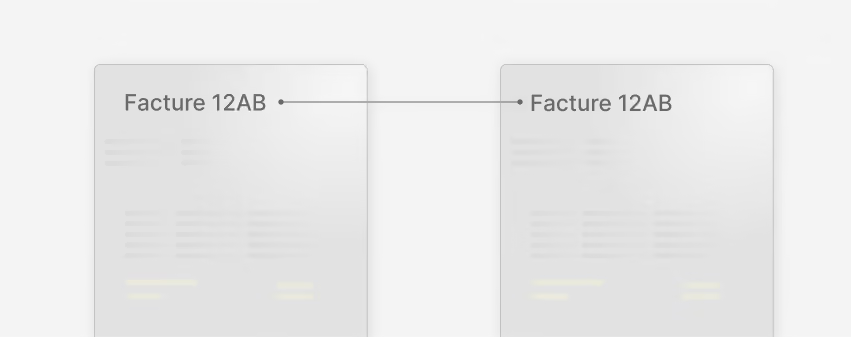
How duplicate detection helps you
Koncile’s OCR software analyzes each document as soon as it is imported. If the document closely resembles a file already processed, it is flagged as a duplicate.
This allows you to:
- Avoid extracting or processing the same document multiple times
- Quickly detect duplicate uploads from suppliers
- Reduce errors in financial or administrative workflows
- Maintain a clean and consistent document base
- Alert your teams in case of anomalies
How duplicate detection works
The detection relies on several combined techniques:
- Content analysis: text, numbers, page structure, extracted fields
- Layout analysis: formatting, blocks, images, tables
- Similarity scoring: measuring resemblance with existing documents
- Context checking: dates, suppliers, identifiers, key zones
- Automatic alert: if similarity exceeds a set threshold, the document appears in the duplicates list
You can review the confidence level, ignore the alert, or confirm the detection.
Concrete examples of use
Frequent situations where duplicate detection simplifies your daily work:
- A supplier sends the same invoice three times in one day
- An accounting team scans the same delivery note twice
- A generic email inbox receives multiple copies of the same document
- A user shares several versions of the same contract
- An internal system generates duplicated reports
- A document is renamed but contains no real change
A Koncile client in the construction industry discovered more than €100,000 in duplicate invoices in 2025 and recovered the amount from the supplier.
Type: Automation
User: Business
Complexity: Low
Automate document processing at scale

All your questions about duplicate document detection

Koncile is a document extraction and automation tool. It transforms invoices, quotes, reports, purchase orders, identity documents, prescriptions, contracts, and more into structured data that can be exported or integrated into your tools.
Duplicate detection is automatically enabled as soon as you import a document into Koncile, with no configuration required. Here’s how it works in practice:
Automatic 3-step process:
- Document import: You upload your file (PDF, image, scan) via the web interface, the API, or by email.
- Instant analysis: Koncile analyzes the content, structure, and metadata in 2–3 seconds.
- Duplicate alert: If a similar document already exists, a notification appears immediately.
Where to see detected duplicates:
- In the “Status” column of your Koncile dashboard
- By clicking the document to view and compare its associated duplicate(s)
Available actions:
- Confirm: Mark the file as a duplicate (the document will not be processed)
- Ignore: Validate that it is not a duplicate (normal processing continues)
Duplicate detection works even when you process hundreds of documents in bulk: Each file is analyzed individually and compared against your entire document database within seconds. You can also enable the smart document separation feature within a single PDF if your file contains multiple documents.
Duplicate detection is completely free and included by default in all Koncile plans, with no hidden fees or extra charges. You only pay for OCR (page digitization), and duplicate detection runs automatically in the background without consuming any additional credits.
How the pricing works:
- You purchase page credits (example: 1,000 pages/month)
- Each scanned page uses 1 credit (Koncile Pro) or 0.5 credits (Koncile Lite) for OCR + extraction
- Duplicate detection runs simultaneously without deducting extra credits
- Even if 30% of your documents are duplicates, you only pay for the initial OCR
For more details, you can refer to our pricing.
Concrete example if you process 1,000 invoices per month:
- 150 detected as duplicates
- Total cost: 1,000 credits (not 1,150)
- Savings vs competitors: €0 instead of ~€75/month for detection
Market comparison :
Most competing solutions charge duplicate detection as a premium add-on (between €50 and €200 per month depending on volume), or deduct extra credits for each check. With Koncile, the service is built directly into our analysis engine, with zero financial impact.
Yes, absolutely. This is precisely where Koncile stands out compared to traditional duplicate-file detection tools. Our technology analyzes the actual content and structure of the document — not just the file metadata (name, size, creation date).
Situations where Koncile detects duplicates:
- Same invoice photographed twice (different angles, varying lighting)
- Document scanned and then photographed (different PDF and JPG formats)
- Renamed file (invoice_v1.pdf vs invoice_final.pdf with identical content)
- Different image quality (300 DPI scan vs smartphone photo)
- Different formats (PDF, PNG, JPG, TIFF detected as duplicates)
- Different orientations (portrait vs landscape, 90° rotation)
- Different resolutions (compressed vs high-quality document)
- Slight cropping (different margins, cut edges)
How it works technically:
Koncile uses several combined layers of analysis:
- Advanced OCR: extraction of full text, including handwritten content
- Structural recognition: layout analysis (tables, headers, logos)
- Pattern detection: identification of key elements (invoice numbers, dates, amounts)
- Similarity algorithms: computation of a resemblance score from 0% to 100%
- Machine learning: continuous improvement based on your validations
Example: An EDF invoice photographed with a smartphone (2.3 MB, JPG, 12 MP) and the same invoice scanned as a PDF (450 KB, 150 DPI) will be detected as duplicates with a similarity score of 98%, even if:
- The file names are different
- The formats are different (JPG vs PDF)
- The file sizes differ significantly
- One is in color and the other in black and white
Limitation: If the document has actually been modified (amendment, updated version with changed amounts), Koncile will correctly recognize it as a different document — which is the expected behavior.
Windows/Mac tools vs Koncile: Native tools (Windows duplicate search, Mac Duplicate Finder) compare only the MD5/SHA hash, file size, and file name. If you rename a file or change a single pixel, they can no longer detect it.
Koncile achieves a detection rate of over 98% on standard professional documents (invoices, quotes, contracts, purchase orders), with a false positive rate below 2%. These performance levels are the result of more than 3 years of R&D and the analysis of over 12 million documents.
What factors influence accuracy?
Very high accuracy (98–99%):
- Structured documents: invoices, quotes, purchase orders
- Standard formats: native PDFs, high-quality scans
- Printed text: computer-generated documents
High accuracy (93–97%):
- Semi-structured documents: contracts, reports
- Medium-quality photos: recent smartphones
- Legible handwritten text: hand-filled forms
Moderate accuracy (85–92%):
- Severely degraded documents: old scans, photocopies of photocopies
- Difficult handwriting: complex writing styles
- Annotated documents: numerous handwritten modifications
How we continuously improve accuracy:
- Supervised machine learning: Each validation (confirm/ignore) refines the algorithms
- Specialized models: Training tailored to document type and industry
- Monthly updates: Model improvements based on user feedback
- Personalization: The system learns your preferences and your specific document types
When a duplicate is identified, Koncile triggers an intelligent validation workflow that alerts you immediately while still giving you full control over the final decision. Here is the complete process:
1. Instant alert (in real time)
As soon as a similar document is detected:
- Notification in the interface: badge on the document showing “Duplicate detected”
- Optional email: alert sent to the relevant people (configurable)
- Dashboard: counter updated in your dashboard (“3 duplicates this week”)
- API webhook: event sent to your system for automation (if API integration is enabled)
2. Automatic processing pause
The duplicate document is put on hold and will NOT be processed automatically until you validate it:
- No data extraction
- No export to your ERP/accounting system
- No posting/recording
- Link created with the original document
Why this approach?
To avoid any risk of double payment or double data entry. Safety takes priority over automation.
Yes, Koncile can detect duplicates even in handwritten documents, thanks to our handwritten OCR engine (ICR – Intelligent Character Recognition) combined with structural analysis. However, accuracy varies depending on handwriting quality and document type.
Concrete examples:
Handwritten medical prescription
- Pre-printed form + doctor’s handwriting
- Detection accuracy: 97%
- Koncile identifies: same doctor, same patient, same date, same prescriptions
- Use case: avoid processing the same prescription twice (scanned then photographed)
Handwritten purchase order
- Standard company form
- Detection accuracy: 92%
- Koncile identifies: same PO number, same supplier, same quantities
- Use case: avoid duplicates between a manager’s scan and the accounting department’s copy
Free-form handwritten note
- Cursive writing on a blank page
- Detection accuracy: 85%
- Koncile relies mainly on the extracted text content
- Use case: detect meeting notes that were written twice
A duplicate is the same document received multiple times.
A duplicate version (duplicata) is a new, intentional version (e.g., corrected invoice).
Koncile detects duplicates automatically but lets you decide the final classification.


