MCP OCR: How Koncile Lets AI Agents Extract Documents Natively
Koncile's MCP OCR server connects AI agents to intelligent document extraction. 24 tools, structured data output, 15-minute setup. Try it free or self-host.

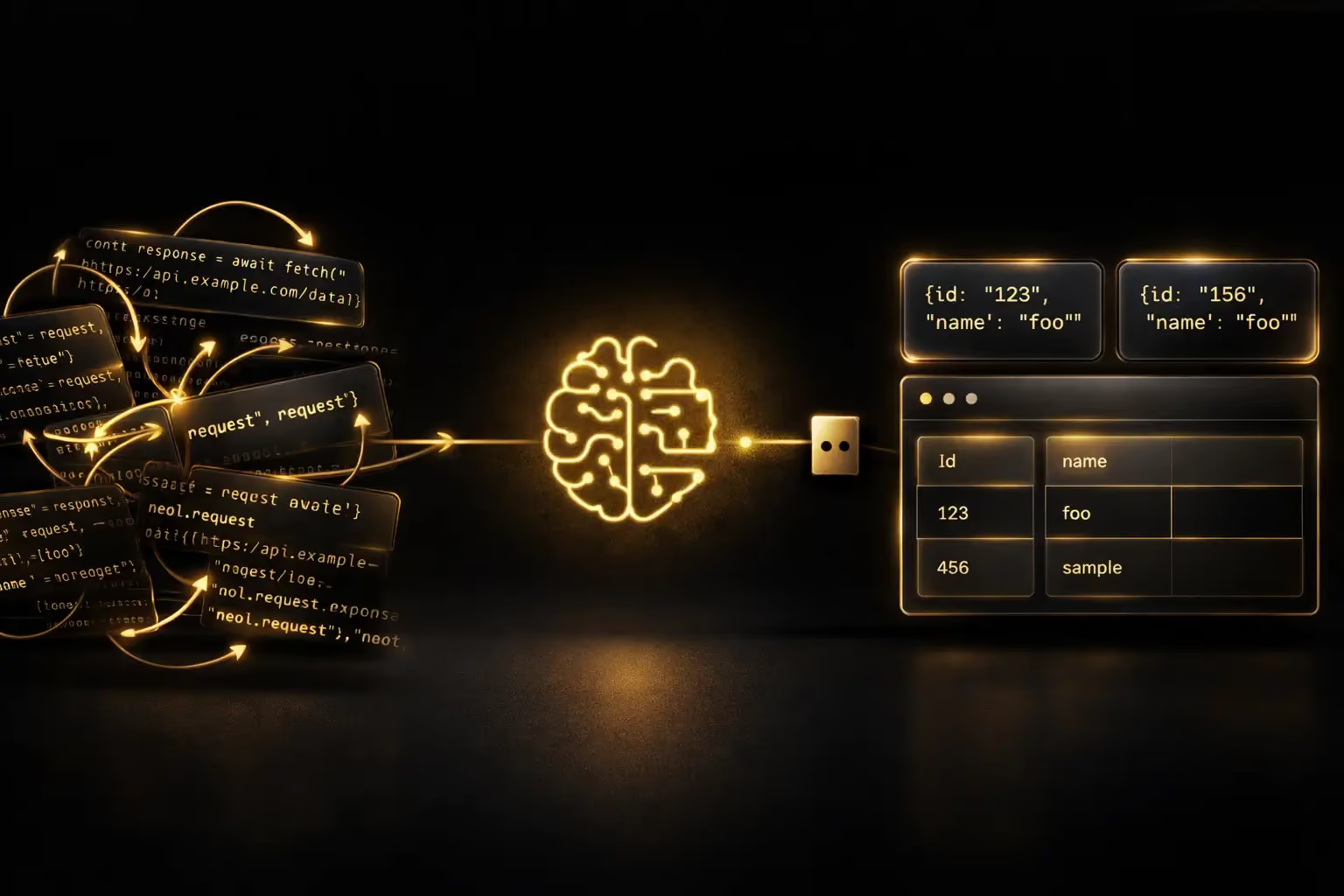
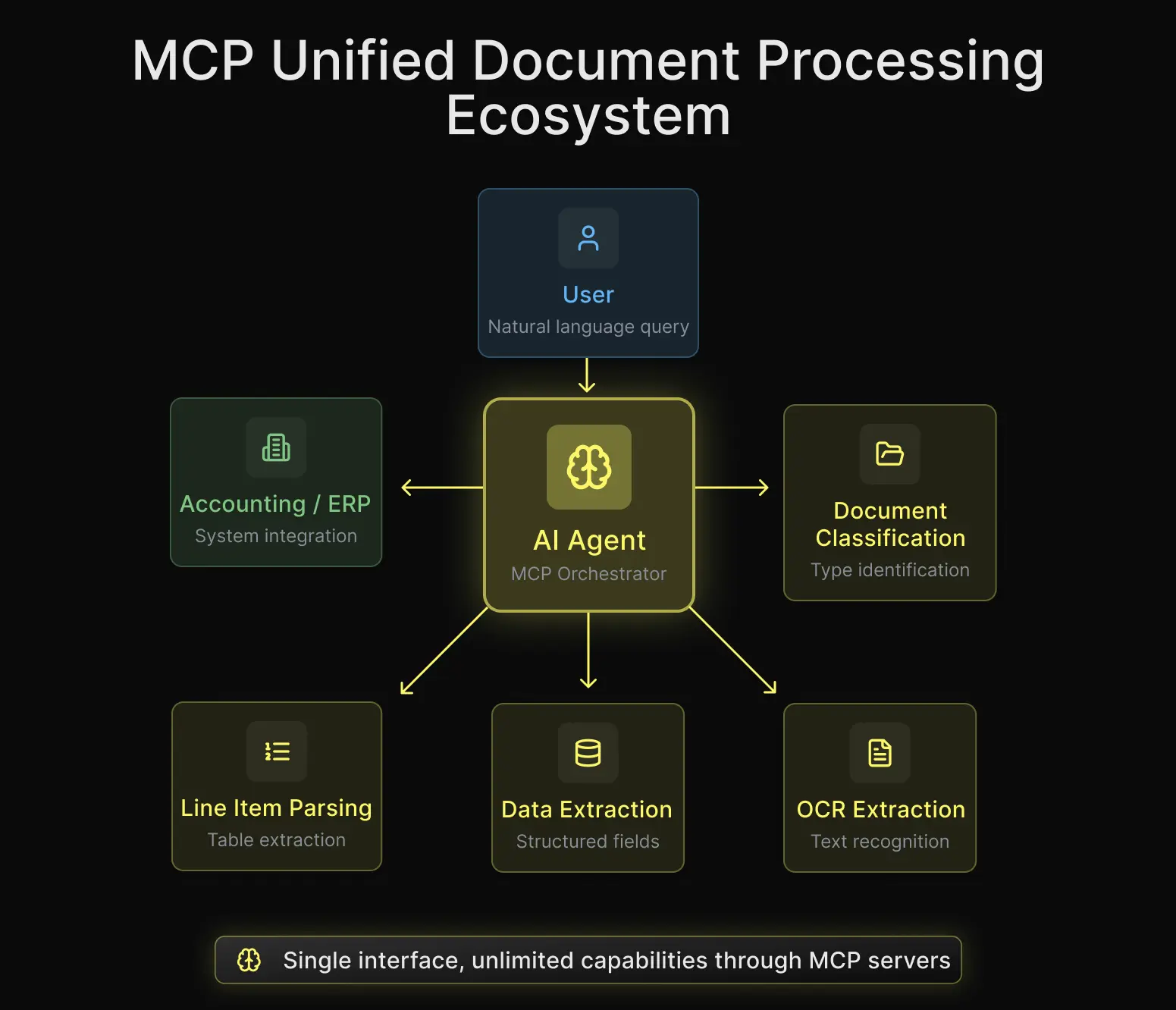
Until recently, connecting an OCR engine to an AI assistant meant writing custom code, managing API calls manually, and building the glue between your language model and your document processing pipeline. With the Model Context Protocol (MCP), that entire layer disappears. At Koncile, we built an MCP OCR server so that Claude, Cursor, or any compatible AI agent can extract, read, and manage documents without a single line of integration code
Here's what we learned, why we think MCP changes the game for document extraction, and how it compares to a traditional API setup.
What is MCP, and why does it matter for OCR?
MCP (Model Context Protocol) is an open standard introduced by Anthropic that defines how AI assistants communicate with external tools. Think of it as a universal plug: instead of each tool requiring its own custom connector, MCP provides a single protocol that any AI client can speak.
For OCR specifically, this is a big deal. Document extraction has always lived in a weird middle ground. It's too complex to be a simple API call (you upload, you wait, you poll, you parse structured output), but it's also too common to justify building a full integration every time you need it.
MCP collapses all of that into something the AI assistant already understands natively.
The real difference between an API and an MCP server
With an API, you write the orchestration
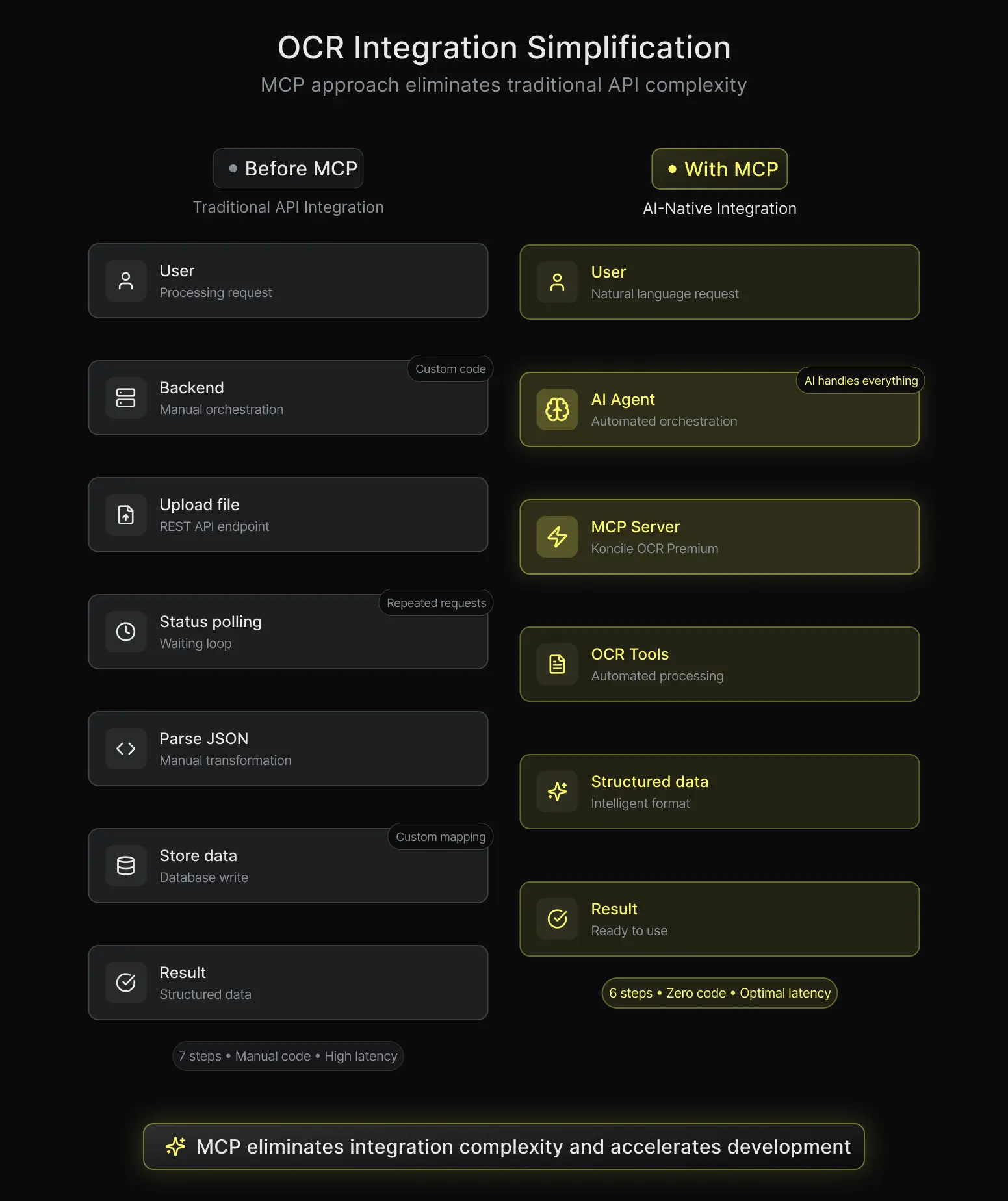
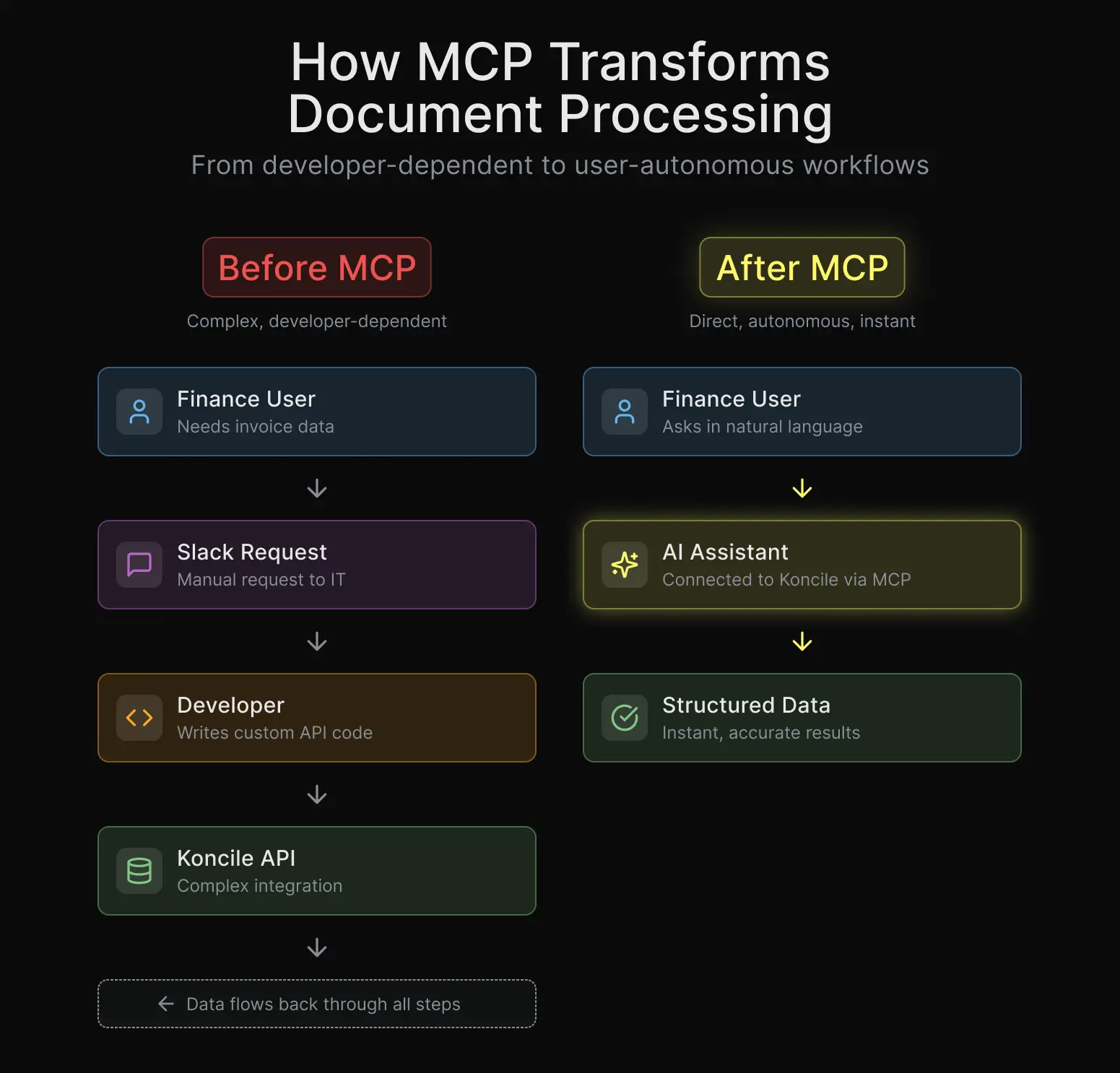
When you connect to any OCR API the traditional way, you are the orchestrator. You write the code that uploads the file. You write the code that polls for completion. You write the code that parses the JSON response and maps it to your data model, which requires handling complex document parsing logic. You handle errors, retries, authentication refresh. Every integration is custom, and every custom integration is a maintenance surface.
We know this well at Koncile because we built that API ourselves. We've seen teams spend days, sometimes weeks, wiring up what should be a straightforward document extraction workflow.
With MCP, the AI agent is the orchestrator
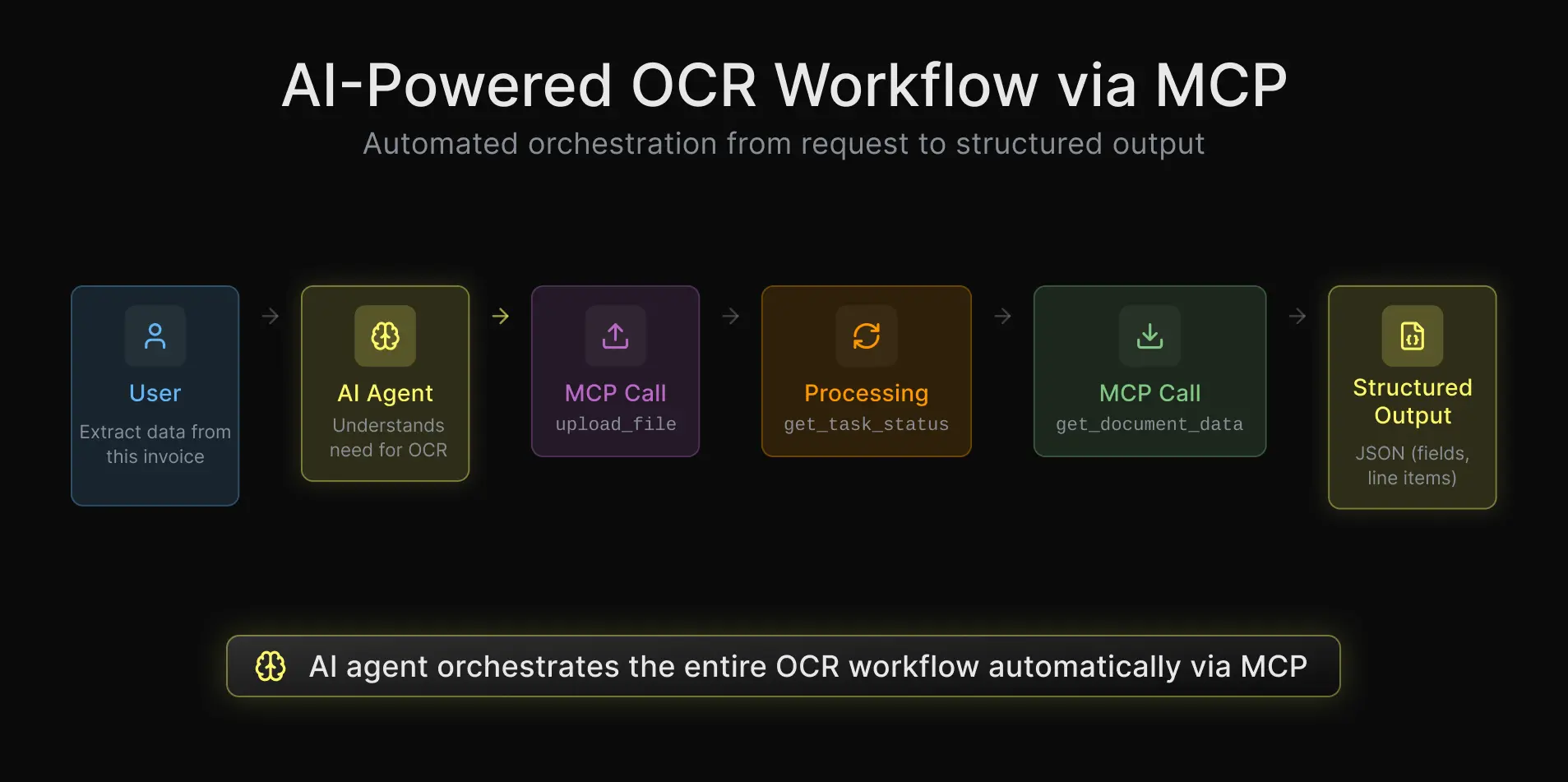
When you expose the same OCR capabilities through MCP, the AI assistant takes over the orchestration. It knows how to call `upload_file`. It knows how to check `get_task_status`. It knows how to retrieve the extracted data with `get_document_data`. All of that is described in the MCP tool definitions, and the assistant handles the multi-step workflow on its own.
From the developer's perspective, there's nothing to write. You configure the MCP server once, and the AI assistant figures out the rest.
What Koncile's MCP OCR server actually exposes
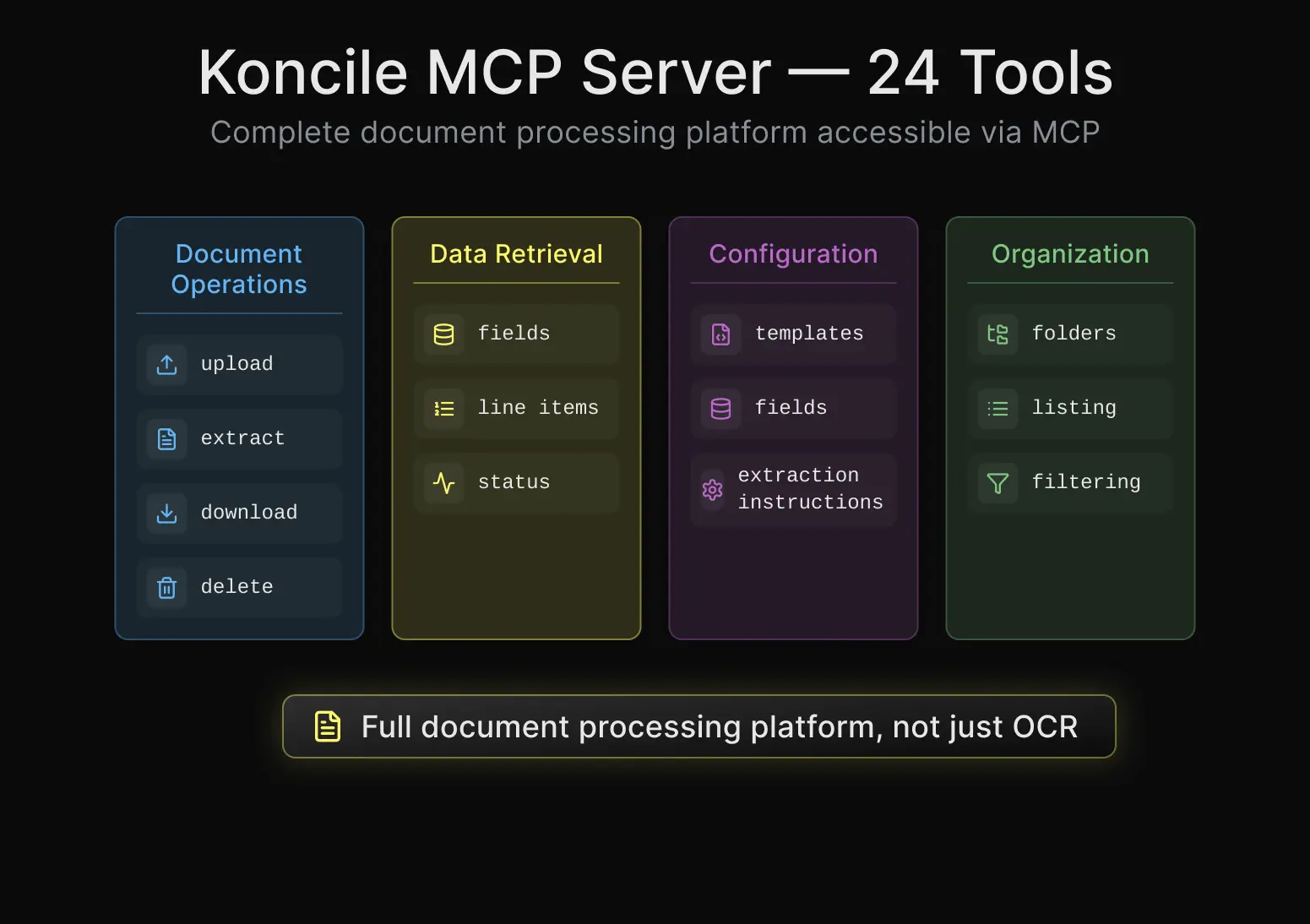
24 tools, not just OCR
Most MCP OCR servers you'll find on GitHub are thin wrappers around an open source OCR model. They do one thing: take an image, return text. That's useful for basic text recognition, but it's nowhere near what you need for real document processing in production.
Koncile's MCP server exposes 24 tools that cover the full document lifecycle. You can upload files and trigger extraction. You can poll task status and retrieve structured data, both header fields and line items. You can manage folders, templates, fields, and extraction instructions. You can download original documents and delete processed ones.
This is not a toy OCR wrapper. It's a full document intelligence platform accessible through natural language.
Hosted or self-hosted, your choice
One thing we prioritized from the start is flexibility in deployment. You can connect to our hosted MCP server at `mcp.koncile.ai` with a single command and start extracting documents in under a minute. Or, if you need to keep everything on your infrastructure, you can self-host the server via pip install or Docker.
This is something most open source MCP OCR projects don't offer. They require local model downloads, GPU setup, dependency management. With Koncile, the heavy lifting happens on our side (or yours, if you prefer), and the MCP layer stays thin and fast.
Who is this for?
Developers building AI-powered workflows
If you’re building an agent that needs to process invoices, receipts, contracts, or any structured document, using invoice OCR capabilities, MCP lets you add that capability in minutes instead of days. No SDK to learn, no boilerplate to write. You describe what you want in natural language, and the assistant uses Koncile's tools to get it done.
At Koncile, we measured the difference internally. A typical API integration for document extraction used to take our partner teams around 3 to 5 days, between reading the docs, handling auth, writing the upload/poll/parse flow, and testing edge cases. With MCP, that same integration now takes about 15 minutes. That's not an exaggeration. Configuration replaces code.
Finance and accounting teams using AI assistants
This is where it gets really interesting. With MCP, non-developers can process documents too. A finance team member using Claude Desktop can say "extract all the line items from this invoice" and get structured data back without knowing anything about APIs, authentication, or JSON parsing.
We've seen this use case grow fast at Koncile. Teams that used to rely on developers to set up extraction workflows can now do it themselves, directly from their AI assistant.
Companies that care about data privacy
Because the MCP server can be self-hosted, organizations with strict data residency requirements can run everything on their own infrastructure. The documents never leave your environment, and the MCP protocol itself doesn't introduce any additional data exposure compared to a direct API call.
How to get started
Connect in one command
If you're using Claude Code, the setup is one line:
```
claude mcp add --transport http koncile https://mcp.koncile.ai/mcp --header "Authorization: Bearer YOUR_API_KEY"
```
That's it. Claude now has access to all 24 Koncile tools. You can start uploading and extracting documents immediately.
Configure for Claude Desktop, Cursor, or Windsurf
For other MCP-compatible clients, you add a small JSON block to your configuration file. The server URL and your API key are the only things you need.
We maintain up to date configuration examples for Claude Desktop, Cursor, Windsurf, and Cline in our GitHub repository at [github.com/Koncile/koncile-mcp](https://github.com/Koncile/koncile-mcp).
Why we built this instead of just offering an API
APIs are for machines. MCP is for AI agents.
This is the mental shift that took us a while to internalize. An API is designed for a developer to call programmatically. The developer reads the docs, understands the endpoints, writes code. An MCP server is designed for an AI agent to call autonomously. The agent reads the tool descriptions, understands the parameters, and orchestrates the workflow itself.
The difference is not just ergonomic. It fundamentally changes who can use document extraction and how fast they can get started. When the barrier to entry drops from "write an integration" to "describe what you want," the audience expands dramatically.
The maintenance story is different too
With a traditional API integration, every change on our side (new fields, new endpoints, new response formats) means your integration code might break. You need to update your client, test it, redeploy.
With MCP, the tool definitions are dynamic. When we add a new capability to Koncile, it shows up automatically in the MCP server. Your AI assistant discovers it on its own. There's no client code to update because there was never any client code to begin with.
MCP OCR vs. open source alternatives
We've looked at what else exists in the MCP OCR space. Projects like RapidOCR MCP, Mistral OCR MCP, or PaddleOCR MCP are great for basic text recognition from images. They run locally, they're free, and they serve a real purpose.
But they solve a different problem. They take a screenshot or a scanned page and return raw text. Koncile extracts structured business data from documents: supplier names, invoice numbers, amounts, tax rates, line items with descriptions and quantities. That's intelligent document processing, not just optical character recognition.
If your use case is "read the text in this image," an open source OCR MCP server will do just fine. If your use case is "extract all the data from this stack of invoices and give me structured, validated output," that's what Koncile's MCP server is built for.
What comes next
MCP is still early. The ecosystem is growing fast, and we expect document processing to become one of the most common MCP use cases alongside code search, database access, and communication tools.
At Koncile, we're already working on extending our MCP server with new capabilities: batch processing for large document volumes, real-time webhook notifications when extraction completes, and tighter integration with accounting software through chained MCP tool calls.
The vision is simple. Any AI assistant, any document, structured data in seconds. No code required.
If you want to try it, head to Koncile app to get your API key, and check out the full documentation and source code on Github

Real life insights on document automation
Why Do OCR & Machine Translation Fail Without AI?
Japanese combines three writing systems on one page and should be a hard case for OCR. Benchmark research found the opposite: Japanese accuracy exceeds Latin script. Arabic and Hebrew are where things genuinely go wrong, for specific, documented reasons. Here is what real research shows about why scripts fail differently, and what actually stops the errors before translation compounds them.
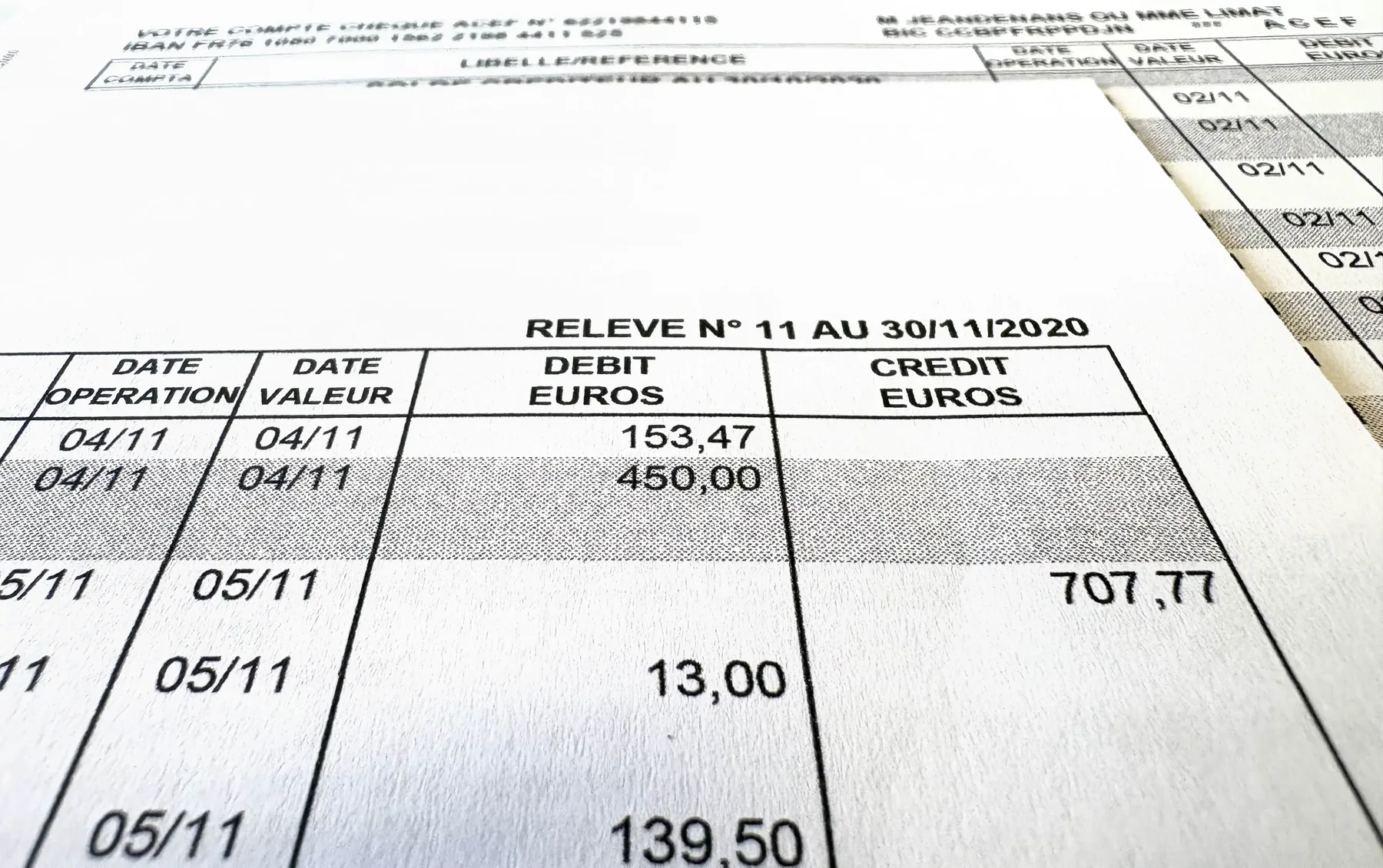
How to Detect a Fake Bank Statement: Our 9 Methods
Bank statements are one of the documents most exposed to fraud. At Koncile, we detect up to 1.4% of edited or tampered statements in a set of 150,000 statements. AI generated deepfakes get a lot of attention, but focusing only on them today would be a mistake.
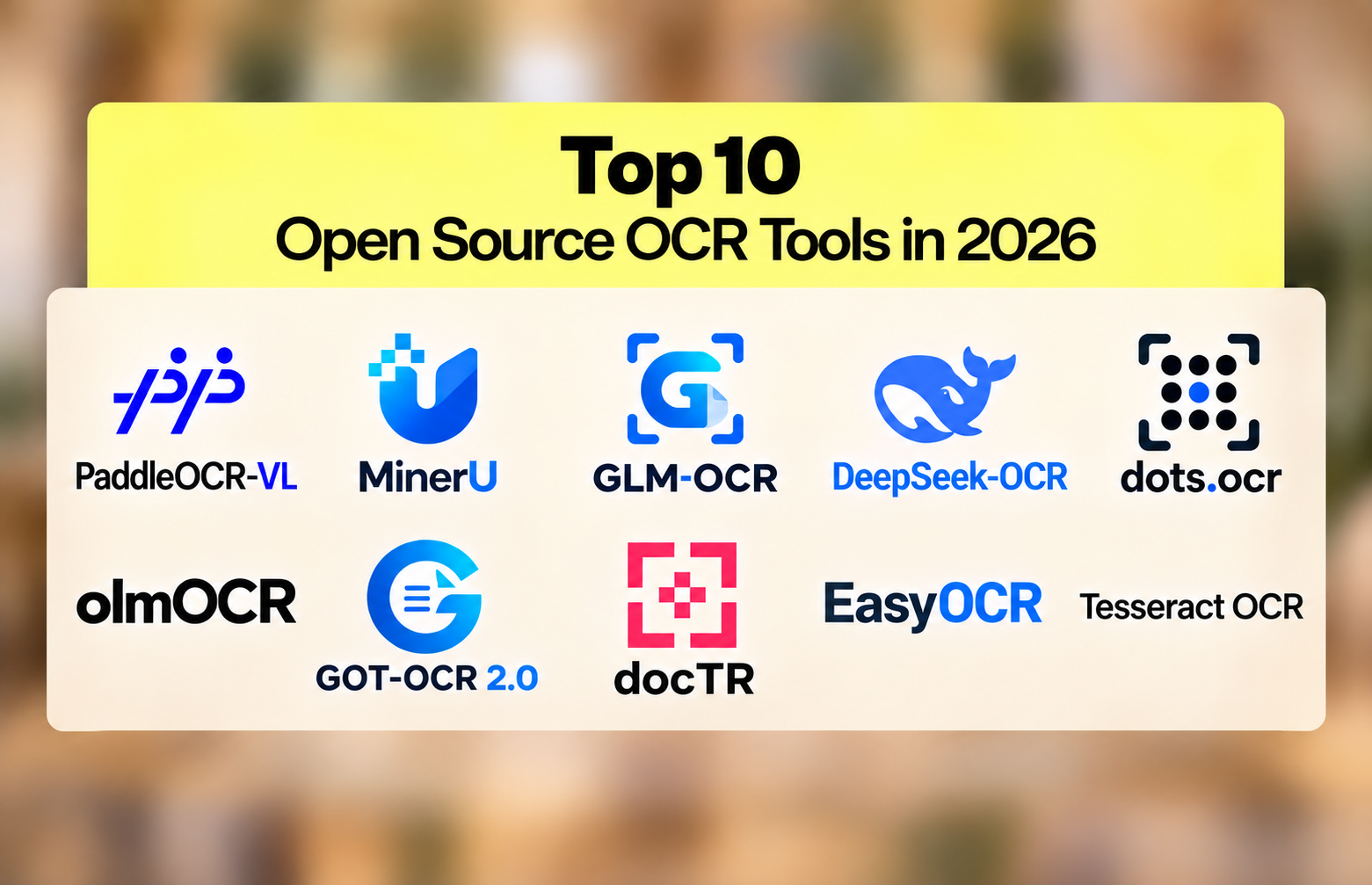
10 Best Open Source OCR Tools in 2026
The open source OCR ranking inverted in the past eighteen months. A 0.9-billion-parameter model now reads documents more accurately than a 235-billion-parameter one. PaddleOCR-VL scores 96.34% on OmniDocBench v1.6; Qwen3-VL-235B scores 89.78%. Here are the 10 best open source OCR engines in 2026 and how to pick between them.
Top 10 Document Fraud Detection Software in 2026
Every accuracy figure in this market is self-reported and none has ever been independently verified. Meanwhile forgery services sell documents built specifically to defeat named detection vendors, openly, on the indexed web. Here is our comparison of the 10 best document fraud detection software platforms and the five weaknesses that separate them.