
OpenCV in Python: Detecting Document Fraud Through Image Analysis
Document fraud detection with OpenCV in Python: real tests and limitations.

OpenCV is one of the most widely used computer vision libraries in Python. But can it really detect document fraud? In this article, we test OpenCV on several real-world falsification scenarios: amount modification, signature copy-paste, inpainting removal, and compression analysis (ELA). The objective is simple: understand what visual detection can actually identify and where its limits are.
Context
Document digitization brings many advantages. Both in terms of execution speed and logistics, and today many solutions offer document automation to increase productivity. However, automation is nothing without control. At this stage of automation, data verification and authentication are becoming central issues. A very large volume of documents is processed daily, and within that flow there is a significant number of falsified documents. Today, I’m going to present an open-source visual fraud detection solution: OpenCV.
OpenCV: visual forensic analysis
OpenCV is an open-source library that relies on visual detection to analyze documents. More precisely, we are talking about computer vision. It is a branch of artificial intelligence specialized in analyzing digital images. It allows us to detect modifications that are invisible to humans and therefore avoid certain cases of document falsification.
This issue is not limited to the visual aspect of documents, but visual analysis is clearly one part of document fraud detection.
Important clarification
OpenCV analyzes only the visual rendering of a document, meaning the pixels that compose the final image. This means that a structural modification made directly inside a native PDF, for example through an editor like Adobe Acrobat, will not necessarily be detected if the visual rendering remains perfectly consistent.
In other words:
If an amount is modified inside a vector-based PDF and cleanly rewritten by the software, OpenCV will see nothing. On the other hand, if a visual modification is applied to a scan or image, such as copy-paste, digital text insertion, removal, or local retouching, OpenCV can in many cases detect pixel anomalies or texture inconsistencies.
What types of fraud can OpenCV detect?
OpenCV can be used in many document fraud detection scenarios. Because it is limited to the visual layer of a document, it will detect visual falsifications only. We are talking here about visual anomalies, pixel inconsistencies, and texture ruptures. OpenCV is useful only when detecting visual modifications made to a document image.
The tests I’m presenting today were conducted around the following cases:
- Modification of an amount
- Copy-paste of a zone
- Removal / Inpainting
- Compression analysis
How are documents falsified?
Documents can be modified in different ways using various tools, from simple to advanced. When it comes to visual manipulation, these changes are usually performed using software such as Adobe Photoshop, GIMP, Canva, Paint, and similar tools.
Examples and detection tests
Modification of an amount
Test documents
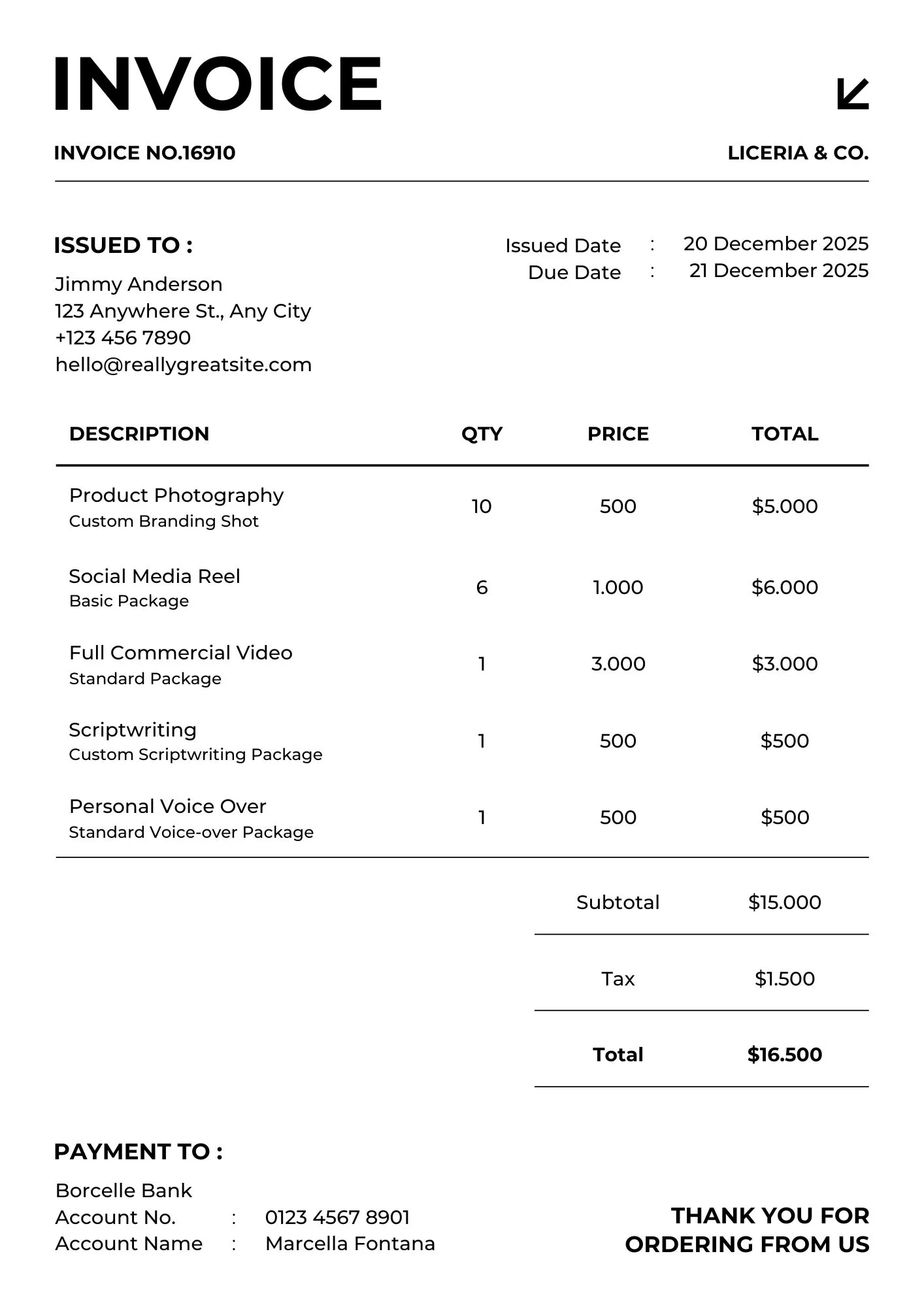
For the test document, I chose a US-format invoice. I changed the original unit price from $1000 to $1200 and adjusted the related totals, including the line total and global total. I performed two different tests to answer a double question.
Test 1: Direct modification of a clean Canva template using Photoshop and exporting as JPG (native digital document).
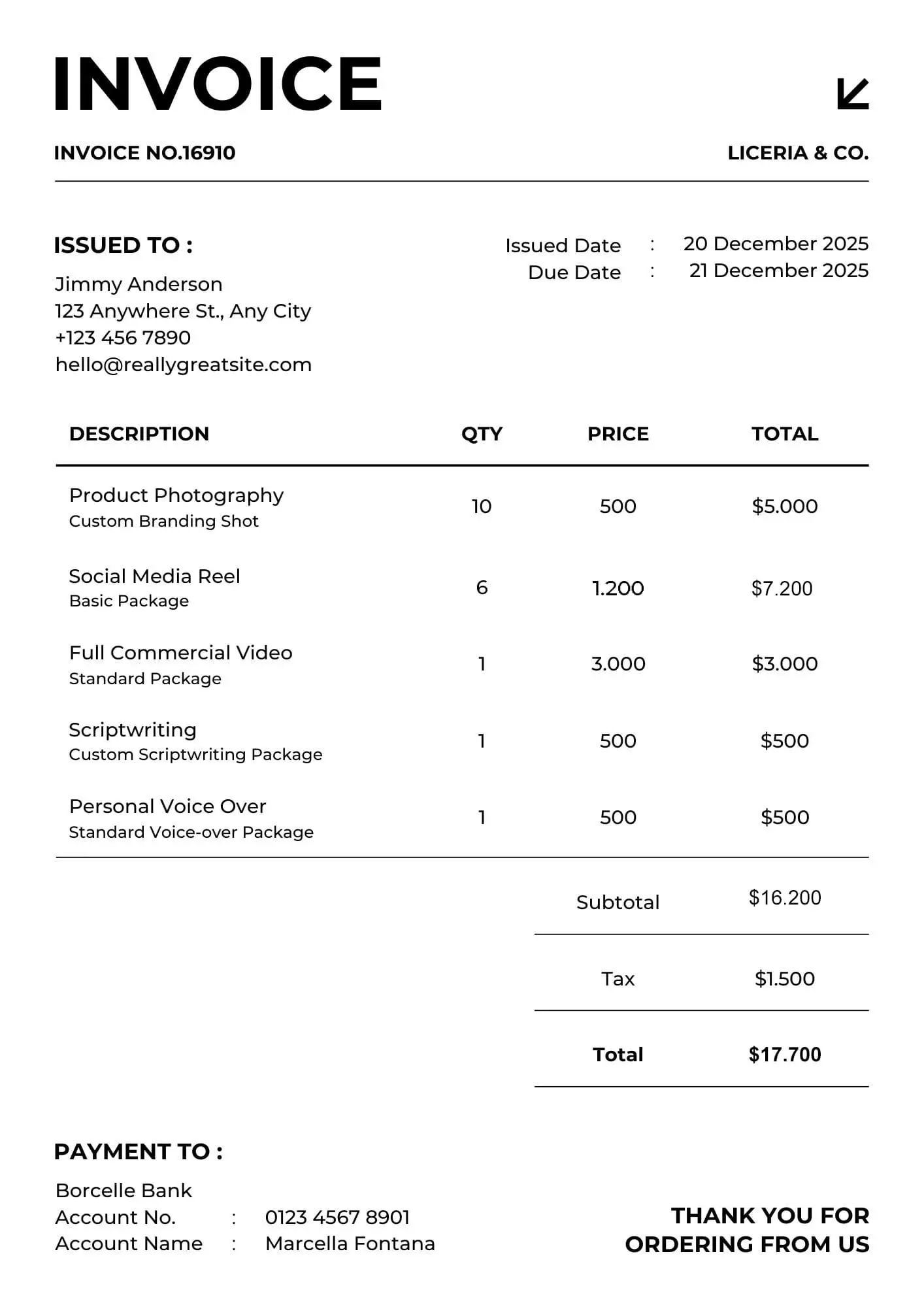
Test 2: Modification of a scanned document with added digital text, exported as JPG.
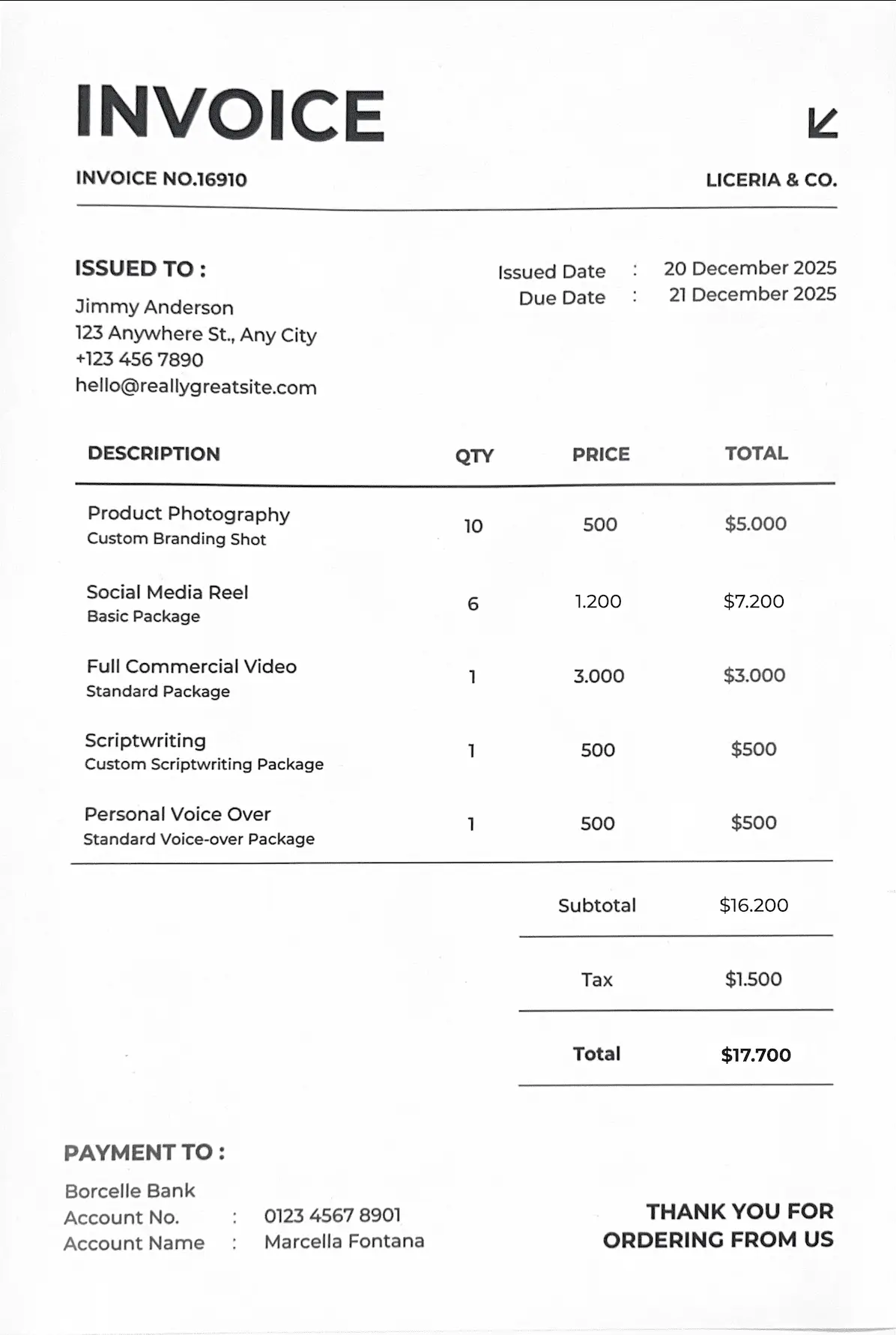
Test result #1 (Native JPG document)
For the document modified from a clean digital template, OpenCV did not detect any incoherent zones in the heatmap. The modification is too clean. The document remains visually homogeneous.
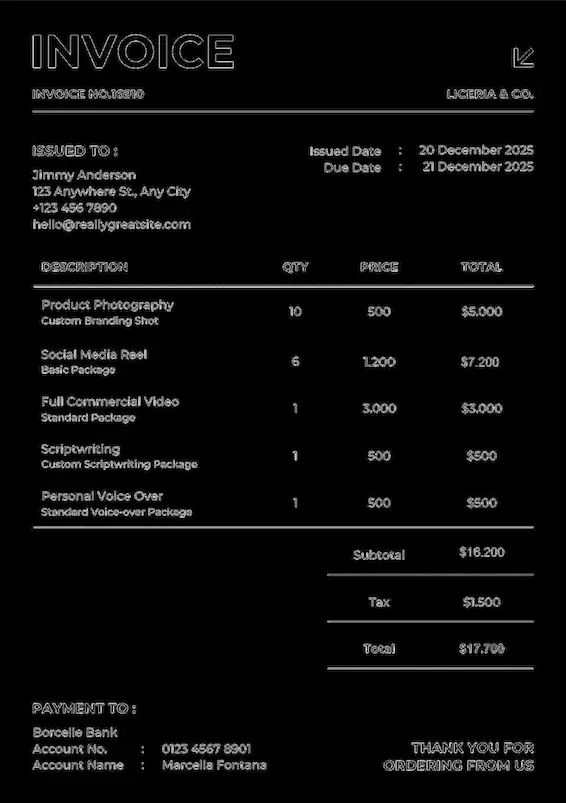
Test result #2 (Scanned JPG document)

This second test is much more conclusive. On a scanned document, the modification was detected. The altered fields clearly appear in the output analysis.
Copy-paste of a zone
Test documents
In theory, it would be possible to test detection through simple internal duplication, such as copying a logo or signature already present in the document so that OpenCV identifies a repeated zone. However, it is more interesting to test this using a concrete fraud scenario. For this test, I used an invoice to which I added a signature imported from another document. For the second test, the same document was globally recompressed to observe whether visual detection would still be possible when pixel differences were attenuated.
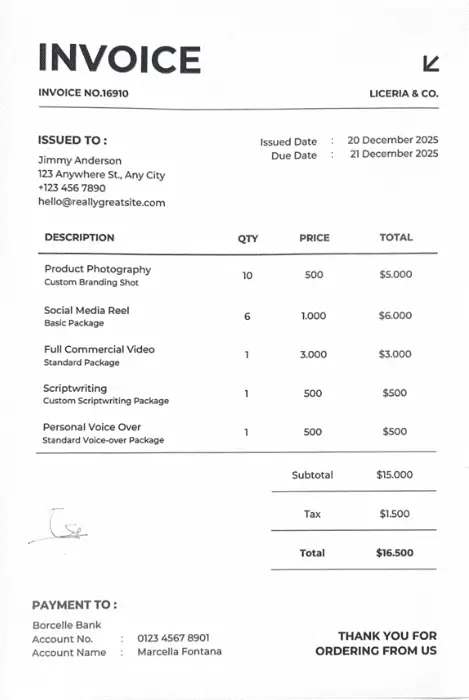
Test result #1 (External insertion)
After a simple analysis like the previous documents, the rendering did not clearly show the modification. I therefore adjusted the output settings. Each anomalous zone appears in white. This improved the contrast and produced a conclusive result. The noise difference is detected and the imported signature clearly stands out.
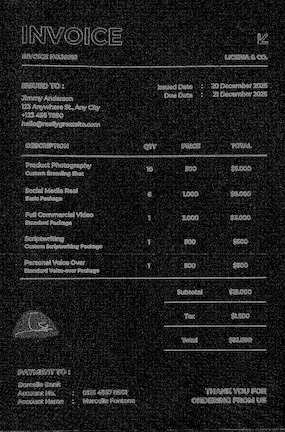
Test result #2 (Homogeneous integration)
In this case, the differences were attenuated through global compression during JPG export. The compression is visible in the analysis rendering, and it becomes impossible to identify the added signature. This demonstrates something important about document falsification. A more advanced modification can neutralize OpenCV. Pure visual inconsistency detection is no longer sufficient. A deeper analysis of the document would be required, for example through metadata inspection.
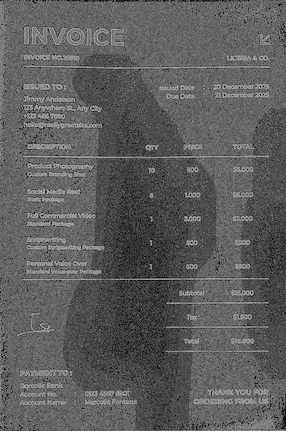
Removal / Inpainting
Test documents
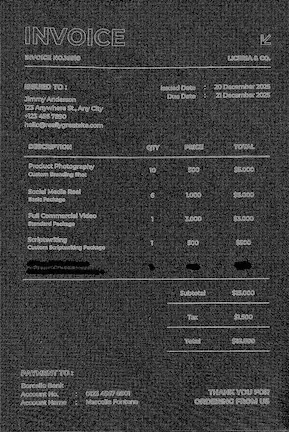
For this test, I compared two falsification methods applied to the same document: my scanned US-format invoice where I removed the last product line. In the first case, I performed a subtle removal that is difficult to notice with the naked eye but likely to generate a statistical rupture detectable by OpenCV. In the second case, I used more advanced editing tools to integrate the removal more homogeneously. The goal was to evaluate whether visual detection remains possible or if the signal becomes too weak.
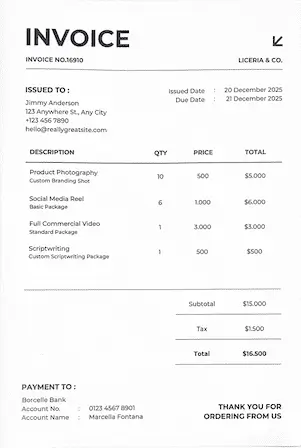
Test result #1 (Basic removal)
The result is clear. The removal performed with a simple tool was strongly detected by OpenCV. The erased line is clearly visible in the output.
Test result #2 (Advanced removal)
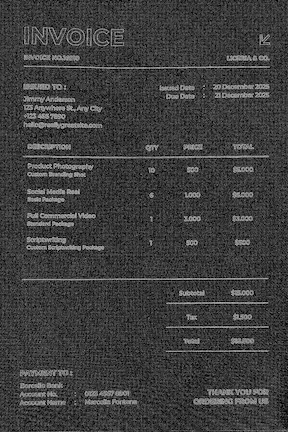
With more advanced editing in Photoshop, the result is different. The modified area is not visually detected even though it has been altered. At this stage, we come back to metadata analysis as a complementary method. It would allow us to detect that the document was exported from Photoshop, whereas this type of document is normally expected to come from a more administrative software environment.
Compression analysis (ELA)
One might think that ELA (Error Level Analysis) is exactly what we used earlier to detect signature import or removal. However, there is a nuance. The previous method was localized detection. A zone with different noise characteristics compared to the rest of the document. Here, ELA does not analyze global coherence but rather reveals local inconsistencies that appear when the image is subjected to controlled recompression. The principle is simple. We take the suspicious image, recompress it in JPEG with a chosen quality level, then compare this recompressed version with the original. We measure the difference between the two.
If the document was modified locally through insertion, removal, or collage, certain areas may not react in the same way during recompression. These differences can then become visible in the ELA map.
Test documents
For this method, I decided to retest the document that had previously failed under global recompression in the signature import scenario. I wanted to see whether ELA would allow better detection. Then I tested the same document without global recompression.
Test result #1 (Homogeneous compression)
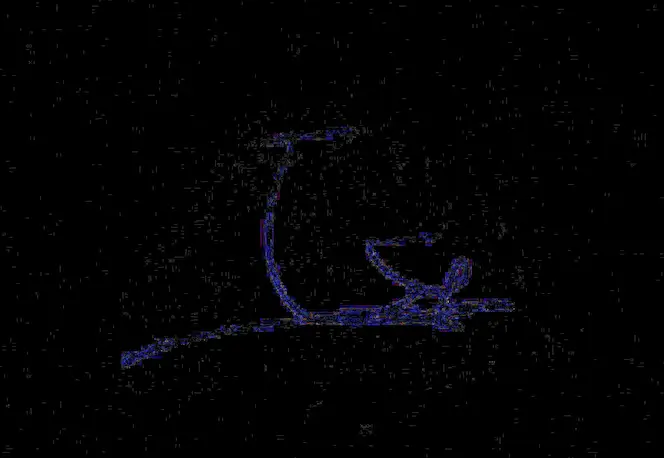
In this test, OpenCV did not detect anything obvious at first glance. Since the image was already homogeneous in compression, recompression did not add much information. I then amplified the contrast of the output. The result becomes more interesting. A slight noise difference appears in the imported zone. ELA can be effective on documents with homogeneous compression, which was not the case for previous methods.
Test result #2 (Non-homogeneous document)
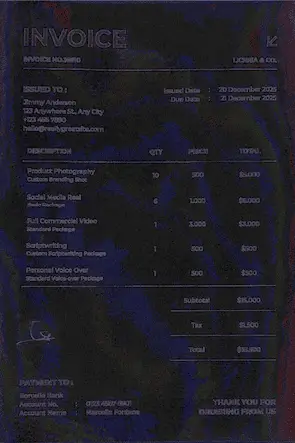
In this case, the test worked but not as expected. The compression difference is visible, but the rendering is highly heterogeneous. Because the document had not been globally compressed beforehand, many artifacts appear and visually pollute the result. The imported signature does not clearly stand out. In the end, ELA proved more effective on a document with more advanced modification. These two compression analysis tests show that ELA is an additional verification layer, but it does not overcome the technical limitations of visual detection. With proper output optimization, however, it can be useful on more complex documents.
Comparative detection summary
The tests show a simple reality: effectiveness depends heavily on document type and on how well the modification is integrated. Amount modification is detectable on a scanned document with natural noise but not on a clean digital file. Signature copy-paste is detectable when texture differences remain, but detection weakens significantly after homogeneous recompression. Basic removal is easily detected, while advanced blending becomes much harder to identify. ELA adds another verification layer but remains sensitive to initial compression levels and can produce noisy outputs.
In short, visual methods work well against simple or poorly integrated modifications, but they lose efficiency against fully homogenized edits.
Alternatives to OpenCV
If we focus strictly on visual image analysis, several alternatives exist.
scikit-image is a Python library oriented toward scientific image analysis, including texture and structural similarity studies.
ImageMagick is a command-line tool capable of image comparison and visual difference detection.
Forensically is a web-based forensic tool providing ELA, clone detection, and noise analysis.
The MATLAB Image Processing Toolbox offers more academic-level advanced image analysis.
OpenCV remains one of the most flexible solutions for integrating visual fraud detection into an automated pipeline.
Conclusion
What we should take away from this article is that OpenCV performs well within its visual scope when properly configured. Obvious visual alterations and even some more advanced edits can be detected, helping prevent certain types of fraud. More broadly, document fraud is not solved by a single detection layer. Each document should be analyzed through multiple methods, including visual inspection, semantic analysis, and metadata verification. It is this combination of layers that provides a reliable assessment of authenticity. Ultimately, organizations should implement a comprehensive fraud detection system that brings all these capabilities together.
So yes, OpenCV is a good solution as one building block within a larger system. For the other verification layers, there are dedicated document fraud detection tools that automate the full workflow.

Real life insights on document automation

5 Best French OCR Solutions to Extract Data from Your Documents
French OCR solutions now make it possible to automatically extract data from your invoices, contracts, and accounting documents using optical character recognition, with hosting based in France. Here is a real comparison of all five OCR solutions, corrected against current 2026 figures where vendor claims had gone stale, covering what actually differentiates them beyond the fact that they are all hosted in France.

Document processing and fraud detection: build or buy?
Extracting and structuring document data, enriching it, detecting fraud: with AI, building your own end-to-end solution has never looked so simple. Buying off the shelf still often turns out to be the better option. Here are the thirty-nine difficulties to expect before you start.

In healthcare, an OCR is judged on what it flags, not on what it reads
Every OCR vendor advertises high accuracy rates, and most of them deliver. On a health document, that is not the right buying criterion. What counts is what the tool does when it is not sure, what it lets you verify, and what it guarantees about the data it handles.

Top Healthcare OCR Tools: HIPAA Compliance and What the Clinical Evidence Shows
Amazon Textract has been formally HIPAA-eligible since October 2019. Most healthcare OCR comparisons never mention that, or check which of the other four tools on their list actually offer a signed BAA. Here is a rebuild that checks compliance status directly, and looks at what the real clinical trials on ambient AI scribes actually found, not just what the marketing claims.

Best Accounting Software for Sole Proprietors and Freelancers in 2026
A freelancer sending a dozen invoices a month can blow through Xero's cheapest plan by week three, and a $19-a-month FreshBooks account caps out at five clients. The number on a pricing page is rarely the number you actually pay. Here is a real comparison of QuickBooks, Xero, Wave, and FreshBooks built for a business of one, not a growing team.