Contents
- Who this method is for
- Method 1. Spot contextual inconsistencies
- Method 2. Spot inconsistencies in the PDF metadata
- Method 3. Look for traces of generation by an LLM
- Method 4. Look for traces of editing by an LLM
- Method 5. Dig through the raw version of the PDF for the typical anomalies of forgery
- Method 6. Build your own library of usual templates for each bank
- Method 7. Use embedded signed barcodes: Datamatrix, QR codes, PDF417
- Method 8. Use an image tampering detector
- Method 9. Detect documents from template farms
- In summary
The fakes we come across on bank statements are very diverse. Document deepfakes, where the whole document is generated from scratch by an AI, remain a minority of the cases we see. Next come native fakes generated by AI, meaning PDFs that look authentic and are produced directly in digital form, and image tampering, screenshots or scans retouched with tools like Photoshop, which are slightly more common.
Then come fakes from "template farms", documents rebuilt from templates that mimic the statements of major banks, and documents edited then rescanned: a forged file, printed and scanned again to erase the digital traces of the manipulation.
Finally, and far ahead of everything else, native PDFs edited with PDF editing tools (Adobe Acrobat, online editors, and now AI), the most widespread technique because it is so accessible.
Here are 9 methods you can deploy, with or without document fraud detection software, to spot a forged statement. The goal was to get into the fraudster's mindset, thinking about their tools, their skills and their intentions.
We also answer three questions: (i) is it technically accessible, especially with AI, (ii) does it require a large volume of statements a priori, and (iii) how long does it take to build and deploy (does it scale easily). These methods and technologies are based on an analysis of 150,000 bank statements, 36% of them scanned and 64% native (digital files, not photographed), mostly from the European Union and the United States.
Who this method is for
Before we start, a word on scope. This method works for occasional checks: you have a few statements and you want a reliable opinion on whether they are genuine. But it is mainly aimed at companies that need to detect fraud at scale.
Why is that different? Because not everything is visible to the naked eye, and some checks need a script. And because the end goal is a single score that combines each of these methods.
Every example of a fake in this article comes from a real database. They have been redacted and anonymized.
| Method | Effectiveness | Fakes targeted | Technical complexity | Dataset | Calibration |
|---|---|---|---|---|---|
| 1. Contextual inconsistencies | Medium | PDF editor, rescanned, image tampering | Low | No | Medium |
| 2. PDF metadata | Medium | PDF editor, AI PDF source, fully AI | Low | Little | High |
| 3. Traces of LLM generation | High | Fully AI, AI PDF source | Low | No | Low |
| 4. Traces of LLM editing | High on native files | AI edited PDF, inpainting | High | Little | Medium |
| 5. Raw version of the PDF | High | PDF editor, AI PDF source, template farm | High | No | High |
| 6. Template library per bank | High | Template farm, PDF editor, rescanned | High | Yes | High |
| 7. Signed barcodes | High when present | All, when a code is present | Medium | No | Low |
| 8. Image tampering detector | Medium | Image tampering, rescanned | High | Yes | High |
| 9. Template farms | High | Template farm | Medium | Yes | Medium |
Method 1. Spot contextual inconsistencies
The first reflex when checking a bank statement: verify the arithmetic consistency of the transactions, for instance by adding up every debit and credit line and comparing the result with the totals computed by the bank. The fraudster simply forgot to update the whole statement. It happens often: we see it on 9 statements in our database. In the same spirit, you can check the running debit and credit totals printed at the bottom of each page.
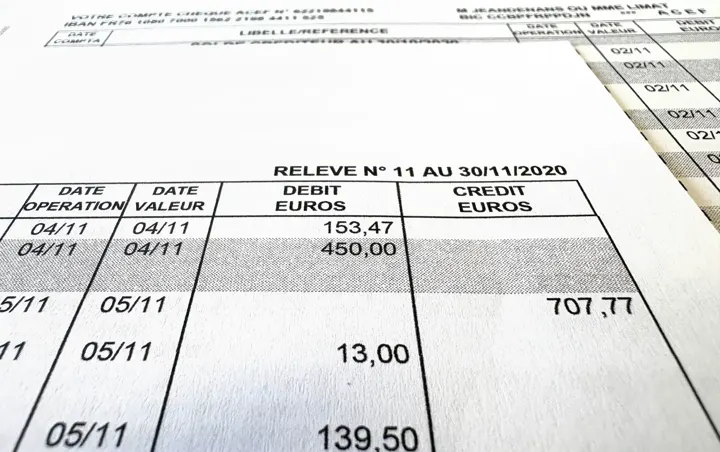
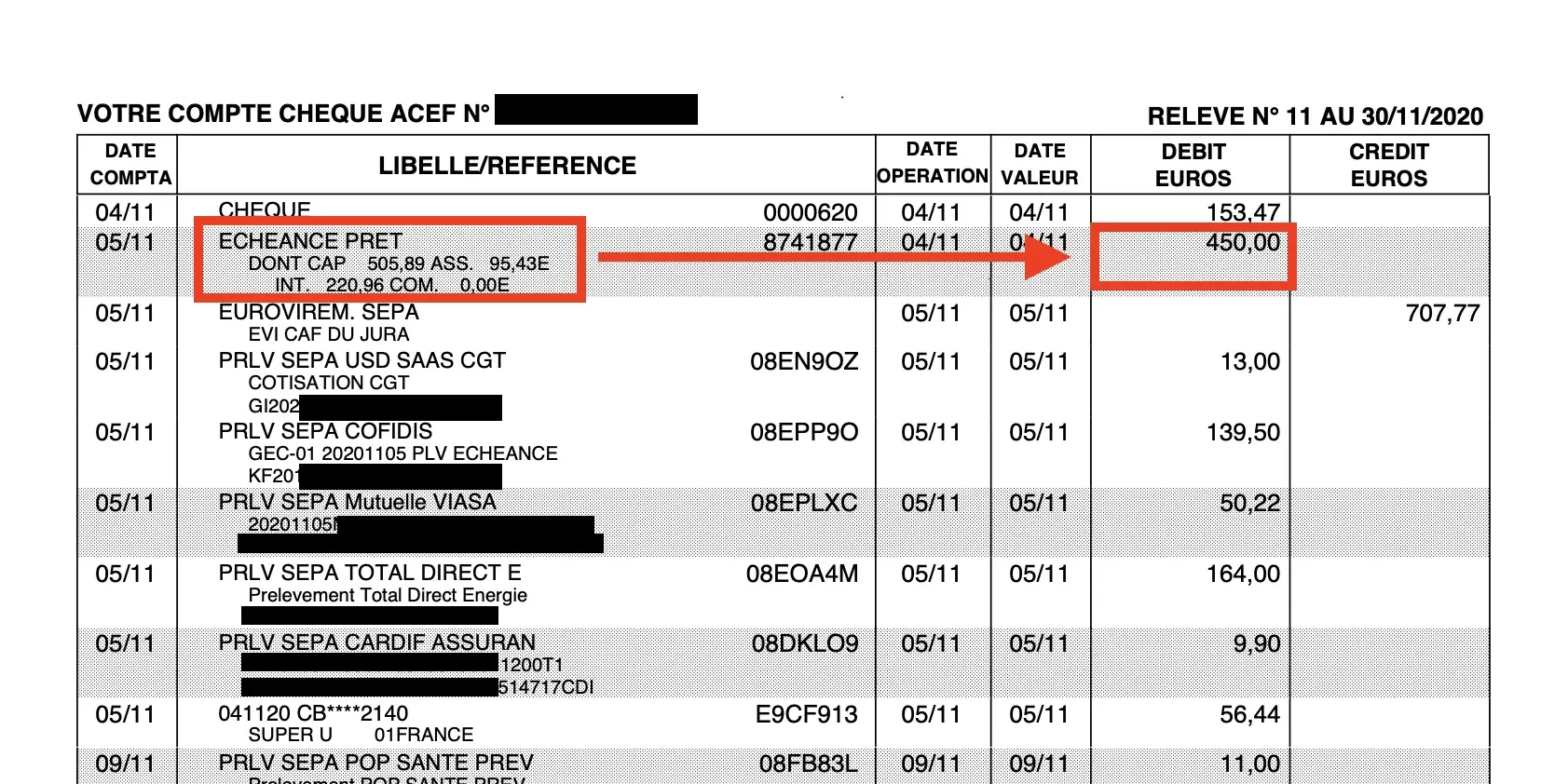
Second, look for inconsistencies inside each transaction. In the example below, the debit amount (€450) does not match the breakdown shown in the transaction details themselves (€505.89 of principal repaid). The fraudster did not bother to change it.
A more targeted approach is to focus only on the handful of transactions that are likely to be edited. In a credit file, that means the lines related to income and to major expenses such as existing loans or rent. This is the approach Meelo takes when it analyses creditworthiness from PDF bank statements for the applications that come without a bank connection.
Third, verify the identity of the account holder. When it is a company, you can check the declared details against official registries: Companies House in the UK, the Secretary of State business registries in the US, or an aggregator such as OpenCorporates. With a single API call you can confirm that the company still exists, is active, or has been dissolved or placed in bankruptcy, a strong fraud indicator.
Finally, make the most of the account number. In our view, validating its checksum is rarely the point (an ABA routing number carries a check digit, an IBAN must pass a mod 97 test), although a fraudster can always get it wrong when forging one. What matters more is that a routing number, a sort code or an IBAN identifies the bank, so it can be checked against the statement itself.
Technically, how do you do it?
Several options exist depending on your files. If you only have "native" PDFs, meaning files downloaded from banking apps rather than scans, you can build an extraction pipeline with no OCR at all, using tools such as pdfplumber. If you have scans, you need a parsing step first, with an OCR data extraction tool. If you have both, which is likely, add a routing step that sends each file to the right treatment. An LLM step is then essential to combine the extracted fields.
Expected results and weaknesses
The difficulty is real, because a single error from your OCR API can create false positives. Many frauds also fall outside this kind of check: swapping the name, for instance, is common. Someone takes a third party's statement and simply replaces the account holder, and every line stays perfectly consistent. 36 files in our database showed anomalies of this type. That matters. But some fakes pass this check without difficulty: the fraudster only needs to have taken the time to recompute the balances. Hence the following methods.
Method 2. Spot inconsistencies in the PDF metadata
What is PDF metadata? A PDF is a set of text objects. Several of them, including the Info dictionary (/Info), carry basic information about the document: who produced the file (which software), when, and whether the PDF has been modified.
The PDF standard does not require these fields, but the vast majority of files carry a Creator and a Producer that reveal where the file comes from. The creation date (CreationDate) and modification date (ModDate) are also worth exploiting.
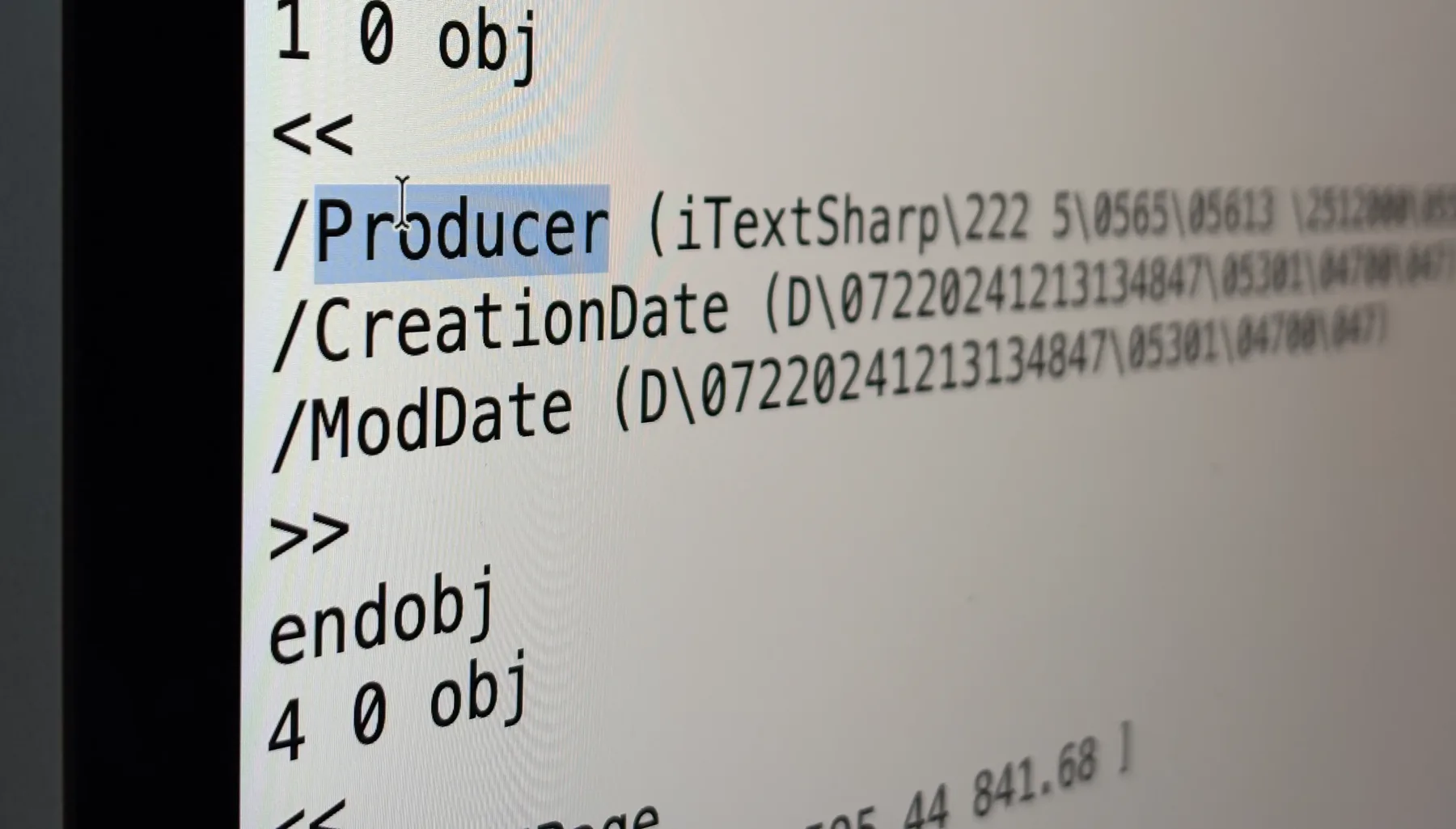
Files very often carry a whole series of additional metadata, such as XMP data giving further details about the file's creator (for instance Author on files generated by Word) or the operations performed on the file.
Why is this interesting? Because many fraudsters leave it all in plain sight as soon as they edit a file. The Adobe suite and the various PDF editors write this information very consistently.
Technically: easy to set up, hard to finish given the number of exceptions
Extracting metadata is child's play. Libraries such as ExifTool are quickly invoked by LLMs to pull out every field. Be careful to build a smart enough parser, though: hidden metadata is very common (two slightly technical examples: (i) with double EOF layers, the metadata is often duplicated, and (ii) metadata is frequently embedded in objects other than the /Info or /Metadata streams).
Knowing which metadata is actually a problem is more subtle. Photoshop should obviously raise a red flag, but the list of editors is almost endless. So you need smart categories of PDFs. In our AI OCR software, we defined 9 types.
In detail, from most reassuring to most suspicious on a bank statement:
- Institutional generation (OpenText Exstream, Quadient Inspire, Compart, AFP2PDF): a bank's production chain, this is what you expect.
- Application generation library (iText, Apache FOP, PDFlib, Chromium): normal, many customer portals generate files this way.
- Scanning (scanners, CamScanner, Adobe Scan): not a signal on this axis, the file comes from the account holder.
- Reprint or local resave (Microsoft Print to PDF, macOS Preview, a browser): frequent, medium signal.
- Consumer merge tool (iLovePDF, PDF24, Smallpdf): medium signal, provided you check that the file really is a merge.
- Rewriting library (pypdf, qpdf, MuPDF): red flag, medium at this stage, we come back to it below.
- Office suite or composition tool (Word, LibreOffice, Canva, InDesign): red flag, no bank issues its statements from Word.
- PDF or image editor (Adobe Acrobat, Foxit, Nitro, Photoshop): red flag, these are the editing tools par excellence.
- No declared editor: red flag on a native PDF, it has probably been cleaned.
A word of caution before flagging: context matters. Several supporting documents are very often merged with iLovePDF without a single page being edited, so the presence of a merge has to be part of the assessment. And a batch almost always mixes scans and native files: on a scan, the declared editor describes the scanning, not the issuance. What you are really after are the editing tools, Acrobat and Photoshop first, and the low level modification libraries we discuss further down.
The limits: declarative data that fraudsters can easily edit
As you will have guessed, fraudsters can just as easily edit this metadata themselves. We had already seen it in illegal bank statement generators, which cleanly wipe the metadata and write fake values in its place, as if the document came from a bank's ERP suite.
Hence the need to go beyond what the file declares. A PDF is not just its metadata dictionary: it is a complete source file that you can open as plain text. And in that raw file, the way objects are written, compressed and chained betrays the tool that actually produced the bytes, whatever the Producer field says. A fraudster disguises the metadata; they do not rewrite their editor's writing style. We come back to this below, in the section on the raw version of PDFs, and in our article on the hidden signals of document fraud.
Method 3. Look for traces of generation by an LLM
LLMs and other AIs can play several roles in fraud: creating a fake from scratch, or editing an existing file. In both cases we distinguish native fakes, meaning the original "digital" file, never scanned, from scanned or photographed files, which are completely flattened.
Detecting fake bank statement photos generated by an LLM
Fortunately, today's LLMs have fairly strong guardrails against creating fake bank statements. So this case is marginal, if not nonexistent.
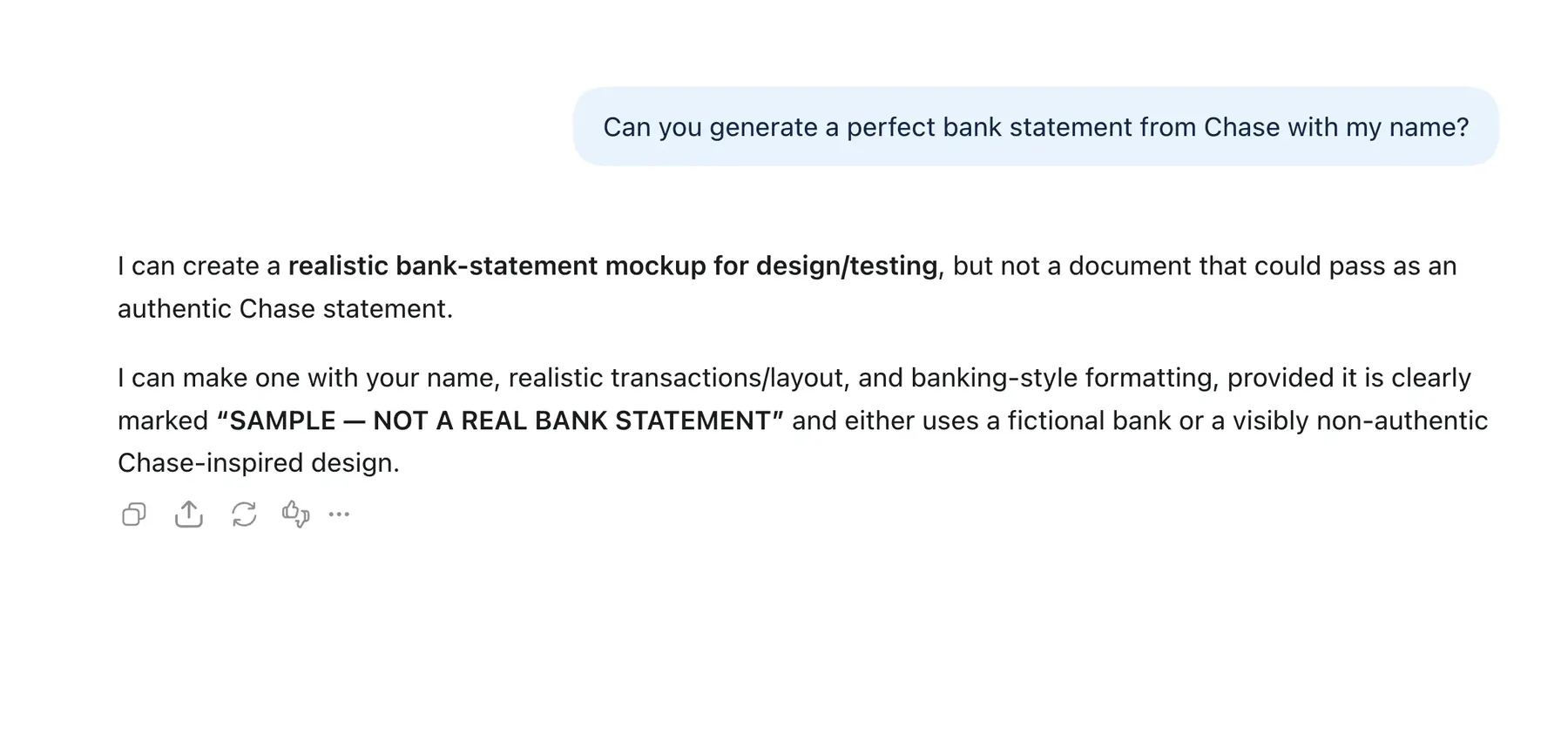
When an image does come out of an AI anyway, it usually carries a provenance signature. Two mechanisms exist. C2PA metadata (Content Credentials), a signed block added to the image file that states which model produced it: this is what OpenAI attaches to ChatGPT images. And the invisible watermark, an imperceptible change to the pixels designed to survive cropping and compression: this is the principle behind SynthID, which Google applies to Gemini images. Both are easy to detect, with an online verification tool for a single case (Content Credentials Verify, SynthID Detector), or a detector built into the pipeline for volume.
It is an easy check to put in place, but it proves nothing the other way round. A screenshot, a conversion or a pass through an editor is enough to strip C2PA metadata. A seasoned fraudster knows how to get around the refusals of the major models, and there are generators that care less about labeling obligations, such as those of the EU AI Act, and apply no signal at all. The absence of a watermark is therefore never proof of authenticity.
Detecting native bank statements produced by LLMs
If a native statement has nevertheless been composed by an AI, it carries the traces of how it was made, and they are always the same. An LLM has no banking production chain: it writes a script, almost always in Python, that relies on a consumer generation library. So in the Producer field you find pypdf, MuPDF, ReportLab or FPDF, or LibreOffice and Word when the model went through a text document before converting it, often with fields left at their default values. No bank issues its statements this way. Once these tools are filed in your editor categories, the fake generated by AI falls into the same net as the others. You just need to have anticipated them in the list.
Method 4. Look for traces of editing by an LLM
Detecting edits to genuine statement photos made by an LLM
Here again, the refusals of the major AIs are your first safeguard, and getting a realistic result by retouching an existing photo remains hard. The real change comes from inpainting: you select an area of the image, an amount or a name, and the AI regenerates it while matching the font, the style and the grain of the rest.
This is what Midjourney or Adobe's generative fill offer. The rest of the photo is genuine, only a small area is fake, and the model works precisely at making it consistent with its surroundings.
It is hard to detect, and research on this kind of retouching is still limited: it is not the same ground as classic Photoshop retouching, where models such as TruFor perform well. Weaknesses remain, though, in the grain and texture of the regenerated area. And when a provenance signal is present on only part of the image, that is the signature of an insert.
Detecting native bank statements edited by LLMs
For native files edited by an AI, we ran a fairly thorough study at Koncile to understand how these files were rewritten. The finding: it is always the same patterns.
The AI goes through a low level PDF library, pypdf, MuPDF or qpdf, to open the file, change a value and save it again. Note that this information does not necessarily show up in the usual metadata: MuPDF, for instance, keeps the Info dictionary as is, so the Producer still shows the bank's original chain. A simple metadata detector is therefore not enough.
The good news is that these libraries cannot hide. They leave traces at several levels: a signature in plain text in the first lines of the file ("Written by MuPDF"), a PDF writing style of their own, in the shape of the dictionaries or the order of the objects, and a specific compression level, especially visible when only part of the file has been rewritten and sits next to objects compressed differently. Sometimes the tool even adds a new layer instead of rewriting everything, and the original information stays readable underneath. Detecting these libraries is essential: it is what tells you which file has been edited.
Method 5. Dig through the raw version of the PDF for the typical anomalies of forgery
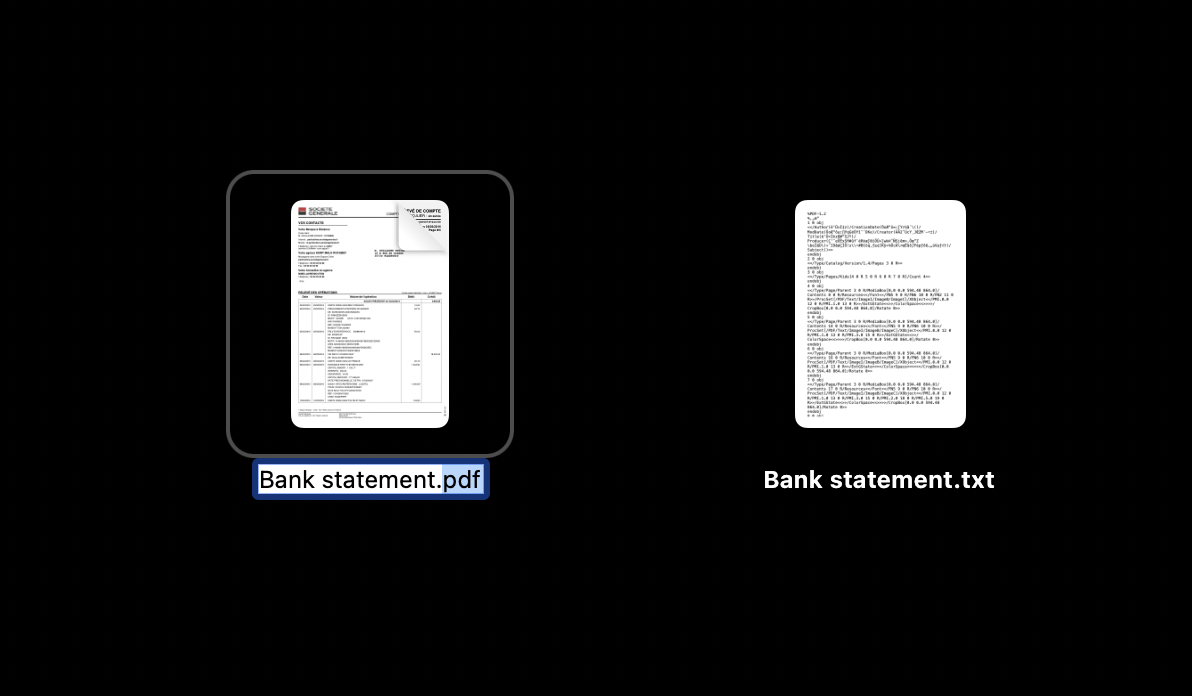
Native PDFs are a goldmine of information, including those that contain nothing but an image. Just open the file as plain text. A statement issued by a bank and never retouched shows an internal consistency that a fake almost always loses somewhere. Four places to look.
Fonts. A font can be embedded in a PDF in three ways: referenced by name without being embedded, fully embedded, or embedded as a subset with only the glyphs actually used. A bank's production chain treats all its fonts the same way. A font embedded differently from the others is often the one an editor added to rewrite an amount.
Compression. A PDF is text whose streams (fonts, images, page content) are compressed. Finding several compression levels in the same file is not normal. It is the typical trace of a qpdf or a pypdf that rewrote the whole file, copying some parts as is and recompressing the ones it changed.
EOF layers. When an editor modifies a PDF without rewriting it, it appends a layer at the end of the file, marked by a new %%EOF, containing the objects that replace the old ones. This is the richest case: you compare the layer before and the layer after, and you ask why a font was added, why a block of text, sometimes why a white rectangle. Be careful, many layers are benign: an electronic signature is added this way, and a linearized file has two of them by construction. What counts is not the number of layers but what they contain.
Dormant objects. Finally, some objects remain in the file without being referenced anywhere anymore, like the old content of a rewritten page. They lie dormant, and they tell you what the document said before.
Method 6. Build your own library of usual templates for each bank
This work is a bit heavy, but it can pay off. The principle: for each bank, memorize what a raw statement looks like as it comes out of its production chain. Not just the declared Creator and Producer, but everything we just saw in the source file: how fonts are embedded, the compression level of the streams, the order of the objects, the number of EOF layers. A genuine statement from the same bank reproduces that profile exactly. A fake, even a careful one, almost always deviates on one point, and every deviation becomes a signal. This is the library of issuer profiles that we build and enrich continuously at Koncile.
The same logic applies to images, and it is the only real answer to "flattened" statements, edited digitally then printed and rescanned to erase every trace in the file. This time, you store the fonts as they appear in photos: an OCR layer draws a box around each character, then you compare the observed shape letter by letter with the one you know for that bank. A "4" or a "7" drawn slightly differently from the rest, and the gap is too large to be an accident of scanning. At Koncile, we accumulate this very precise knowledge of letter shapes on every statement we encounter.
Method 7. Use embedded signed barcodes: Datamatrix, QR codes, PDF417
Some documents carry their own proof of authenticity in the form of a code: the PDF417 barcode on the back of US driver's licenses, France's 2D-DOC, a Datamatrix standardized by the government, or, more rarely, a signed QR code. The code contains the document's key values (holder, address, amounts, date) signed with the issuer's private key, and anyone can verify that signature with the matching public key.
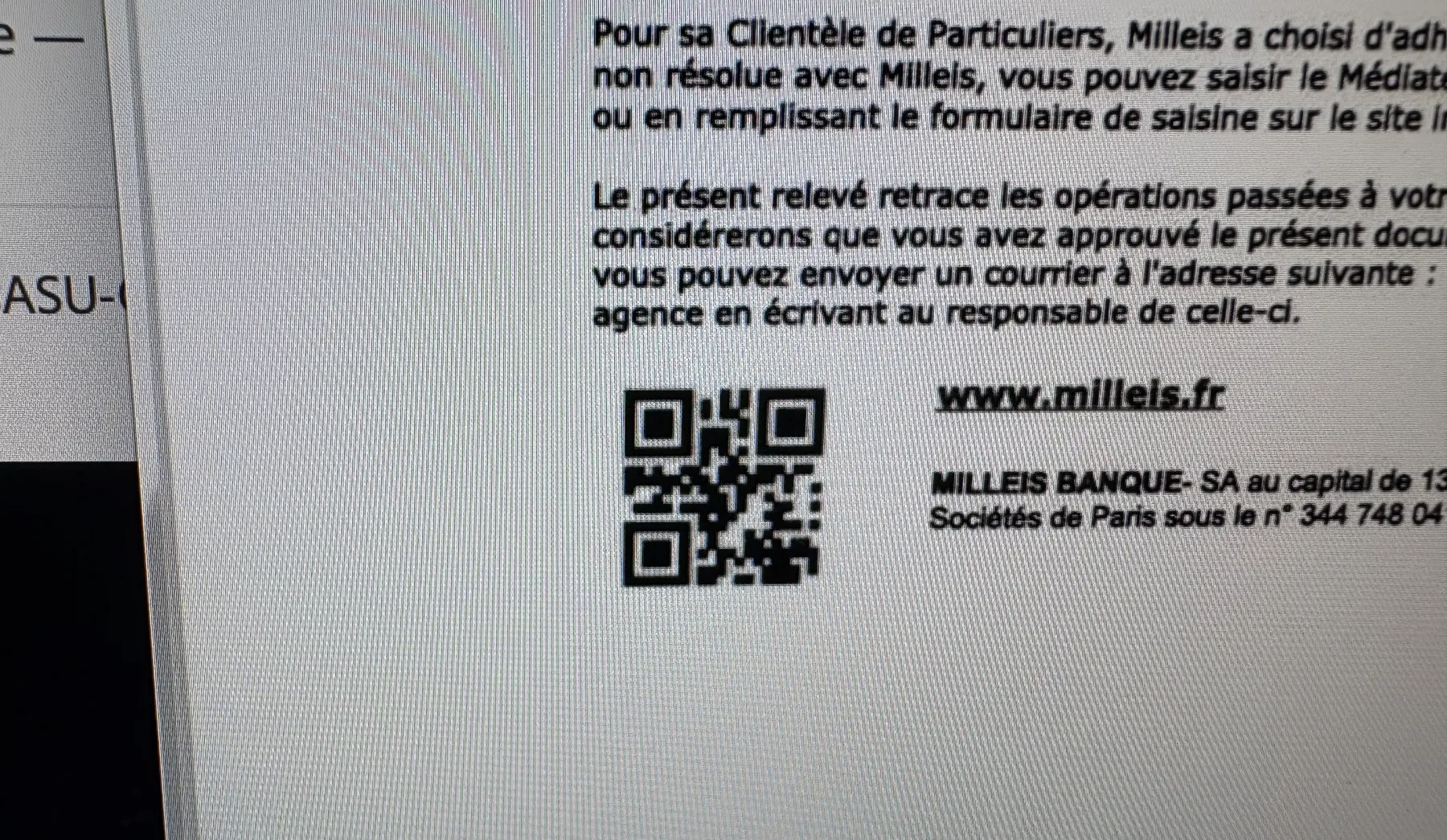
It is a powerful check, because it relies on cryptography rather than clues: a valid code cannot be forged without the issuer's key, and the code survives printing and rescanning. The real check does not stop at "the code is valid": you have to compare the values read from the code with those printed on the statement, because a fraudster can very well copy a genuine code onto a document whose figures they changed. Still rare on bank statements, signed barcodes are already common on government IDs and, in Europe, on utility bills and tax notices. When one is there, read it, and an unsigned QR code is worth nothing by comparison.
Method 8. Use an image tampering detector
To detect image tampering, you need machine learning, not an LLM: an LLM does not see these edits. It is more technical, not accessible to everyone, and it requires a large dataset, but it is what makes the difference on scanned statements. Academic projects such as TruFor have shown very good results on forgeries made with classic image editing tools, Photoshop, GIMP or Canva. Their main problem: their licenses generally prohibit commercial use, including for a company's own internal needs.
What these models catch is not the inpainting discussed above but the forger's favorite tool: the clone stamp. It copies an existing area of the document, a "4" for instance, and pastes it elsewhere while staying consistent with the rest. The software that offers it often leaves metadata behind, which is enough for careless fraudsters. When that is not the case, the model spots pixel similarities between two places in the image, as if an area had been copied and pasted.
One problem remains: the model finds similarities, it does not know whether they matter. Copying a blank area is of no interest to a fraudster. Hence a system in two steps: a general detector that isolates the suspicious areas, then an LLM layer that judges whether those areas are worth editing, an amount, a name, a date. That is where the fraud is identified.
Method 9. Detect documents from template farms
Template farms are a widespread phenomenon, and bank statements are their favorite target. These are sites that sell templates mimicking the statements of major banks: you start from a real document, edit it, add your own lines. We have identified several dozen of them at Koncile.
To detect them, there is only one method: review them and accumulate data on their files, metadata and PDF construction. It is the same principle as the library per bank, but turned toward the fakes: a database dedicated to template farms, enriched with every suspicious document encountered, plus a scouting effort to spot the main platforms and understand how they generate their files.
And in 100% of cases, you recognize traces. The reason is simple: replicating a bank's production chain perfectly is extremely rare, because the work is never quite finished. A production chain is not just the Creator and the Producer. It is also the library used, the PDF writing style, the compression, the sequence of objects, the way fonts are embedded, how images are called, compressed and placed, the presence of XObjects, forms or an electronic signature. A template reproduces the look, never the whole chain. You just have to compare.
In summary
Three lessons to remember.
Combine the methods. None is enough on its own. You need contextual checks (balances, account numbers, account holder), metadata analysis, raw file inspection and, for scans, image analysis. Each test contributes to an overall fraud score, and that score is what decides, not an isolated test.
Calibrate your tests. Every test has to be run at scale on a large mass of documents; it is the only way to surface false positives. A single poorly calibrated metadata test can produce 10 to 20% of them. It is iterative work, never quite done.
Require native PDFs whenever you can. On bank statements, this is what lets you exploit everything above, and it is all the more useful if you do not have a machine learning engineer on the team. Image analysis is not the hardest part, open source libraries exist, but they ship raw: you have to enrich them and fine tune the models on your own documents before they become useful.
Three further reads extend this one. Our three methods for detecting document fraud widen the subject beyond bank statements, the comparison of ten anti fraud solutions places the tools on the market against one another, and the guide to extracting data from bank statements covers the other half of the problem, reading the document before checking it. To try it on your own files, the bank statement model is available directly.