{"@context":"https://schema.org","@graph":[{"@type":"ItemList","name":"ABBYY FineReader vs Nanonets Comparison 2026","description":"Detailed comparison of ABBYY FineReader and Nanonets on OCR accuracy, AI document automation, pricing, and document processing capabilities.","itemListElement":[{"@type":"ListItem","position":1,"name":"ABBYY FineReader","url":"https://pdf.abbyy.com/","description":"Desktop OCR and PDF editing software with 99%+ accuracy across 190+ languages. Standard at $99-117/user/year."},{"@type":"ListItem","position":2,"name":"Nanonets","url":"https://nanonets.com/","description":"AI document automation platform with pay-as-you-go pricing and $200 free credits. Trusted by 34% of Fortune 500 companies."}]},{"@type":"FAQPage","mainEntity":[{"@type":"Question","name":"What is the difference between ABBYY FineReader and Nanonets?","acceptedAnswer":{"@type":"Answer","text":"ABBYY FineReader is a desktop OCR and PDF editing tool. Nanonets is a cloud-based AI document automation platform with pre-trained models for invoices, receipts, and purchase orders."}},{"@type":"Question","name":"Which is cheaper, ABBYY FineReader or Nanonets?","acceptedAnswer":{"@type":"Answer","text":"FineReader costs $99-117 per user per year. Nanonets starts free with $200 in credits then charges per block with a Pro plan from $999/month. At low volumes FineReader is cheaper."}},{"@type":"Question","name":"Does ABBYY FineReader have an API?","acceptedAnswer":{"@type":"Answer","text":"FineReader PDF does not expose a developer API natively. API access requires FineReader Server, a separate enterprise product. Nanonets is API-first."}},{"@type":"Question","name":"Does Nanonets have fraud detection?","acceptedAnswer":{"@type":"Answer","text":"No. Nanonets does not include built-in document fraud detection. ABBYY FineReader also does not include fraud detection. Tools like Koncile include a fraud detection system as a standard feature."}},{"@type":"Question","name":"What is a good alternative to ABBYY FineReader and Nanonets?","acceptedAnswer":{"@type":"Answer","text":"Koncile is a strong alternative for teams needing cloud-based extraction with transparent per-page pricing, fraud detection, and no-code field customization. Free trial at koncile.ai with 20 credits and no credit card required."}}]}]}
Background gridBackground gridBackground grid

ABBYY FineReader vs Nanonets : 2026 Comparison


Comparing ABBYY FineReader and Nanonets on OCR accuracy, AI document automation, pricing, and which fits your document processing workflow in 2026.
ABBYY
AI document intelligence
Nanonets
AI document workflows
ABBYY
ABBYY FineReader is a desktop OCR and PDF editing tool with 30+ years on the market, known for high accuracy across 190+ languages.

About ABBYY FineReader

ABBYY FineReader is one of the most recognized names in OCR software, with 30+ years on the market and consistently strong reviews on G2 and Capterra. If you have been searching for ABBYY FineReader alternatives, this comparison breaks down both tools honestly.

Key pros of ABBYY FineReader

  • 99%+ OCR accuracy across 190+ languages
  • Strong PDF editing: annotate, redact, compare document versions
  • 30+ years on the market, widely trusted
  • One-time perpetual license available, no mandatory subscription
  • Standard at $99-117/user/year; Corporate at $165/user/year
  • Used by PwC, Skoda Auto, and major enterprises worldwide
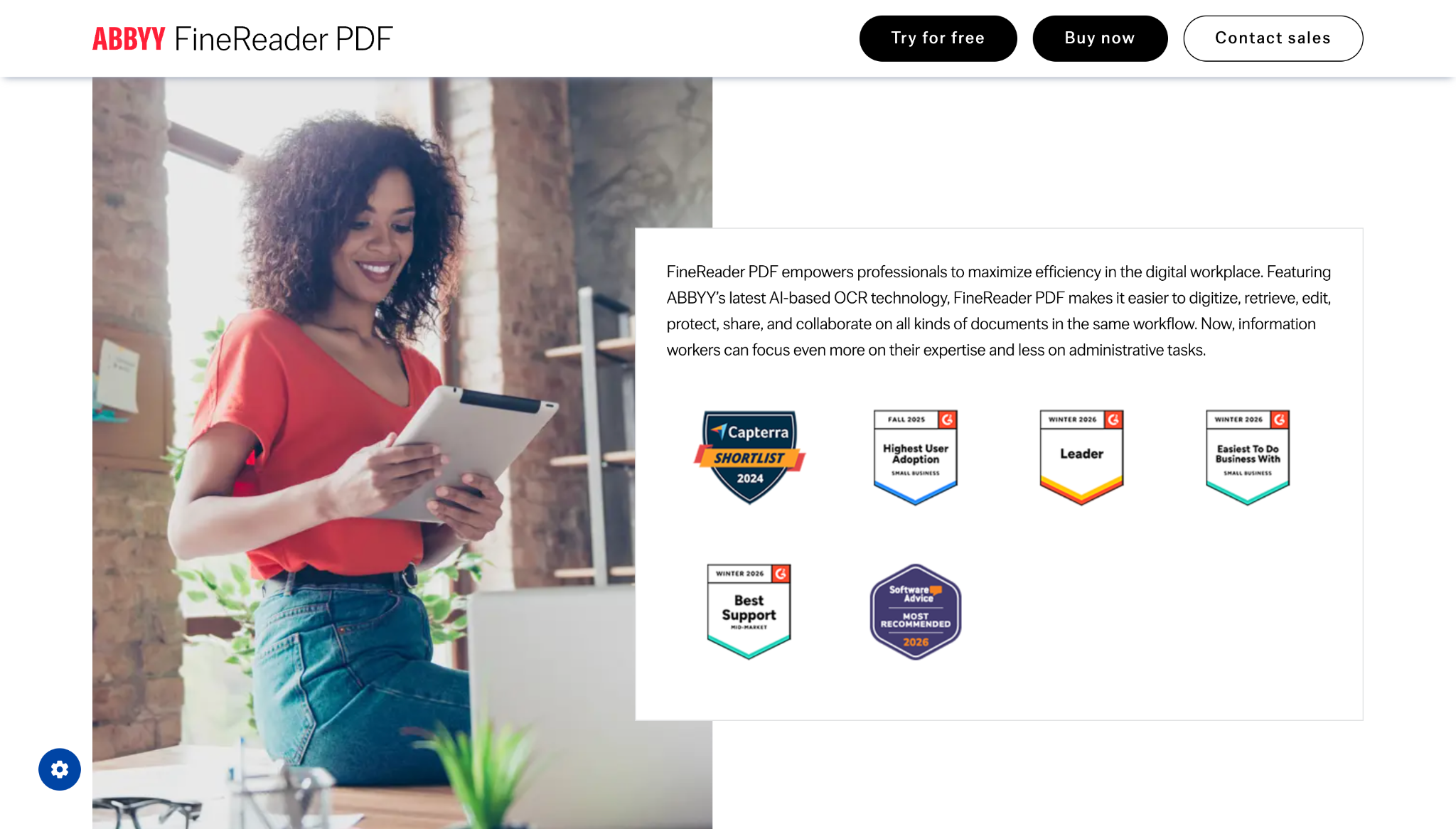
ABBYY FineReader website screenshot

Key issues of ABBYY FineReader

FineReader is a desktop tool with no cloud workflow automation, no API for document extraction pipelines, and no pre-trained models for invoices or receipts. Teams needing pay-as-you-go cloud extraction that integrates with ERP or accounting systems will need to look beyond FineReader.

Nanonets
Nanonets is a San Francisco-based AI document automation platform trusted by 34% of Fortune 500 companies, processing invoices, receipts, purchase orders, and more with pay-as-you-go pricing.

About Nanonets

Nanonets is pre-trained on millions of documents with high out-of-the-box accuracy. It covers invoices, receipts, POs, contracts, claims, and forms via a pay-as-you-go API. It is trusted by 34% of Fortune 500 companies and claims to reduce manual effort by up to 90%.

Key pros of Nanonets

  • Pre-trained on millions of documents, high out-of-the-box accuracy
  • Pay-as-you-go with $200 free credits on signup, no platform fees
  • Covers invoices, receipts, POs, contracts, claims, and forms
  • Reduces manual effort by up to 90% (Capterra-verified)
  • Multi-language support across global alphabets
  • Trusted by 34% of Fortune 500 companies
Nanonets website screenshot

Key issues of Nanonets

Nanonets' per-block pricing makes costs harder to predict as workflows grow. G2 reviewers note integration setup can take over a week and export options are less robust than dedicated extraction tools. Built-in Fraud detection system is not included natively, meaning document fraud detection workflows require additional tooling.

SEE IT IN ACTION

How does each tool look like?

General dashboard

ABBYY
ABBYY FineReader dashboard interface
Nanonets
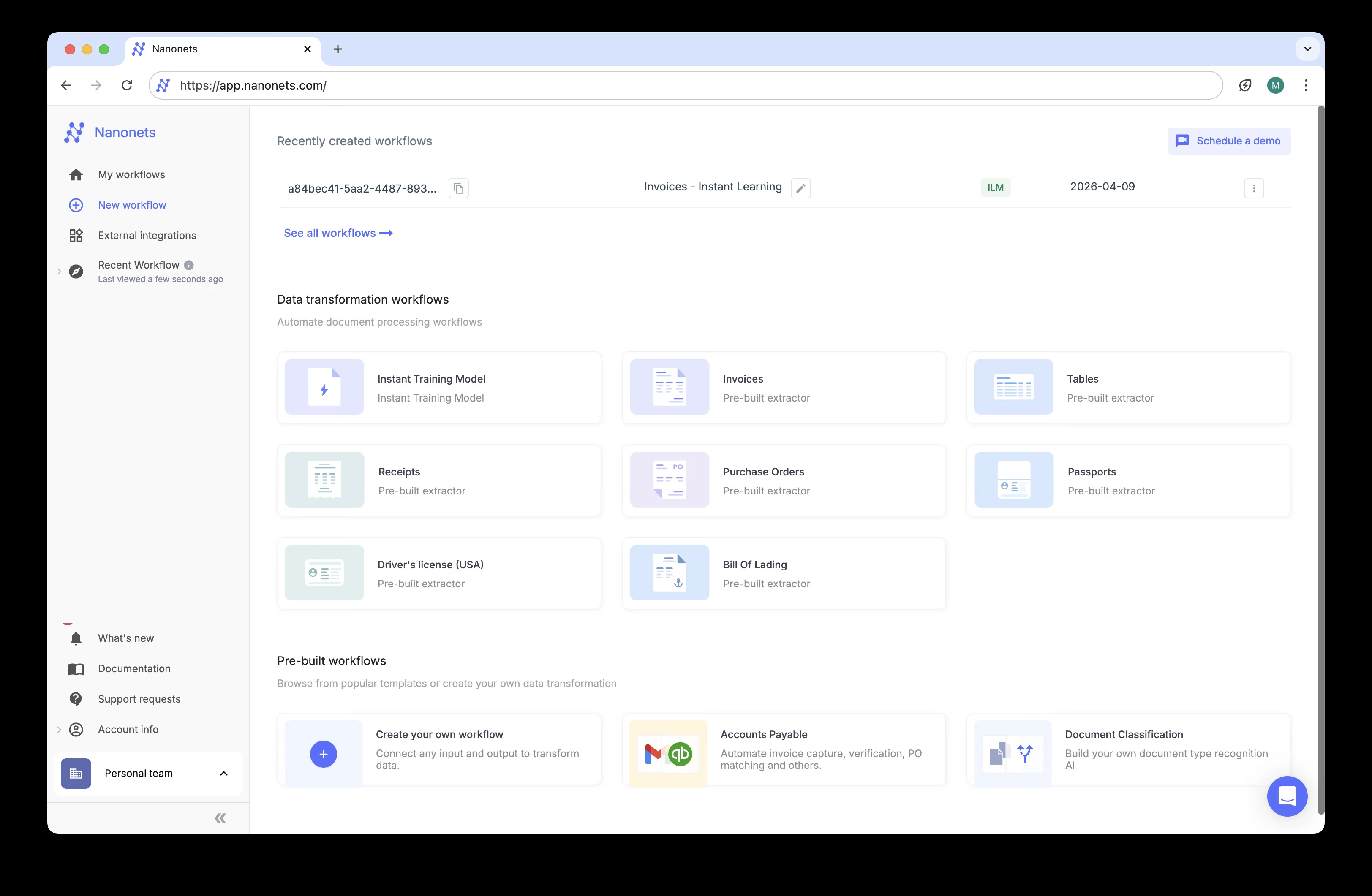
Nanonets dashboard interface

Detailed extraction page

ABBYY FineReader document extraction view
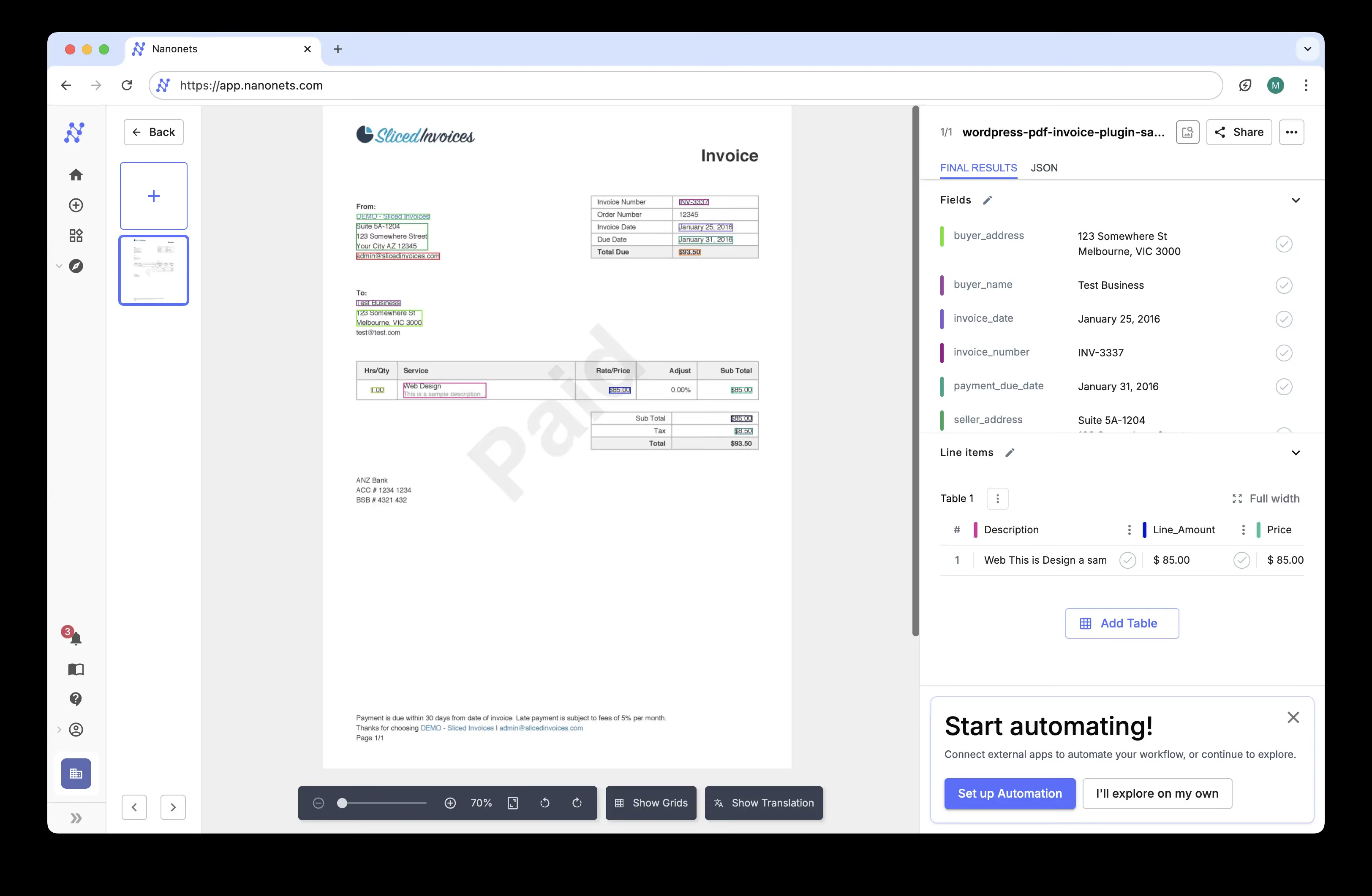
Nanonets document data extraction view
Background gridBackground gridBackground grid
THe full comparison to make your choice

Here's what differs between the two

FeaturesABBYYNanonets
Setup time
4-8 weeksHours to 1+ week
Custom fields
Requires trainingYes, via AI agent
Fraud detection
Add-onNo
API-first
PartialYes
Table extraction
YesYes
Handwriting recognition
YesYes
SOC 2 certification
Not publicly statedYes (Type 2, HIPAA, CCPA)
Pricing model
Per licensePer page
detailed comparison

Pricing Details

FeaturesABBYYNanonets
Pricing published
YesYes
Starting price
$99–117 / user / year$499 / month (enterprise use)
Price per page (est.)
~$0.08–0.10 / page~$0.10 / page ($99/mo plan); drops at scale
Free trial
YesYes: $200 free credits

Koncile is a smarter alternative for document data extraction.

Trusted by product teams and regulated organizations

THe full comparison to make your choice

Which OCR works best for you?

Designed for SaaS platforms, ERP systems and document-heavy operations that require precision, scalability and control.

Both tools solve real document processing problems, but for different workflows. Choose ABBYY FineReader if your team needs a reliable desktop tool for PDF editing, document conversion, and OCR without any cloud dependency. It works well for office workers who need a polished local tool. Nanonets is the stronger fit if you need cloud-based AI extraction for invoice OCR, receipts, and purchase orders that flow automatically into downstream systems. Its pay-as-you-go model and pre-trained accuracy suit AP automation and operations teams. Neither tool includes fraud detection. For teams that need extraction with built-in fraud detection and transparent per-page pricing, Koncile is worth evaluating alongside both.

Koncile vs Other Alternatives

Koncile
Veryfi
Koncile
Klippa
Koncile
V7 Go
Koncile
Tungsten Automation
Koncile
Rossum
Koncile
Parsio
Koncile
Parseur
Koncile
Parserr
Koncile
Infrrd
Koncile
Hyperscience
Koncile
Ephesoft
Koncile
Docsumo
Koncile
Docparser
Koncile
Affinda
Koncile
Dext
Koncile
Base64.ai
Koncile
Nanonets
Koncile
Mindee
Koncile
Airparser
Koncile
ABBYY

Compare more OCR tools

Affinda
Base64.ai
ABBYY
Veryfi
ABBYY
Rossum
ABBYY
Mindee
ABBYY
Hyperscience
ABBYY
Affinda
ABBYY
Base64.ai
ABBYY
Docsumo
ABBYY
Klippa

Ready to choose the right OCR solution?

Get started in minutes. No complex setup, no commitment.

Try Koncile now

All your
questions

Need more help? Contact us at contact@koncile.ai, check out our documentation, or book a demo.

What is the difference between ABBYY FineReader and Nanonets?

ABBYY FineReader is a desktop OCR and PDF editing tool. Nanonets is a cloud-based AI document automation platform with pre-trained models for invoices, receipts, and purchase orders. FineReader edits and converts documents locally; Nanonets extracts structured data and routes it into business systems via API.

Which is cheaper, ABBYY FineReader or Nanonets?

It depends on volume. FineReader costs $99-117 per user per year. Nanonets starts free with $200 in credits, then charges per block with a Pro plan from $999/month. At low volumes FineReader is cheaper; at scale Nanonets costs become harder to predict.

Does ABBYY FineReader have an API?

FineReader PDF's desktop product does not expose a developer API natively. API access requires FineReader Server, a separate enterprise product. Nanonets is API-first and designed for developer integration.

Does Nanonets have fraud detection?

No. Nanonets does not include built-in document fraud detection. ABBYY FineReader also does not include fraud detection. Tools like Koncile include a fraud detection system as a standard feature.

What is a good alternative to ABBYY FineReader and Nanonets?

Koncile is a strong alternative for teams needing cloud-based extraction with transparent per-page pricing, fraud detection, and no-code field customization. Free trial at koncile.ai with 20 credits and no credit card required.