Best Accounting Software for Sole Proprietors and Freelancers in 2026
QuickBooks, Xero, Wave, and FreshBooks compared on real pricing and the costs that never show up on the pricing page.

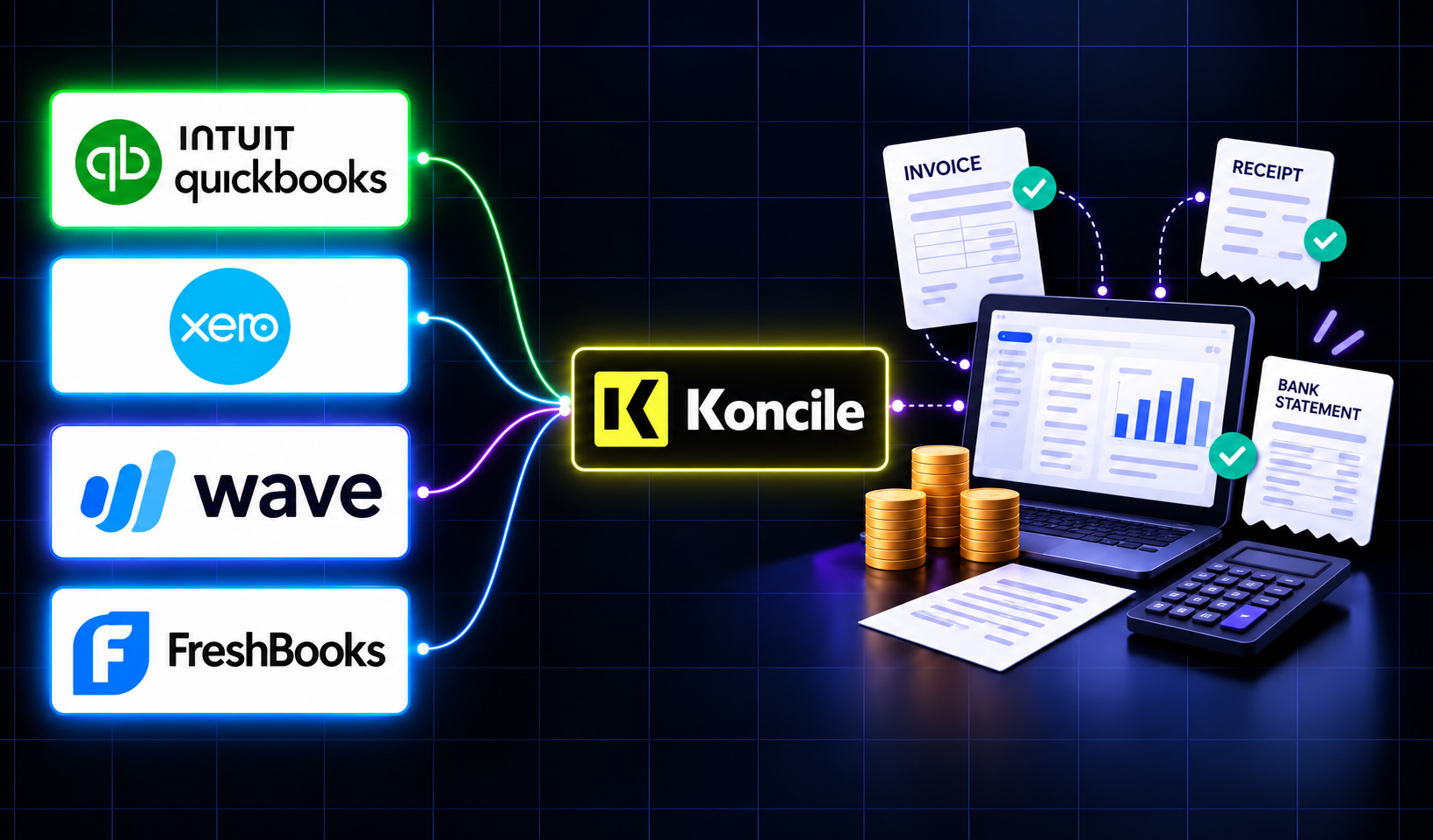
A freelancer sending a dozen invoices a month can blow through Xero's cheapest plan by week three, and a $19-a-month FreshBooks account caps out at five clients. The number on a pricing page is rarely the number you actually pay. Here is a real comparison of QuickBooks, Xero, Wave, and FreshBooks built for a business of one, not a growing team.
Wave used to be simply free. In 2023 it added a $16-a-month "Pro" tier, and the parts of the free plan that remain keep getting narrower. That's worth knowing before you build a workflow around any accounting tool's price, because the number on the pricing page today is not a permanent fact.
Most comparisons of accounting software are written for a business that already has employees, inventory, or a bookkeeper. If you're searching for accounting software for freelancers or bookkeeping software for freelancers specifically, most of that comparison doesn't apply to you, and the plan you actually need is usually the cheapest tier a vendor sells, not the one their homepage pushes hardest.
The short answer, before the details
If your situation matches one of these closely, you can stop reading here and go sign up. The rest of this article is for the cases in between, and covers the four platforms below purely on their own terms before getting to where a tool like Koncile fits into an accounting workflow that uses any of them.
1. QuickBooks: the one your accountant already knows

Searches for the best bookkeeping software for self employed workers usually surface QuickBooks first, and for a specific reason. QuickBooks Online runs four main tiers for individuals and small teams. A dedicated Solopreneur plan sits at the bottom, around $20 a month, built for a single filer tracking Schedule C income with no payroll and no multi-user access. Simple Start, the next tier up at roughly $35, adds real invoicing, sales tax handling, and bank feed automation, and is the entry point most freelancers actually land on once they need more than the Solopreneur tier's stripped-down feature set. Above that, Essentials and Plus add multiple users, bill management, and inventory tracking, priced well past what a single-person business typically needs.
The reason to choose QuickBooks over a cheaper option isn't the software itself, it's the ecosystem around it. The large majority of US accountants and bookkeepers already work in QuickBooks, and if you plan to hand your books to a CPA at tax time, that familiarity translates directly into less time billed and fewer back-and-forth corrections. QuickBooks also has the most mature native tax filing support of the four, including 1099-NEC generation built into the product rather than routed through a third-party integration.
2. Xero: the cleanest interface, with a catch on the cheap tier

Xero comes up constantly in lists of the best bookkeeping software for sole trader businesses, and the entry-level plan is priced aggressively, often the least expensive real accounting tier among the major platforms, and it's genuinely well designed. The catch that trips up freelancers specifically: the entry tier caps you at a small number of invoices and bills per month. A freelancer sending more than a handful of invoices a month will hit that ceiling almost immediately and get pushed to the mid tier, at which point the price advantage over the alternatives mostly disappears.
What Xero does uniquely well is unlimited users on every plan, including the cheapest one. If you work with a part-time bookkeeper, a virtual assistant, or want your accountant to have direct access without paying for an extra seat, Xero is the only one of the four that doesn't charge for that.
3. Wave: genuinely free, until you look at payment processing

Anyone searching specifically for free accounting software for freelancers usually ends up at Wave. Its core accounting and online invoice software remain free with no user limit and no hard cap on transactions, which makes it the only platform here where a sole proprietor with simple finances can run indefinitely at zero software cost. The real cost shows up somewhere else: Wave's built-in payment processing charges roughly 2 to 3 percent plus a flat fee per transaction, and for a freelancer who invoices and gets paid $50,000 a year through Wave's own payment system, that adds up to somewhere between $1,000 and $1,500 annually, a cost that never appears on the pricing page's headline number.
Wave is the right default for the simplest possible case: one person, straightforward income, no employees, no inventory. It is not built for anyone who needs project profitability tracking, time-based billing, or multi-currency work.
4. FreshBooks: built around sending invoices, not tracking inventory

FreshBooks' entry tier runs around $19 a month and caps you at a small number of billable clients, typically five, which is a real constraint if you serve more clients than that even at low volume each. Its core job, alongside every other platform here, is getting an invoice out the door and paid. The tier above roughly triples the client cap and adds proposals and a client self-service portal.
As an accounting app for freelancers specifically, the honest way to think about FreshBooks is this: it was built by and for people who spend more time invoicing than bookkeeping, designers, consultants, coaches, writers. If your business sells a product and needs inventory tracking, FreshBooks will feel thin. If your business is entirely service-based and your main administrative task is getting paid on time, it's the most purpose-built option of the four.
The costs that don't show up on the pricing page
Every one of these platforms has a real cost beyond its listed monthly price, and none of them put it prominently where a first-time buyer would see it before signing up.
Payment processing fees apply to all four if you accept card payments through the platform directly, typically in the 2 to 3 percent range per transaction, and they scale with revenue in a way a flat monthly fee doesn't. Payroll is a separate paid add-on on every platform here, none include it in a base plan. None of them check whether an incoming bank statement or invoice has been altered before you rely on it either, a real enough problem that we found 1.4 percent of statements edited or tampered with across 150,000 real bank statements.
And the invoice and client caps on Xero's entry tier and FreshBooks' entry tier are the single most common reason freelancers end up paying more than the advertised starting price within the first few months, not because the software got more expensive, but because their actual usage exceeded a limit nobody flagged clearly at signup.
What none of these four tools actually do
All four are built to record and organize financial data you enter or import. None of them read a paper receipt, a scanned invoice, or a PDF bank statement and turn it into structured data on their own, they depend on bank feeds for transactions and manual entry or basic photo capture for everything else, with accuracy that degrades quickly on anything handwritten or unusually formatted.
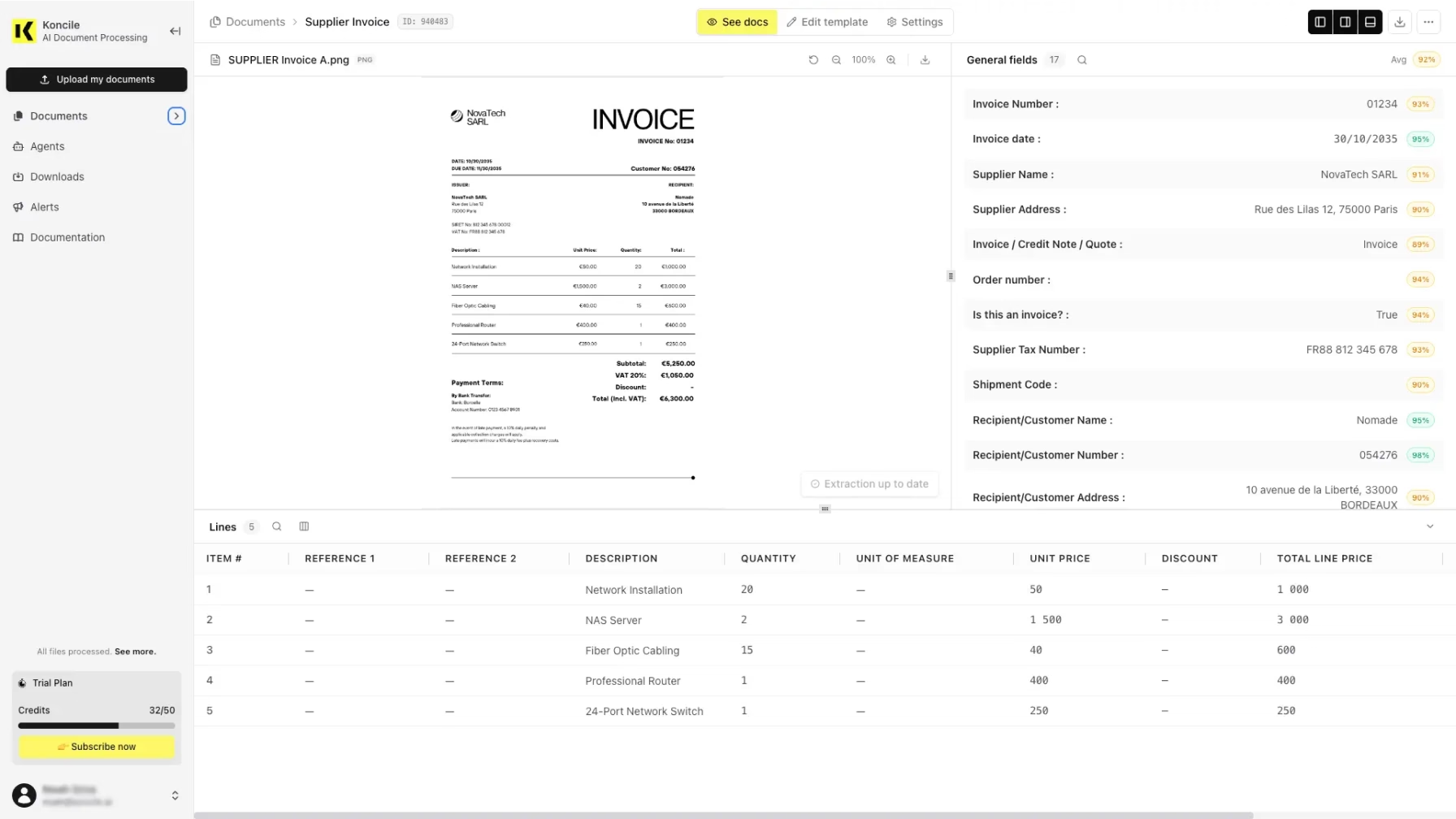
This is where a document extraction layer like Koncile sits alongside rather than competes with any of the four tools above, and it applies whether you eventually land on one of these four or a larger platform once you outgrow the accounting apps for small business category entirely. Documents get classified automatically before extraction, so an invoice and a receipt don't get handled the same way, and every extracted value carries a confidence score rather than being trusted blindly. Instead of manually entering figures from a stack of invoices or reconciling a bank statement by hand, Koncile extracts the structured fields directly through an API and can push them into whichever accounting platform you've already chosen, so switching accounting software doesn't mean rebuilding your document workflow from scratch.
A weekly routine that actually holds up
The software matters less than whether you touch it consistently. Set aside a fixed 20 to 30 minutes once a week: reconcile whatever the bank feed pulled in automatically, photograph or upload any paper receipts from the week before they get lost, and check that nothing is sitting in an "uncategorized" bucket from the week before that. This single habit prevents the single most common failure mode across all four platforms, which isn't picking the wrong software, it's opening whichever one you picked once a quarter instead of once a week and facing a backlog too large to reasonably untangle.
Mistakes worth avoiding regardless of which tool you pick
Mixing personal and business transactions in the same account is the single change accountants report most often needing to unwind after the fact, and every extra hour spent separating them at tax time is an hour billed. Treat every expense as needing a retrievable receipt, not just the large ones, since it's disproportionately the small recurring ones that get lost and cause problems in an audit specifically because nobody thought they were worth keeping. And note that quarterly estimated tax deadlines and sales tax filing dates don't move just because your bookkeeping is simple, a lighter accounting method is not the same thing as a lighter compliance calendar.
Your questions about accounting software for sole proprietors
Sources
- Vendor pricing pages for QuickBooks Online, Xero, Wave, and FreshBooks, accessed September 2026.
- Independent 2026 comparisons of freelancer and sole-proprietor accounting software, cross-referenced for pricing and feature-limit consistency across multiple sources.
- Reporting on Wave's 2023 introduction of a paid tier and the narrowing of its free plan.

Real life insights on document automation
5 Best French OCR Solutions to Extract Data from Your Documents
French OCR solutions now make it possible to automatically extract data from your invoices, contracts, and accounting documents using optical character recognition, with hosting based in France. Here is a real comparison of all five OCR solutions, corrected against current 2026 figures where vendor claims had gone stale, covering what actually differentiates them beyond the fact that they are all hosted in France.
Document processing and fraud detection: build or buy?
Extracting and structuring document data, enriching it, detecting fraud: with AI, building your own end-to-end solution has never looked so simple. Buying off the shelf still often turns out to be the better option. Here are the thirty-nine difficulties to expect before you start.

In healthcare, an OCR is judged on what it flags, not on what it reads
Every OCR vendor advertises high accuracy rates, and most of them deliver. On a health document, that is not the right buying criterion. What counts is what the tool does when it is not sure, what it lets you verify, and what it guarantees about the data it handles.

Top Healthcare OCR Tools: HIPAA Compliance and What the Clinical Evidence Shows
Amazon Textract has been formally HIPAA-eligible since October 2019. Most healthcare OCR comparisons never mention that, or check which of the other four tools on their list actually offer a signed BAA. Here is a rebuild that checks compliance status directly, and looks at what the real clinical trials on ambient AI scribes actually found, not just what the marketing claims.
Best Accounting Software for Sole Proprietors and Freelancers in 2026
A freelancer sending a dozen invoices a month can blow through Xero's cheapest plan by week three, and a $19-a-month FreshBooks account caps out at five clients. The number on a pricing page is rarely the number you actually pay. Here is a real comparison of QuickBooks, Xero, Wave, and FreshBooks built for a business of one, not a growing team.