
Open Source OCR API: Top 5 Easy Integrations in 2026
Comparative test of Open Source OCR API tools in 2026: integration difficulty, JSON output quality, self-hosting and real-world benchmark.
.avif)
Not all open source OCR engines provide a ready-to-use OCR API. This field test reveals what integration really looks like.
Context
There are many OCR engines available on the market. However, when it comes to integrating them into operational workflows, the topics of OCR API access and pricing quickly become central. One question naturally arises: what about open source solutions, and how difficult are they to integrate?
I prepared a ranking of the 5 best open source OCR solutions available through an API. I should also mention that I am not a developer. Most of the solutions presented here are relatively easy to integrate and understandable even for people with limited integration experience.
Open source OCR APIs
The vast majority of modern SaaS OCR solutions are not open source, but they do provide OCR APIs. However, if you have ever searched online for open source OCR APIs, you have probably encountered a major limitation. Not all open source OCR engines provide a ready to use API. In many cases, you need to build it yourself.
The different solutions
Before starting, one important thing to understand is that each solution can be integrated differently, with varying usage models and levels of open source availability. This is why multiple categories exist. If open source OCR projects provided ready to use APIs without generating revenue from model usage, it would be impossible to finance hosting and maintenance. This is where SaaS providers bring value. The service is paid, the API key is paid, but the solution is stable, fast, secure, and often more performant. There is also a middle ground where OCR engines are open source, but their APIs are hosted by SaaS platforms.
Today I present three types of open source solutions:
- Self hosted open source OCR with API: DocTR / Paddle OCR / Tesseract
- Open source OCR through third party API: OCR.space
- Bonus: advanced open source OCR (VLM / Document AI): Kraken / GOT OCR
The test document
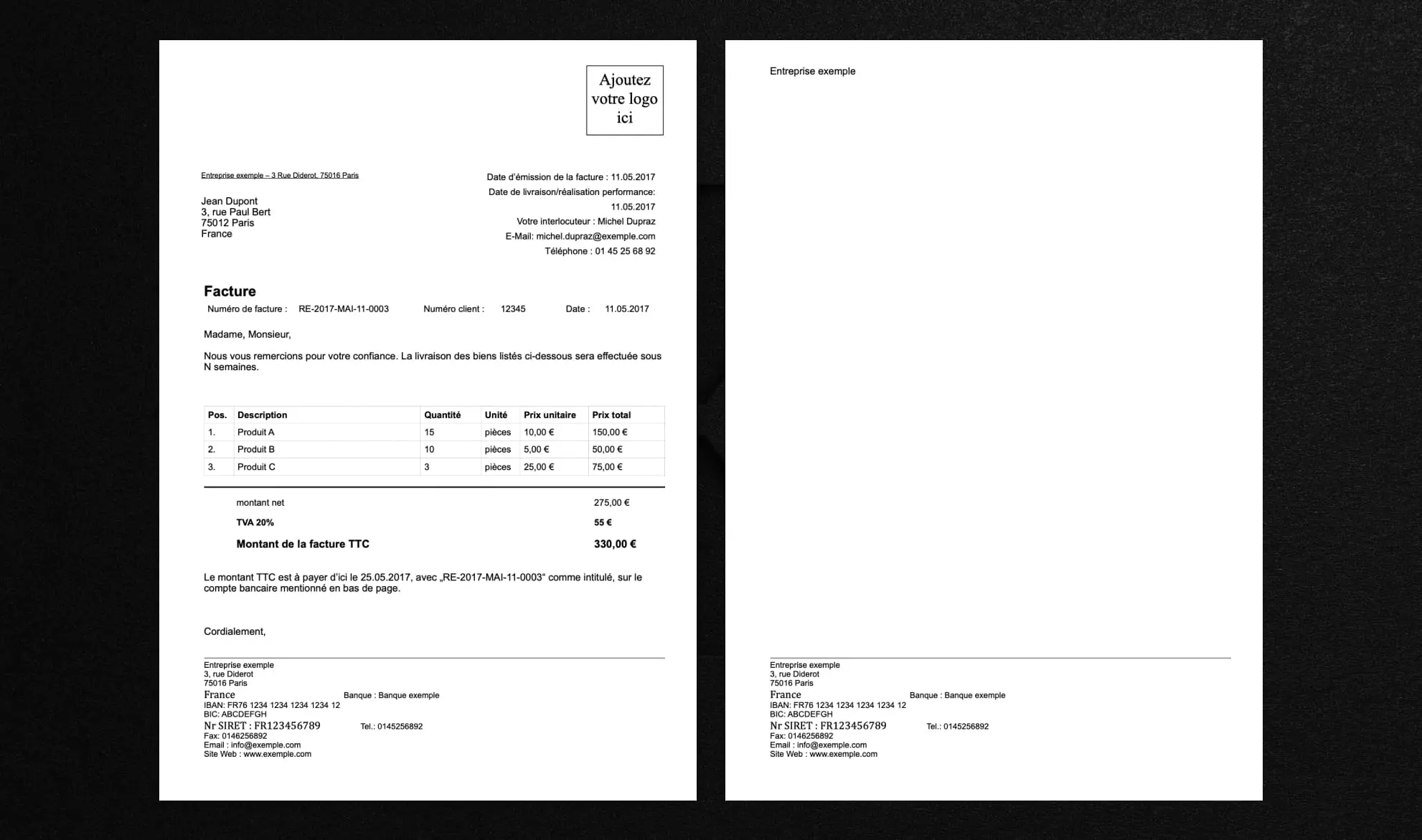
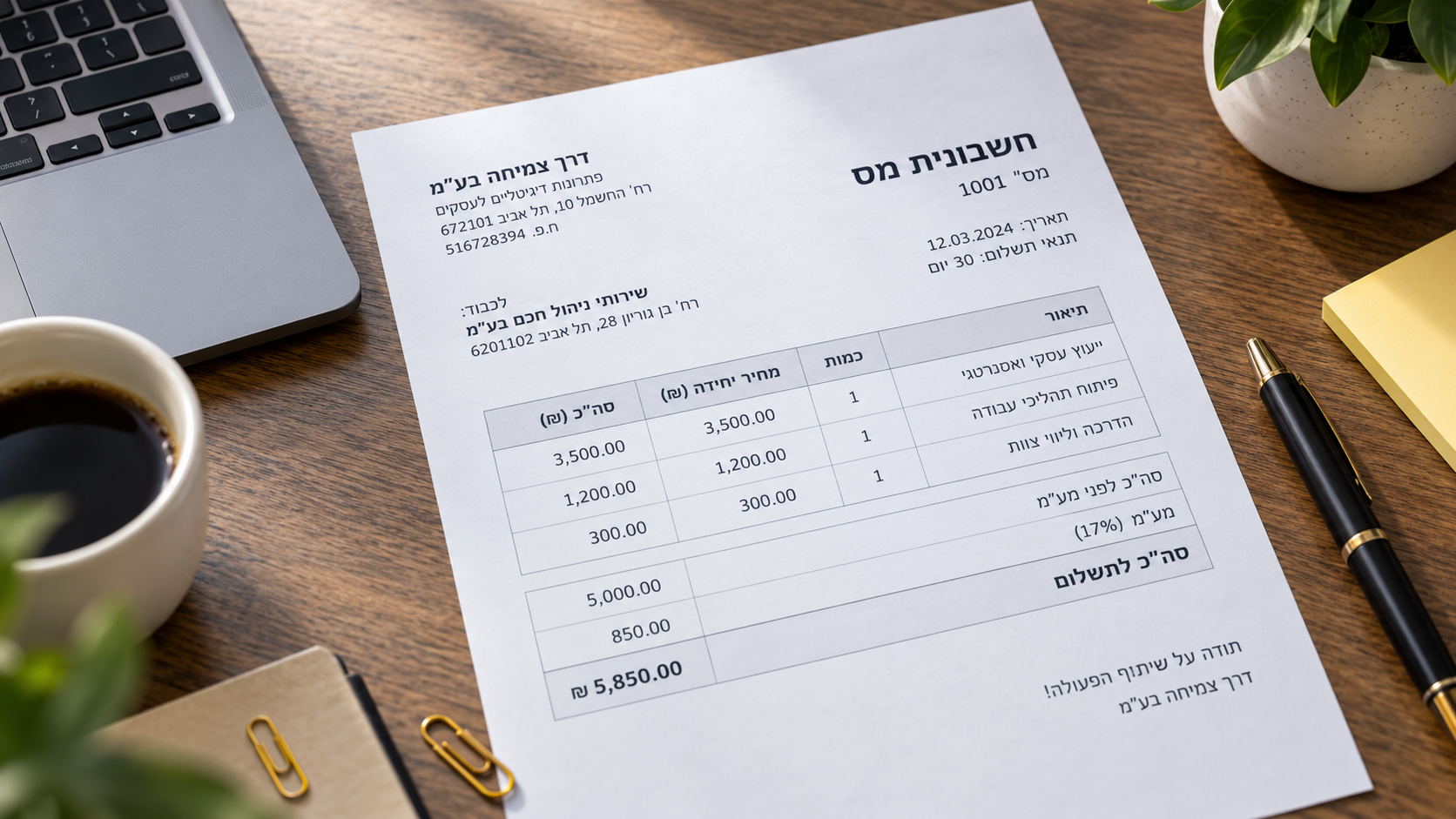
This simple invoice serves as the test document for this comparison. For reference, real large scale automation testing usually involves much larger and more diverse document sets.
Self hosted open source OCR with API
This category represents strictly open source OCR solutions.
1. DocTR
Integration difficulty
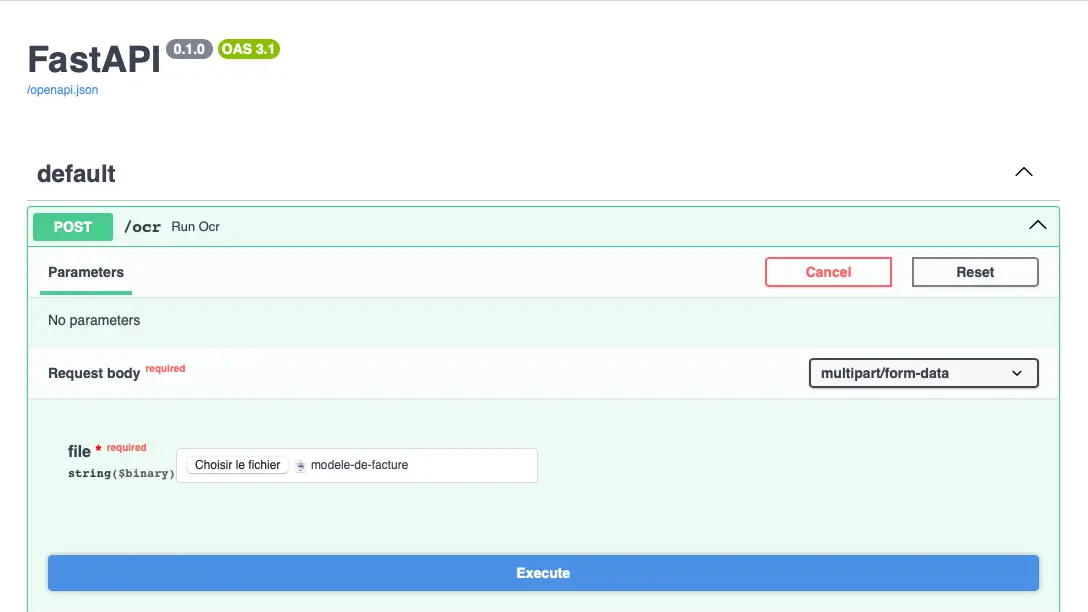
Simple. I managed to create this HTTP API without coding knowledge, although the process took time while figuring out the correct method. If you encounter issues, an LLM can usually guide you through the process effectively.
Test results / output
It is possible to download the JSON extraction file ready to be sent to an ERP or CRM, for example. Execution is quite fast and everything was extracted correctly. Tables were detected, data was well organized, and confidence scores were assigned. It is probably the most efficient solution in this category in terms of time invested versus data obtained.
Output format
Here is an image showing a sample of the JSON output for DocTR.
2. Paddle OCR
Integration difficulty
Moderate. Paddle OCR does not natively support PDF processing, so I added an additional component for that function. It worked but took more time. I therefore repeated the test by converting the PDF to images beforehand. Once converted, I obtained two images and added support for uploading multiple files within a single extraction request. Paddle OCR includes several technical nuances. It was clearly designed primarily for text extraction from images. If used for that purpose, integration is significantly faster.
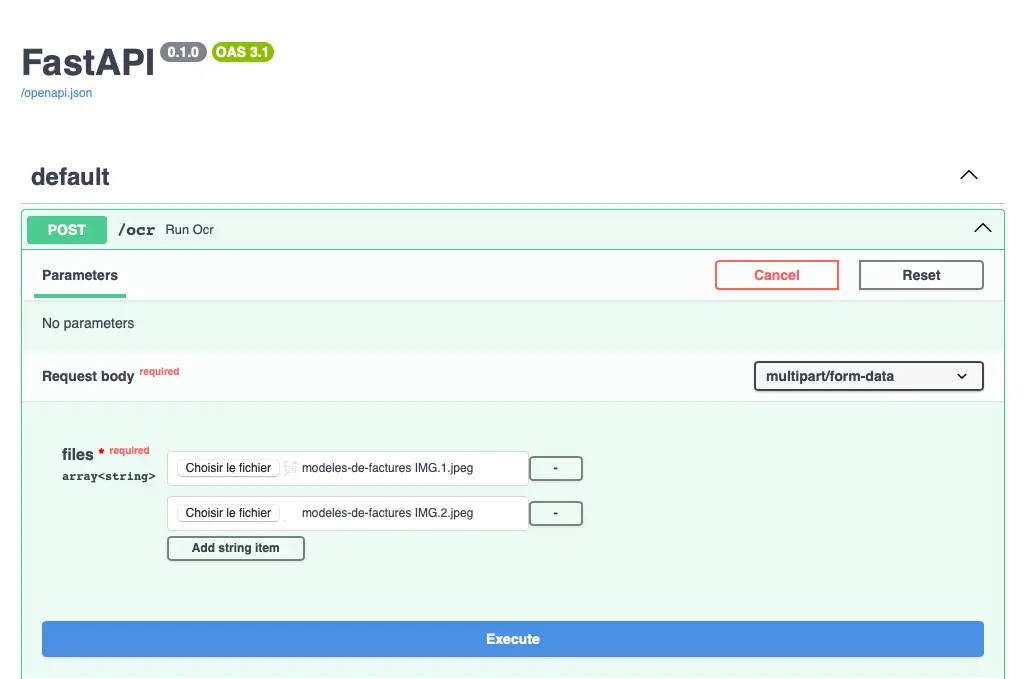
Test results / output
Integration worked. Paddle OCR extracted the data perfectly. However, the JSON export is much less structured.
Output format
Here is an image showing a sample of the JSON output for Paddle OCR.
3. Tesseract
.webp)
Integration difficulty
Simple. Creating an API using FastAPI is quick, and sending images works immediately. However, installing the system engine is mandatory, and PDF handling requires additional processing.
Test results
Tesseract extracts the invoice text correctly. The main information is present, but the result is returned as a raw text block. No table structure or business field organization is provided. Additional parsing is required to make the data usable.
Output format
Here is an image showing a sample of the JSON output for Tesseract.
4. Kraken
Integration difficulty
Rather complex. Unlike Tesseract, Kraken does not work immediately after installation. A model must be downloaded separately, its location must be identified in the system, and the code must be adjusted accordingly. Integration requires more handling and adjustments before obtaining a functional API. It is not plug and play.
Test results
Kraken uses a deep learning approach and begins by analyzing the visual structure of the page before extracting text. On a modern invoice, the text is extracted but contains more errors than Tesseract. Like Tesseract, results are returned as raw text blocks without structured tables or automatic separation of key fields. Kraken therefore appears more suitable for complex or historical documents than for standard administrative documents.
Output format
Here is an image showing a sample of the JSON output for Kraken.
Open source OCR via third party API
5. OCR.space

Unlike the other solutions presented above, OCR.space is not a self hosted open source library. It is a SaaS service exposing a public API, partially based on Tesseract. I tested its integration using n8n to evaluate API call simplicity compared to a self hosted API.
Integration difficulty
Simple. Integration through n8n relies only on a visually configured HTTP request. No server deployment and no dependency installation are required. Within minutes, it is possible to retrieve a file, send it to the OCR.space API, and process the returned JSON. Compared to a self hosted API, installation time savings are significant. No infrastructure is required.
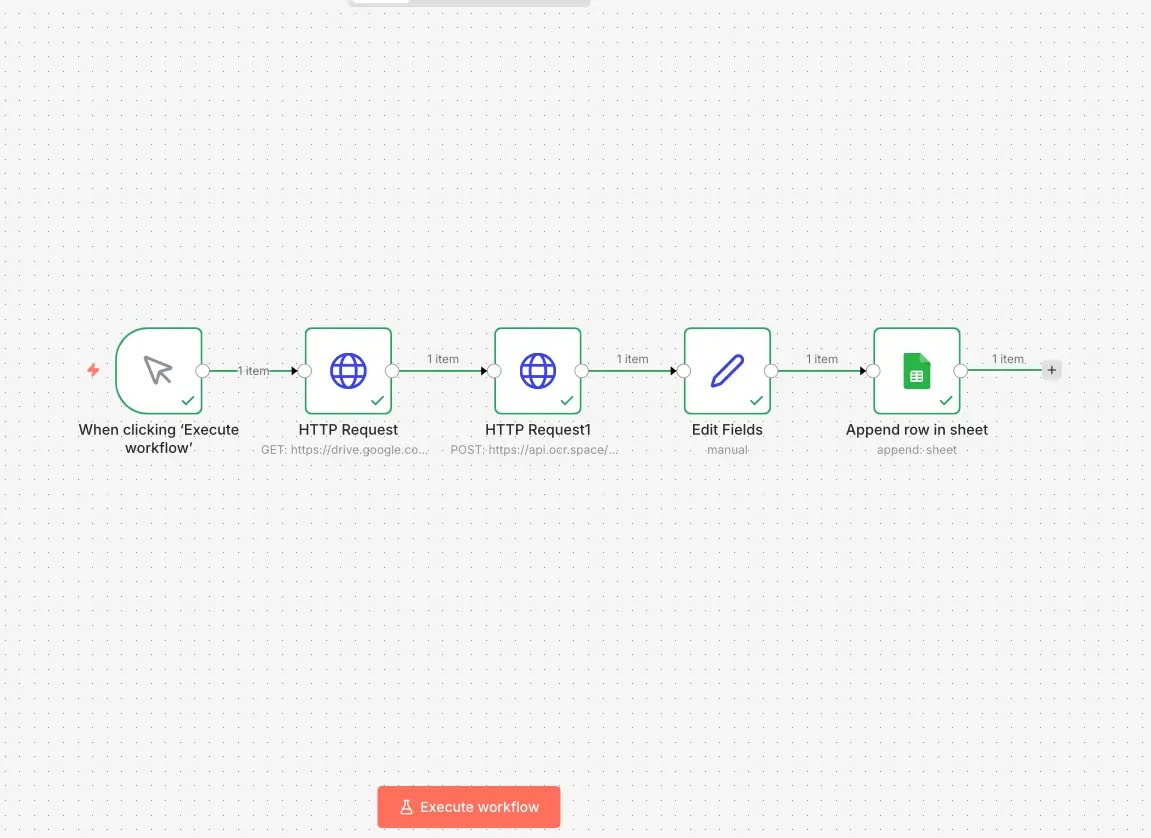
Test results
Execution is fast and the text is extracted correctly. The JSON response is immediately usable and can be sent to Google Sheets, a CRM, or any connected system. However, the output remains relatively raw. Data structuring depends on additional downstream processing.
Output format
Here is an image showing a sample of the output structure for OCR.space.
Bonus: advanced open source OCR (VLM / Document AI)
GOT OCR
Complex integration. After several attempts, GOT OCR does not appear to be a plug and play open source solution like DocTR for documents or Paddle OCR for images. Installation requires specific access or a more advanced setup.
Test results
The concept behind a VLM (Vision Language Model) solution like GOT OCR is to introduce a comprehension layer in document analysis. This type of model links information across the document and performs semantic analysis. This becomes particularly useful when document processing challenges go beyond standard patterns. It is likely the closest open source approach to what fully integrated Intelligent Document Processing solutions provide.
Benchmark of solutions
Benchmark details and interpretation
DocTR is the most balanced open source solution in this test. JSON is structured by blocks and lines, making table reconstruction and business field extraction easier. Integration requires some setup but remains accessible.
Paddle OCR performs very well at raw text extraction, especially from images. However, JSON is primarily coordinate based, making logical reconstruction more complex. It is efficient but requires additional processing.
Tesseract is the simplest to integrate technically, but output is raw text. It is a solid base but requires additional parsing.
Kraken is more complex to deploy and less effective on modern invoices. It appears more suitable for specialized or historical documents. Integration is clearly heavier.
OCR.space is the easiest to integrate thanks to its SaaS API. No server deployment is required. Output is clean, especially on native PDFs, but structuring remains limited.
GOT OCR is more advanced conceptually, focusing on document understanding. However, installation is heavier and less suited for rapid deployment.
Conclusion
This test highlights one main point: OCR is not just about accuracy. It is about integration.
Open source engines work, but they require time, configuration, and adjustments before becoming truly operational. The simpler the need, the more a raw extraction engine can be sufficient for you're document automation. The more structured the business use case, the more critical the integration layer becomes. Ultimately, the decision is not based solely on text extraction quality, but on the balance between integration effort, output structure, and long term stability. Open source solutions are excellent for reducing direct costs and running small scale projects. For more stable, scalable, and fully managed integrations, Intelligent Document Processing platforms are generally easier to deploy.

Real life insights on document automation
Best Accounting Software for Sole Proprietors and Freelancers in 2026
A freelancer sending a dozen invoices a month can blow through Xero's cheapest plan by week three, and a $19-a-month FreshBooks account caps out at five clients. The number on a pricing page is rarely the number you actually pay. Here is a real comparison of QuickBooks, Xero, Wave, and FreshBooks built for a business of one, not a growing team.
Why Do OCR & Machine Translation Fail Without AI?
Japanese combines three writing systems on one page and should be a hard case for OCR. Benchmark research found the opposite: Japanese accuracy exceeds Latin script. Arabic and Hebrew are where things genuinely go wrong, for specific, documented reasons. Here is what real research shows about why scripts fail differently, and what actually stops the errors before translation compounds them.
How to Detect a Fake Bank Statement: Our 9 Methods
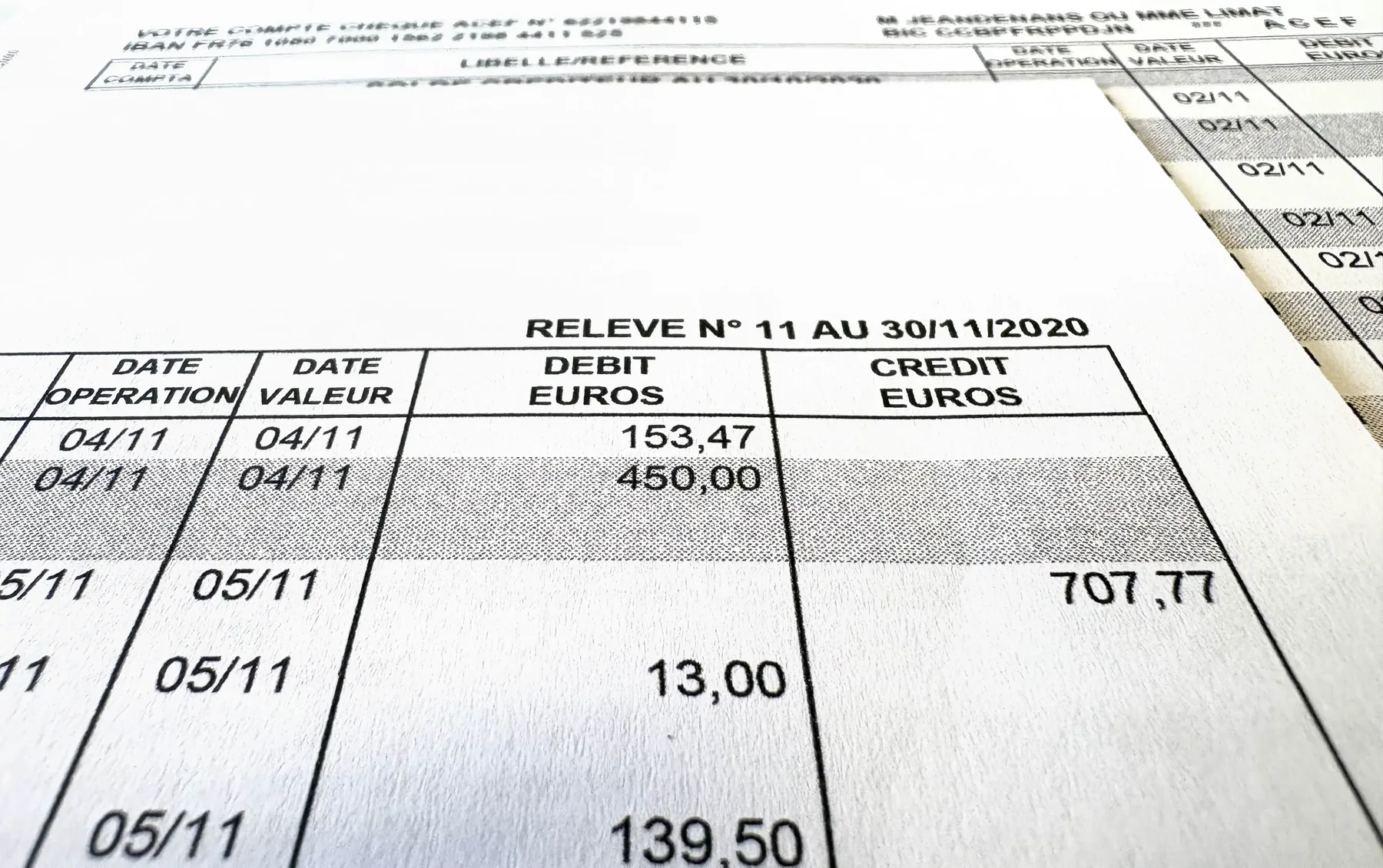
Bank statements are one of the documents most exposed to fraud. At Koncile, we detect up to 1.4% of edited or tampered statements in a set of 150,000 statements. AI generated deepfakes get a lot of attention, but focusing only on them today would be a mistake.
10 Best Open Source OCR Tools in 2026
The open source OCR ranking inverted in the past eighteen months. A 0.9-billion-parameter model now reads documents more accurately than a 235-billion-parameter one. PaddleOCR-VL scores 96.34% on OmniDocBench v1.6; Qwen3-VL-235B scores 89.78%. Here are the 10 best open source OCR engines in 2026 and how to pick between them.