
ABBYY FineReader vs Docsumo : 2026 Comparison
Comparing ABBYY FineReader and Docsumo on OCR accuracy, financial document automation, pricing, and which fits your document processing workflow in 2026.



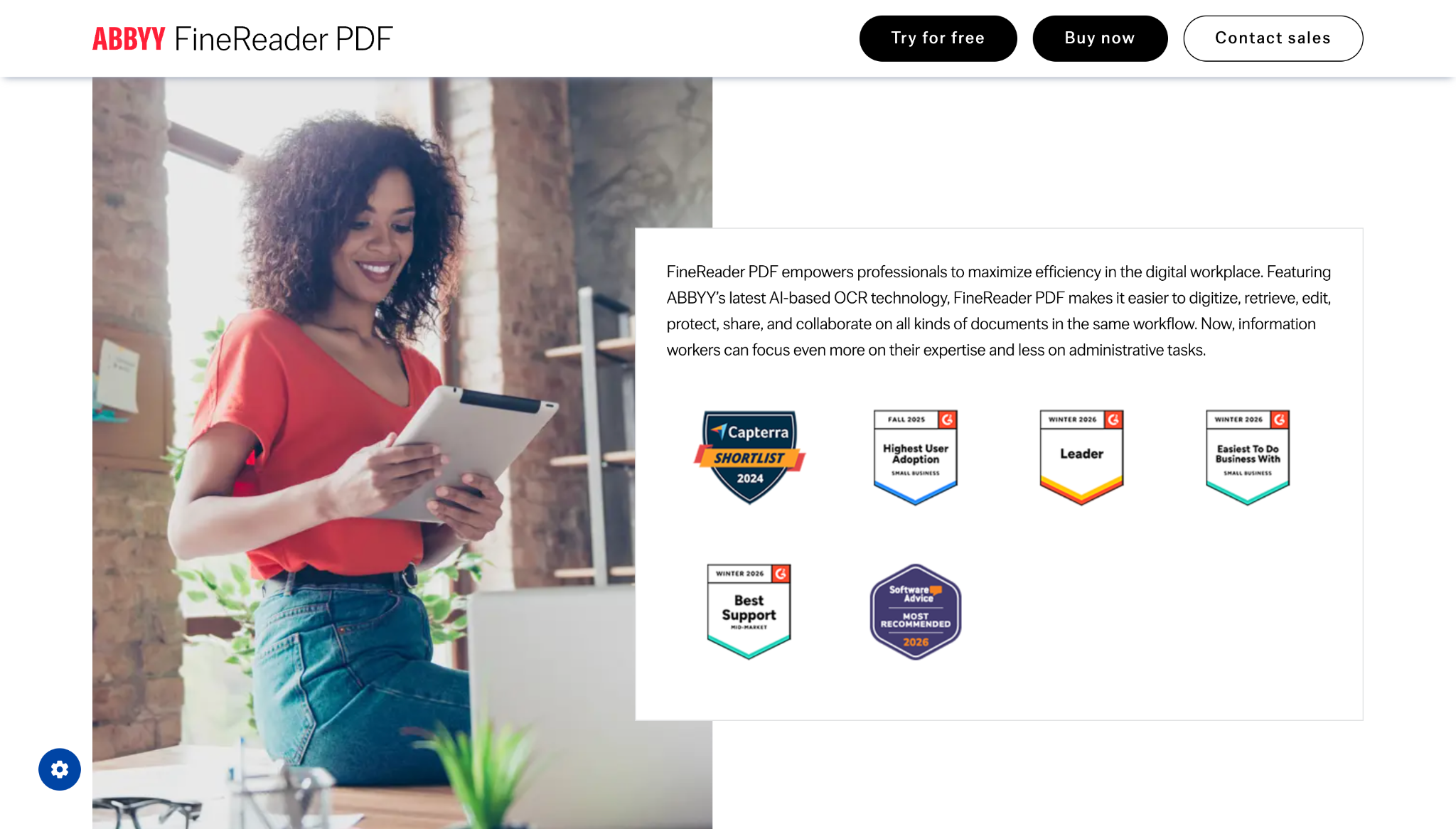
ABBYY FineReader is a desktop OCR and PDF editing tool with 30+ years on the market, known for high accuracy across 190+ languages.
About ABBYY FineReader
ABBYY FineReader is one of the most recognized names in OCR software, with 30+ years on the market and consistently strong reviews on G2 and Capterra. If you have been searching for ABBYY FineReader alternatives, this comparison breaks down both tools honestly.
Key pros of ABBYY FineReader
- 99%+ OCR accuracy across 190+ languages
- Strong PDF editing: annotate, redact, compare document versions
- 30+ years on the market, widely trusted
- One-time perpetual license available, no mandatory subscription
- Standard at $99-117/user/year; Corporate at $165/user/year
- Used by PwC, Skoda Auto, and major enterprises worldwide
Key issues of ABBYY FineReader
FineReader is a desktop tool with no cloud document automation and no pre-trained models for financial documents. Teams needing AI-powered invoice capture, AP automation, or insurance form processing cannot achieve this with FineReader alone.
Docsumo is an AI-powered document processing platform for financial services, insurance, and logistics teams, combining OCR and machine learning to extract data from invoices, bank statements, contracts, and insurance forms.
About Docsumo
Docsumo has a 95% user satisfaction rating and processes documents with 95%+ straight-through accuracy. Used by Biagi Bros, National Debt Relief, and Arbor across logistics, financial services, and insurance.
Key pros of Docsumo
- 95%+ straight-through processing rate on complex financial documents
- 40+ specialized pre-trained models for financial, insurance, and logistics docs
- Human-in-the-loop review for low-confidence extractions
- Custom model training on as few as 10 documents
- Integrates with QuickBooks, SAP, and Salesforce
- 14-day free trial with 1,000 pages, no credit card required
Key issues of Docsumo
Docsumo pricing starts at $299/month with setup fees charged separately. Accuracy drops with handwritten or poor-quality scans. The platform currently supports English only, limiting use for non-English invoice OCR workflows.
How does each tool look like?
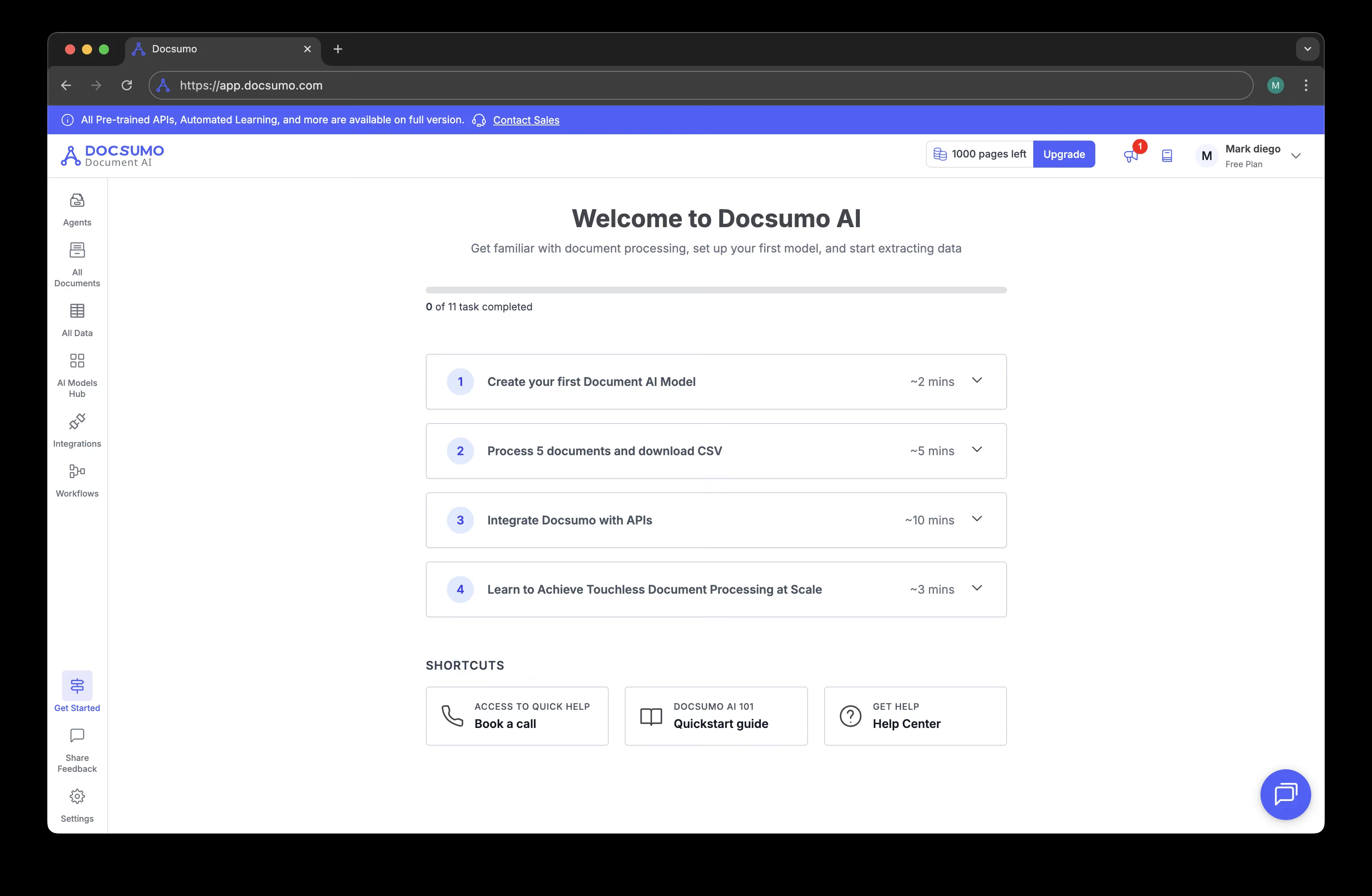
General dashboard

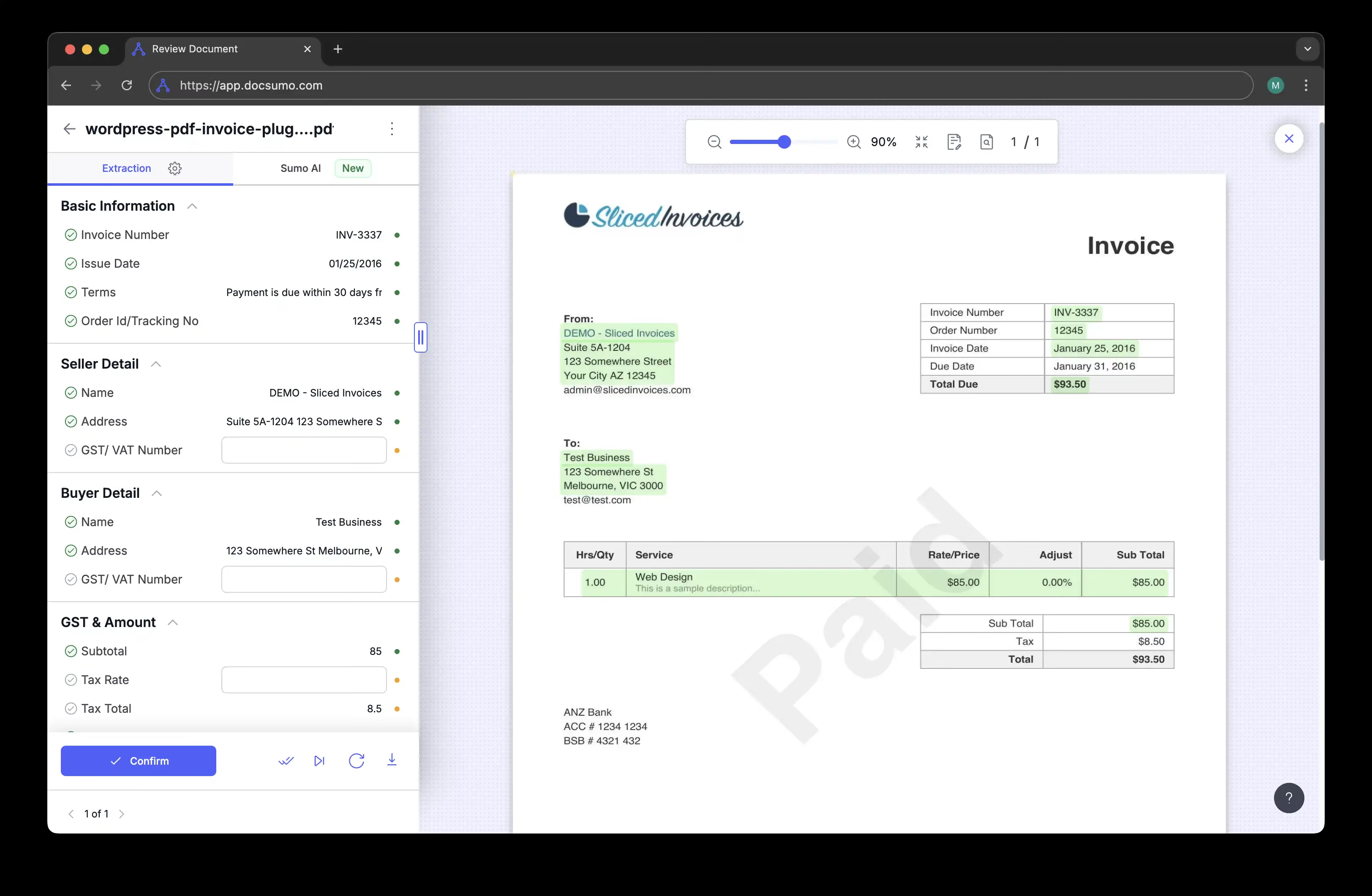
Detailed extraction page

Here's what differs between the two
| Features | ABBYY | Docsumo |
|---|---|---|
Setup time | 4-8 weeks | 14-day trial; setup fees apply |
Custom fields | Requires training | Yes, custom model (10 docs min) |
Fraud detection | Add-on | Not a primary feature |
API-first | Partial | Yes |
Table extraction | Yes | Yes |
Handwriting recognition | Yes | Limited |
SOC 2 certification | Not publicly stated | Yes |
Pricing model | Per license | Per page |
Pricing Details
| Features | ABBYY | Docsumo |
|---|---|---|
Pricing published | Yes | Yes |
Starting price | $99–117 / user / year | $299 / month (5,000 pages) |
Price per page (est.) | ~$0.08–0.10 / page | ~$0.06 / page; setup fee extra |
Free trial | Yes | Yes: 1000 pages, 14 days |

Trusted by product teams and regulated organizations






Which OCR works best for you?
Designed for SaaS platforms, ERP systems and document-heavy operations that require precision, scalability and control.
Both tools solve real document processing problems, but for different workflows.
Choose ABBYY FineReader if your team needs desktop OCR and PDF editing: converting scanned documents, editing text in PDFs, and comparing document versions. It is a reliable local tool that requires no developer involvement.
Docsumo is the stronger fit for financial services, insurance, and logistics teams that need 40+ specialized pre-trained models for ACORD forms, rent rolls, bank statements, and tax documents with human-in-the-loop review. Its 95%+ straight-through accuracy on complex financial documents is a genuine differentiator.
For teams that need broad document coverage, transparent pricing, and no setup fees, Koncile is worth evaluating alongside both.
Koncile vs Other Alternatives


Compare more OCR tools

Ready to choose the right OCR solution?
Get started in minutes. No complex setup, no commitment.
All your
questions
Need more help? Contact us at contact@koncile.ai, check out our documentation, or book a demo.
What is the difference between ABBYY FineReader and Docsumo?
ABBYY FineReader is desktop OCR and PDF editing software. Docsumo is a cloud-based AI document processing platform specialized in financial services, insurance, and logistics. FineReader edits documents locally; Docsumo extracts structured data from invoices, bank statements, and insurance forms automatically.
Does ABBYY FineReader support invoice processing?
ABBYY FineReader can convert invoice scans to text, but it does not automatically extract structured fields like invoice number, amounts, and line items for accounting systems. Docsumo is purpose-built for invoice data extraction with pre-trained models and 95%+ straight-through accuracy.
Does Docsumo support multiple languages?
No. Docsumo currently supports English only. ABBYY FineReader supports 190+ languages. For multilingual invoice workflows, tools like Koncile handle multi-language extraction across 100+ document types.
Does Docsumo have fraud detection?
Fraud detection is not a primary feature of Docsumo. ABBYY FineReader also does not include fraud detection. Tools like Koncile include a fraud detection system as a standard feature.
What is a good alternative to ABBYY FineReader and Docsumo?
Koncile is a strong alternative for teams needing broad document extraction with transparent per-page pricing, fraud detection, and no setup fees. Free trial at koncile.ai with 20 credits and no credit card required.