Contents
What is an ETL pipeline?
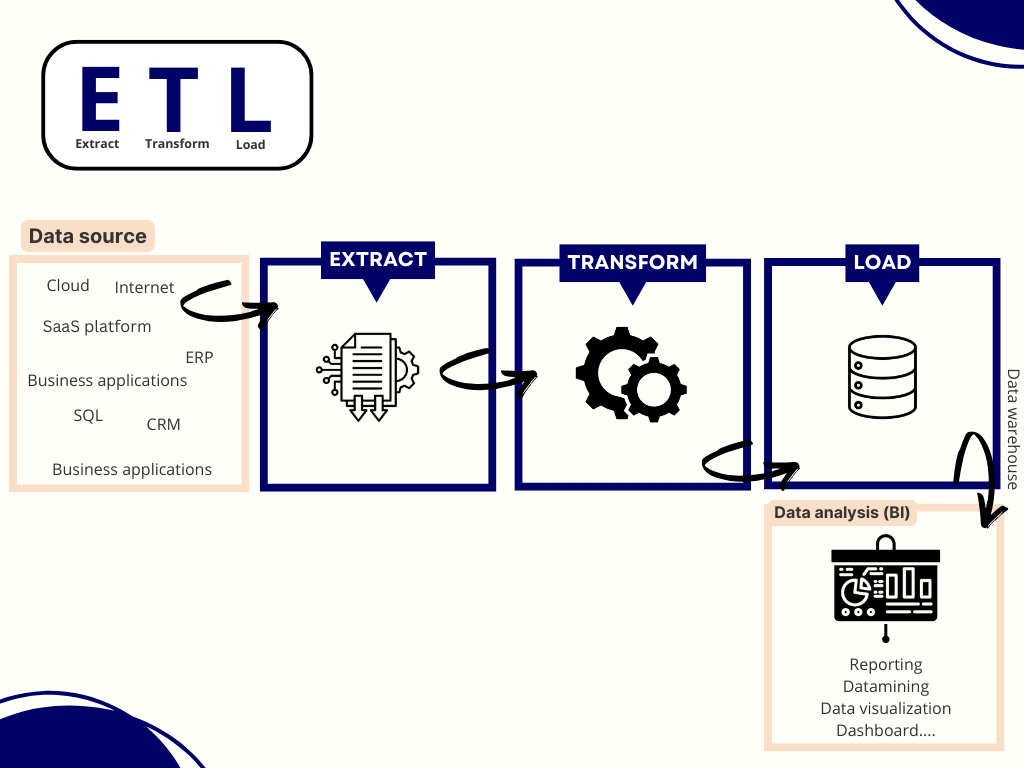
ETL, short for Extract, Transform, Load, refers to a data integration pipeline designed to gather information from multiple systems, clean and standardize it, and centralize it in a target environment such as a data warehouse or a data lake.
In practice, an ETL pipeline takes dispersed, inconsistent, or unstructured datasets and turns them into unified, reliable information ready for analytics, reporting, machine learning, or operational tools.
Traditionally used in business intelligence and analytics, ETL pipelines are increasingly applied to document-heavy workflows as companies work with PDFs, invoices, contracts, and identity documents. In these cases, upstream extraction using open source OCR models or intelligent document processing becomes essential for turning unstructured content into structured, usable data.
ETL pipelines are usually automated, orchestrated workflows that run on schedules, event triggers, or real-time streams depending on operational needs.
The key stages of an ETL pipeline
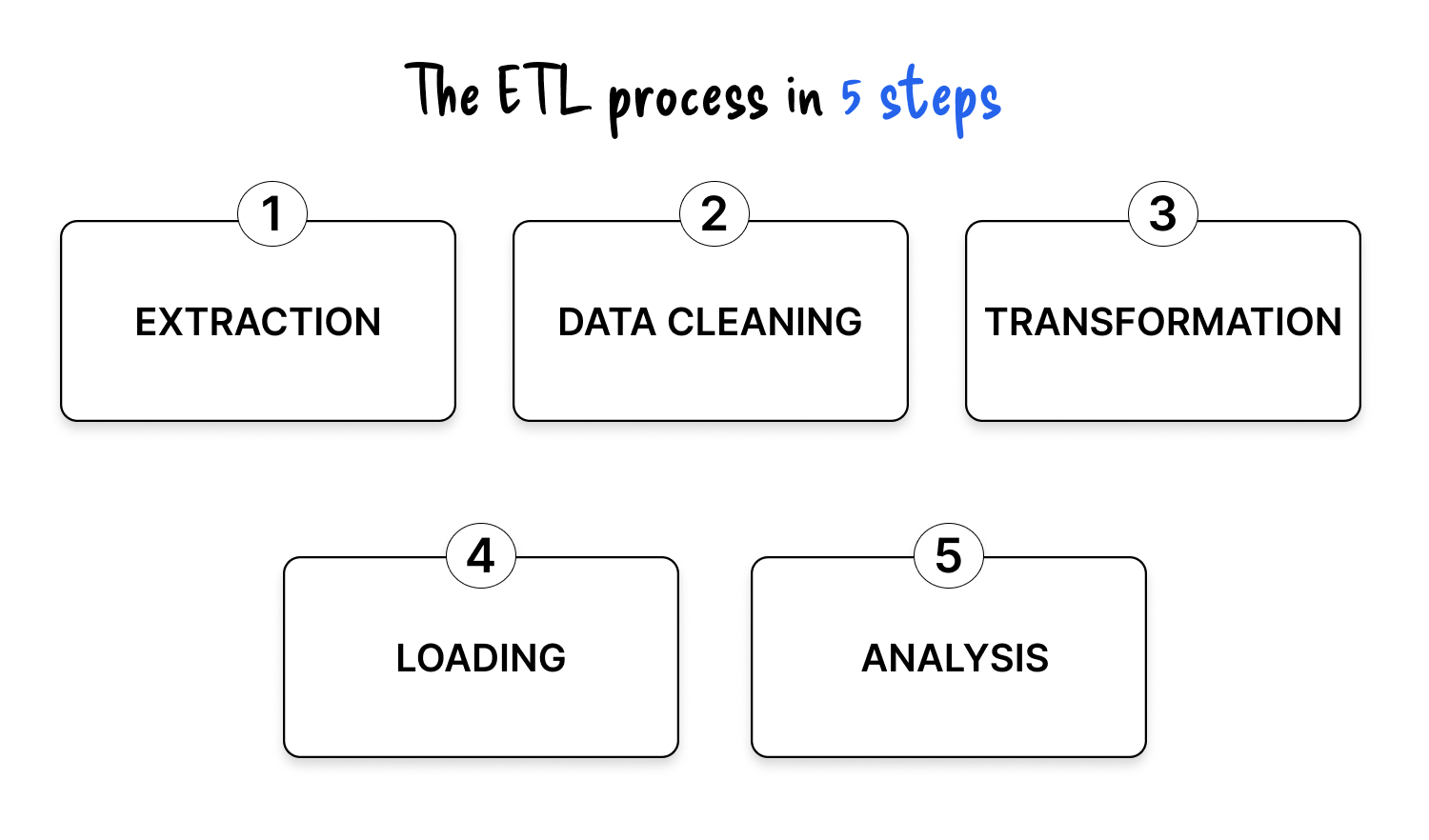
1. Extraction , collecting data at the source
Extraction is the process of gathering data from one or more input systems. These sources can be:
- Internal systems such as databases, ERP, CRM, spreadsheets, business applications
- External systems such as APIs, open data platforms, SaaS tools, third-party services
- Structured, semi-structured, or unstructured sources
Extracted data is temporarily stored in a staging or transit area before any heavy processing.
Several extraction methods exist:
- Full extraction: retrieves all records, useful for an initial load or limited datasets
- Incremental extraction: retrieves only new or modified data, reducing volume and cost
- Update notification: source systems notify changes in near real time
When documents enter the picture, extraction may involve OCR, layout analysis, or file parsing even before the ETL pipeline starts its traditional work.
2. Data cleaning , making raw data usable
Once the data is collected, the first processing phase focuses on data quality. Data cleaning includes:
- Removing duplicates
- Fixing obvious errors
- Handling missing values
- Normalizing basic formats (simple date or numeric fixes)
For document-based workflows, this step also includes initial OCR validation, page separation, basic field sanity checks, and filtering out unreadable documents.
Good data cleaning reduces friction in downstream transformation and prevents bad records from polluting analytics.
3. Transformation , standardizing and enriching
Transformation is where data becomes truly useful. It goes beyond basic cleaning and focuses on business and technical requirements of the target system:
- Standardization of dates, currencies, encodings, units, taxonomies
- Format conversion into consistent schemas
- Joins across multiple systems (CRM + ERP + web analytics, etc.)
- Application of business rules: computing margins, risk scores, age groups, KPI fields
- Encryption or masking of sensitive fields for compliance (GDPR, HIPAA, CCPA)
- Structuring: normalization or denormalization for performance and usability
In document workflows, this is where OCR results are post-processed: table extraction, field mapping, classification, and entity detection. For instance, companies processing vendor invoices often combine ETL with Invoice OCR to turn unstructured PDFs into standardized, analysis-ready records.
4. Loading , integrating data into the target system
Once transformed, cleaned, and enriched, the data is loaded into a target environment where it can be consumed by downstream tools:
- Data warehouse
- Data lake
- Data lakehouse
- Operational database or analytics platform
Common loading strategies include:
- Full load: rewrites all data each cycle
- Incremental load: updates or inserts only modified records
- Batch load: scheduled imports (e.g., nightly processing)
- Streaming load: continuous ingestion for near real-time use cases
- Bulk load: optimized insertion of large data volumes
A well-designed loading strategy ensures both performance and consistency, especially when multiple teams depend on the same datasets.
5. Analysis and consumption , turning data into decisions
The final step focuses on how data is used:
- Business intelligence dashboards
- Self-service analytics
- Machine learning models
- Operational reporting
- Embedded analytics in applications
This is where the value of the entire ETL pipeline becomes visible to the business.
For document-heavy processes, this stage might include dashboards on invoice cycle time, KYC validation rates, or risk scoring based on structured outputs from OCR and intelligent document processing.
Business use cases of ETL pipelines
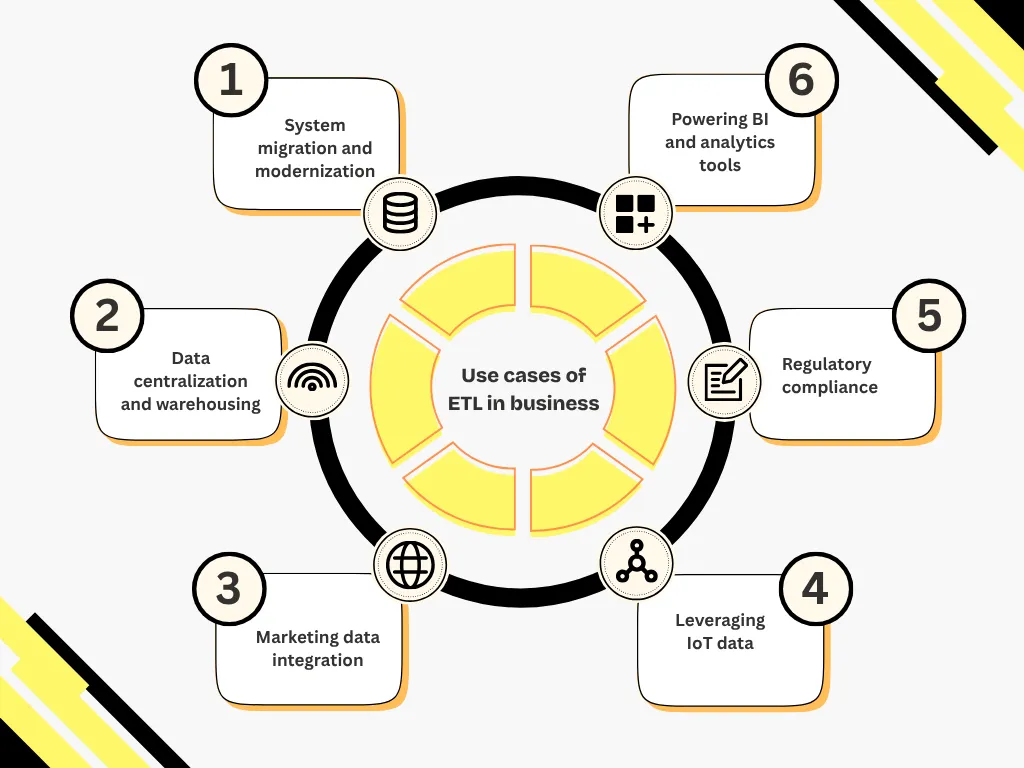
ETL pipelines power a wide range of business and technical use cases.
System migration and modernization
ETL consolidates and restructures data when migrating from legacy systems to cloud architectures or when synchronizing multiple operational databases.
Data centralization and warehousing
ETL connects ERP, CRM, spreadsheets, and APIs, consolidating them into a unified data warehouse for cross-analysis and reporting.
Marketing data integration
ETL aggregates multichannel information (e-commerce, social media, email, CRM) to build a unified customer view and drive segmentation or personalization.
IoT and industrial data processing
Connected devices and sensors generate large volumes of telemetry. ETL cleans, enriches, and standardizes this data for predictive maintenance or operations optimization.
Regulatory compliance
ETL supports GDPR, HIPAA, and CCPA requirements by filtering, anonymizing, and ensuring traceability of sensitive data during transfers.
Decision-making tools & analytics
ETL pipelines power dashboards, BI platforms, and predictive models by automating upstream preparation and ensuring reliable data freshness.
Document-heavy workflows
When companies process invoices, bank statements, contracts, or identification documents, ETL pipelines integrate OCR, table extraction, and field mapping. Intelligent document processing plays a key role in structuring unstructured content before it enters the warehouse.
The benefits of ETL for businesses
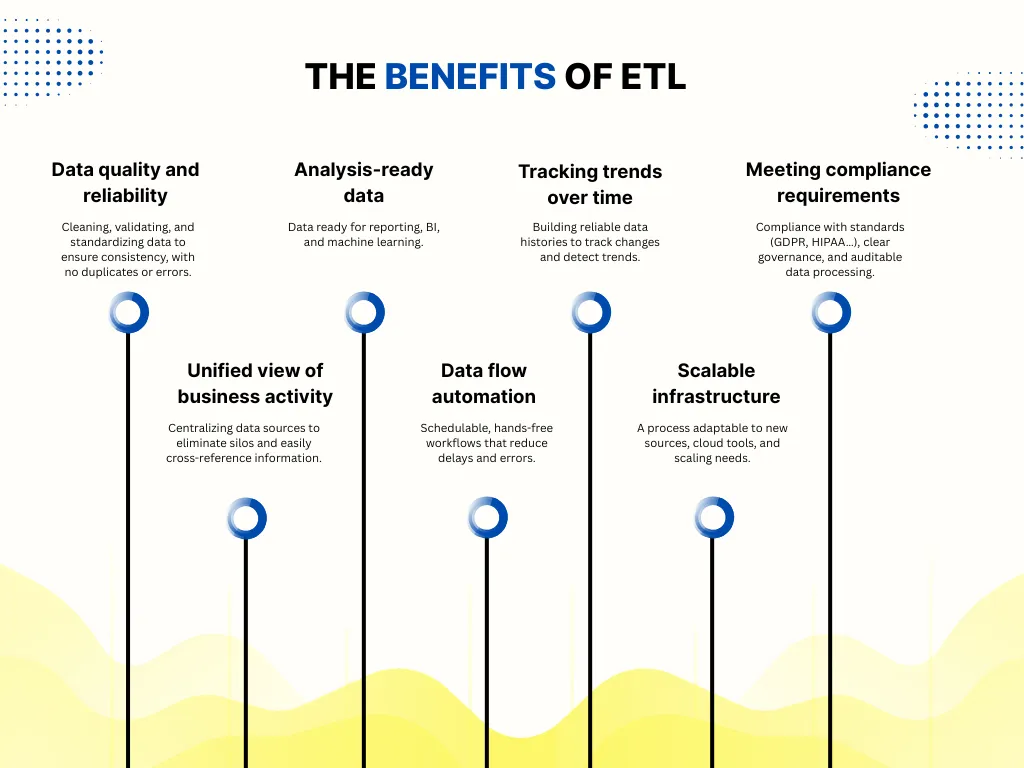
ETL pipelines bring multiple advantages:
- Reliable, structured, and consistent data
- Automated, scalable preparation processes
- Centralized data governance
- Higher data quality and traceability
- Stronger analytics and decision-making
- Compliance-ready workflows
- Efficient data reuse across business applications
Challenges to anticipate when building ETL pipelines
Managing heterogeneous data sources
Systems differ in formats, schemas, update frequencies, and quality. Pattern changes in sources can break pipelines if not monitored.
Designing robust transformations
Business rules evolve; some data is incomplete or poorly structured. Handling ambiguity requires clear documentation and ongoing testing.
Scaling performance
As data volume grows, transformations become more resource-intensive. Solutions include incremental processing, parallel execution, or shifting to ELT or streaming architectures.
Maintaining pipelines over time
Pipelines degrade if new sources are added or rules change. A modular, testable architecture ensures long-term maintainability.
Ensuring data quality and lineage
Pipelines must integrate validation checks, profiling tools, and lineage tracking to ensure accuracy and transparency.
Adapting to real-time requirements
Traditional ETL may be too slow for real-time dashboards, anomaly detection, or event-driven workflows. Streaming ETL or ELT architectures remove bottlenecks.
When documents are involved, additional complexity emerges: table detection, multi-page variability, field extraction, or handwriting recognition. Advanced table detection often improves downstream reliability.
The different types of ETL tools
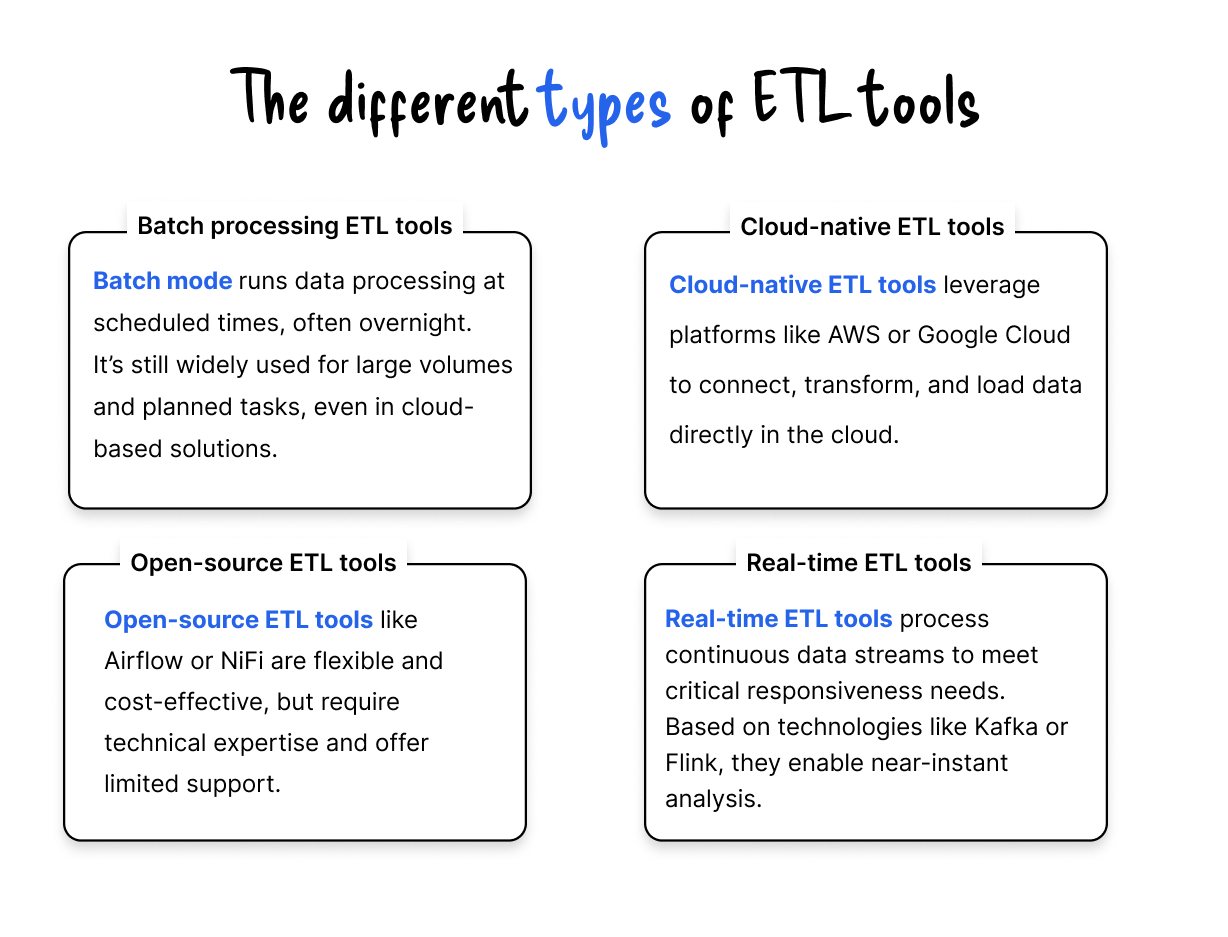
The ETL market offers several categories of tools depending on environment, volume, real-time needs, and budget:
- Open-source ETL tools (flexible, developer-friendly)
- Cloud-native ETL tools (serverless, scalable, ideal for modern warehouses)
- Enterprise ETL platforms (governance, metadata, compliance)
- Visual flow-based tools (drag-and-drop, low code)
Each category addresses different business constraints. Choosing the right solution requires analyzing context, volumes, and operational maturity.
Overview of popular ETL tools
The market now offers numerous ETL tools, ranging from open-source solutions to comprehensive business platforms.
Here are three representative tools with complementary positions: Talend, Apache NiFi and Informatica.
Talend
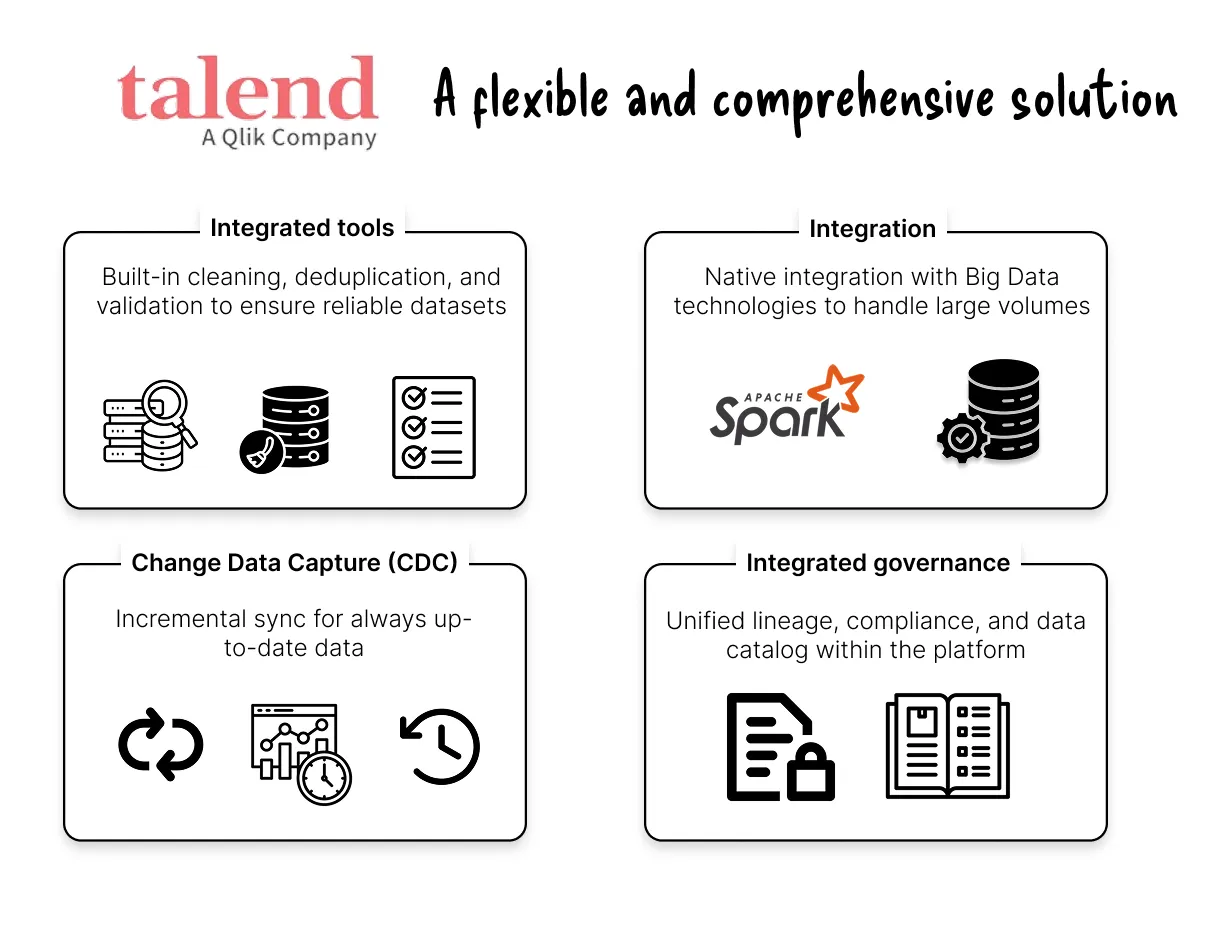
Talend is a widely used solution for data integration, available in an open-source version (Talend Open Studio) and a commercial version (Talend Data Fabric).
Talend is appreciated for its versatility and its ability to adapt to hybrid architectures, including with data science tools.
Apache NiFi
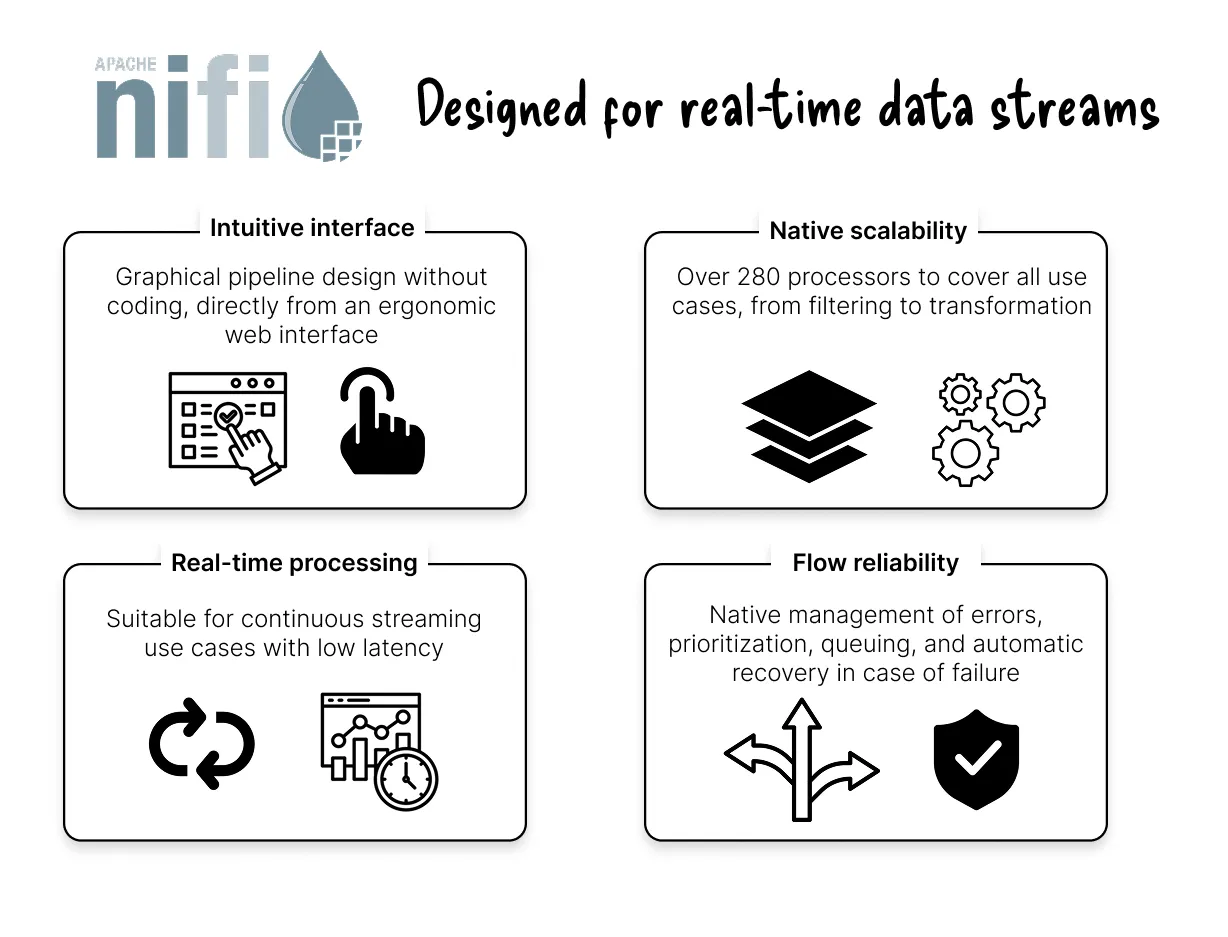
Apache NiFi is an open-source tool that focuses on processing data in a continuous flow. It allows pipelines to be designed visually via an intuitive web interface without coding.
NiFi is particularly suited to environments requiring immediate responsiveness, while offering great modularity.
Informatica PowerCenter
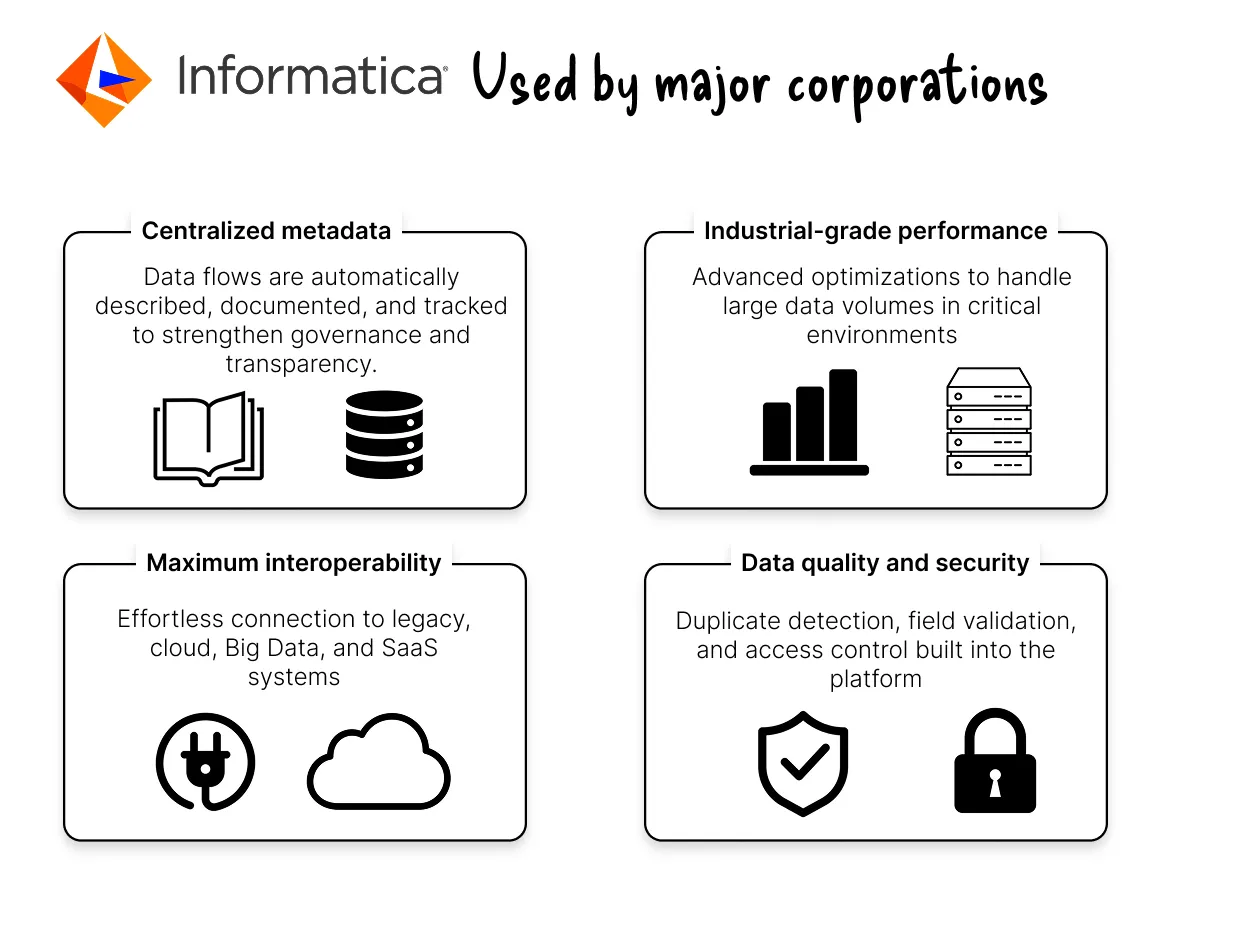
Informatica PowerCenter is a commercial solution recognized for its performance in a production environment. It is based on an engine metadata-driven, facilitating the documentation and governance of flows
Informatica is preferred by large organizations for critical projects where robustness and support are essential.
FAQ
What is an ETL pipeline?
An ETL pipeline extracts, cleans, transforms, loads, and prepares data so it can be used in analytics tools, data warehouses, or business applications. It centralizes dispersed data into a structured and consistent format.
What are the benefits of ETL?
ETL improves data quality, ensures consistency, automates preparation work, and provides teams with reliable, analysis-ready datasets. It also strengthens compliance and governance.
What is the difference between ETL and ELT?
ETL transforms data before loading it into the warehouse. ELT loads the raw data first and performs transformations directly inside the warehouse, leveraging cloud compute for scalability.
How does OCR fit into ETL pipelines?
OCR converts unstructured documents (PDFs, invoices, identity documents...) into structured data. This structured output can then be cleaned, transformed, and loaded through an ETL pipeline, just like any other data source.
What are the most common ETL use cases?
System migration, data centralization, IoT data processing, marketing analytics, document workflows, regulatory compliance, and BI reporting are among the most frequent ETL applications.
Do companies still need ETL with modern data stacks?
Yes. Even with modern ELT and streaming architectures, ETL remains essential for data cleaning, validation, lineage, and business rule enforcement. In document-heavy environments, ETL also ensures OCR outputs are normalized and analysis-ready.