EDI allows businesses to automatically transmit business documents in standardized and secure formats. This article explains how it works, the benefits, and best practices for deploying it.
By
Tristan Thommen
Last updated:
January 9, 2026
-
8
min read
Present in many sectors, EDI plays a key role in the fluidity and reliability of inter-company exchanges. Understanding its uses and benefits makes it possible to measure their full impact on performance.
What is EDI?
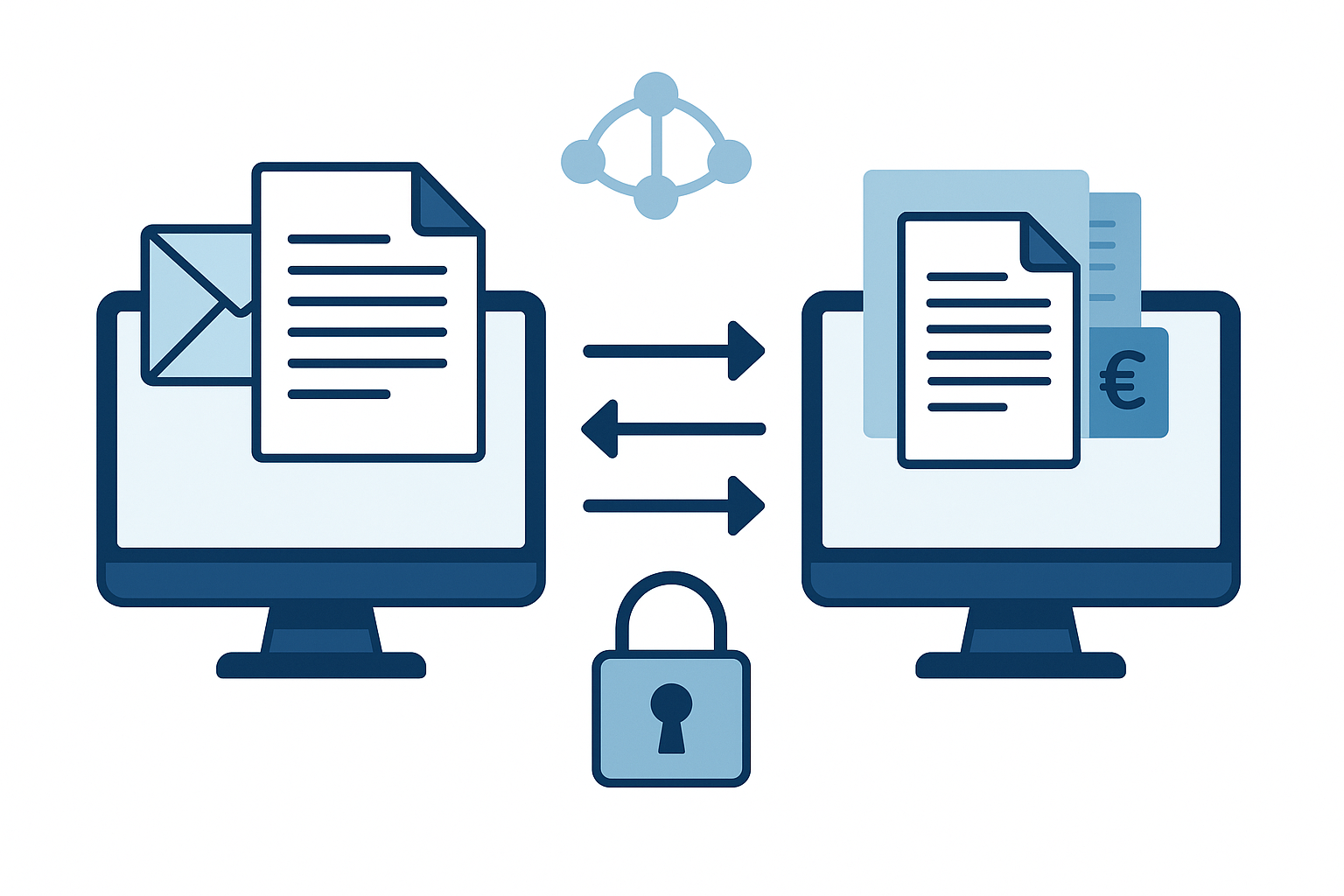
The EDI (Electronic Data Interchange) refers to the automated transfer of commercial information from one computer system to another, using standardized and secure formats.
Concretely, it replaces the traditional exchanges of business documents (paper, fax, e-mail) with direct and standardized communication between the systems of business partners.
Data such as purchase orders, shipping notes, or invoices are automatically extracted from the sender's system, transmitted via a secure network, and then integrated into the recipient's system without manual intervention.
This operation is based on adapted software solutions (ERP and tools for managing stocks or orders) and on common standards, such as EDIFACT in the automotive sector. EDI thus makes it possible to speed up the processing of documents, to reduce errors, and to ensure total interoperability between heterogeneous systems.
Who is EDI for?
The EDI mainly concerns companies wishing to streamline and automate their data exchanges with their business partners. It is particularly suitable for relationships B2B (inter-company) and is relevant when the volumes of documents exchanged are significant.
This technology is aimed at suppliers, customers, logistics providers as well as financial organizations by offering them faster and secure information processing. Internally, it benefits several services: commercial (order tracking), production (planning), logistics (flow management), and finances (billing and payments). In particular, the teams in charge of sales administration (ADV) benefit considerably from this mechanism for the processing and validation of orders.
The benefits of EDI
Benefit
Description
Reduced processing costs
Elimination of printing, paper archiving, and manual re-entry. Up to 90% savings per document (e.g., electronic invoice).
Faster exchanges
Automatic transmission and integration within minutes or seconds, instead of several days with paper.
Fewer errors and disputes
Standardized formats and automatic data integration, reducing returns, delays, and conflicts.
Enhanced traceability and visibility
Real-time document tracking, from order to payment, enabling better planning and decision-making.
Improved business relationships
Reliable exchanges and a common language that strengthen trust and customer satisfaction.
Increased productivity
Automation of repetitive tasks, allowing teams to focus on high value-added activities.
Regulatory compliance
Application of recognized standards and validated formats to facilitate regulatory compliance.
Environmental benefit
Reduced paper usage and carbon footprint, contributing to a sustainable approach.
Facilitated partner integration
Adoption of EDI standards to simplify B2B exchanges with all partners.
How does EDI work?
The EDI is based on the conversion of commercial documents into standardized electronic formats, allowing their automatic transmission and integration between information systems.
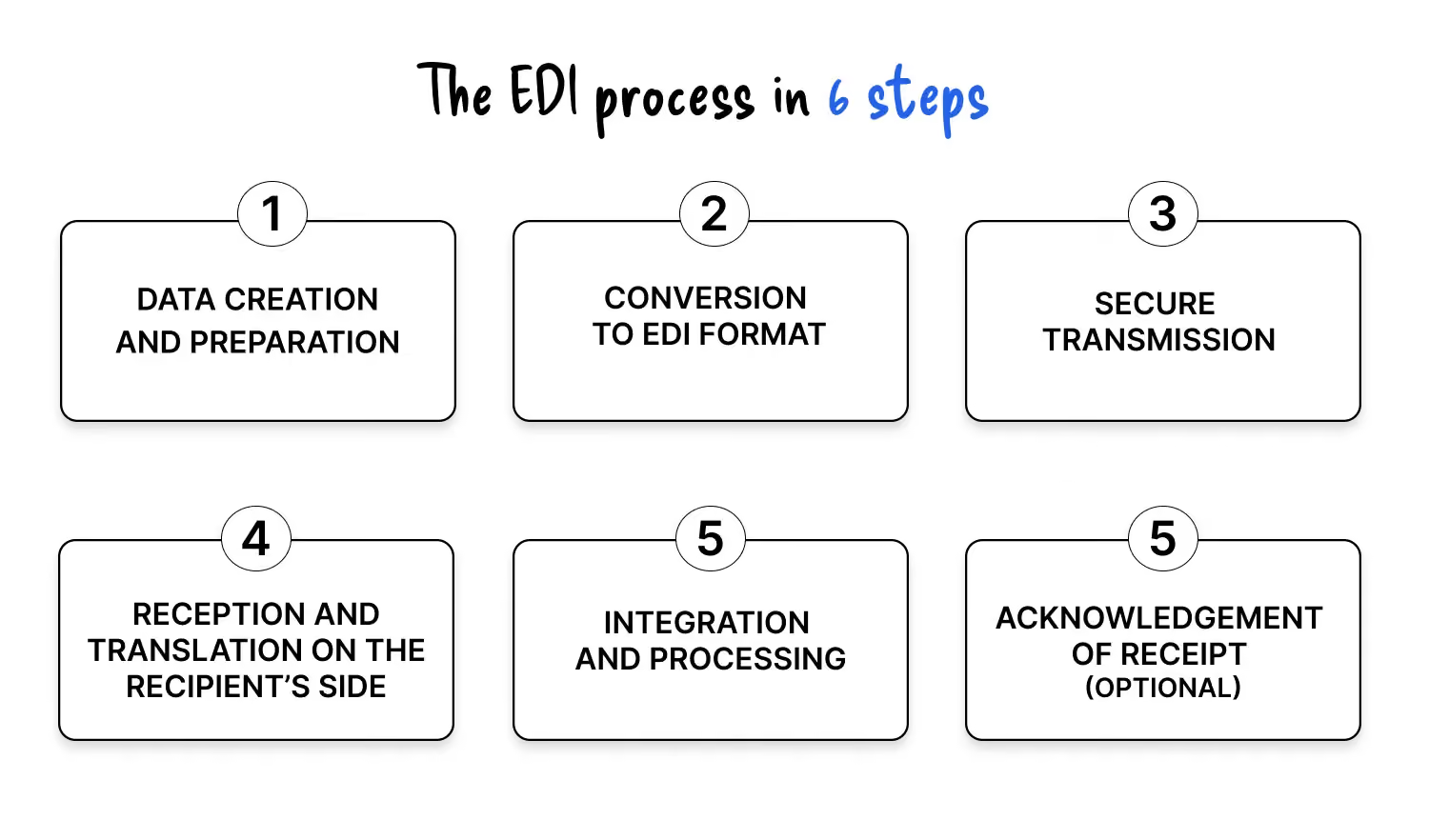
This process generally involves the following steps:
1. Data creation and preparation
The necessary information (e.g. order form, invoice, shipping notice) is generated by the shipper's internal system, often an ERP, and structured to be ready for conversion.
2. Conversion to EDI format
This data is translated into a standardized format agreed upon with the business partner (e.g. EDIFACT, XML, OIC), using EDI software or a specialized service provider. This step ensures that both systems can interpret the data identically.
3. Secure transmission
Once converted, the document is sent via a secure protocol or network:
Direct connections (Point-to-point) with AS2, OFTP2, FTPS, HTTPS
Private networks or VAN (Value Added Network).
The EDI system automatically identifies the recipient and transmits the file to them using the agreed method.
4. Reception and translation on the recipient side
The partner receives the EDI file, validates its integrity, and then converts it into a format that can be used by its own internal applications (ERP, inventory management software, invoicing, etc.).
5. Integration and treatment
Data is directly integrated into business systems, without manual entry, which speeds up processing and reduces errors.
6. Acknowledgement of receipt (optional)
In some cases, an EDI confirmation message is sent to the sender to indicate that the document has been successfully received and processed.
The different EDI models
EDI can be implemented using several approaches, each with its own advantages and constraints:
EDI – 3 blocs animés
VAN
Value‑Added Network (VAN) EDI
In this model, a third‑party provider handles data transfer between partners over a secure network. Exchanges work like a “mailbox”: each company deposits its documents on the network, which then routes them to the correct recipient. This simplifies technical management and avoids multiplying direct connections.
Web
Web EDI
Also called Web EDI, this mode relies on a portal or online platform provided by a specialized vendor. Companies can send or receive EDI documents without investing in dedicated infrastructure, making it particularly suitable for small businesses or those just starting with EDI.
Direct
Direct (point‑to‑point) EDI
This method establishes a direct connection between the IT systems of two trading partners. While it offers full control over exchanges, it requires significant resources for maintenance and becomes difficult to manage when interconnecting a large number of partners.
Setting up EDI: key steps
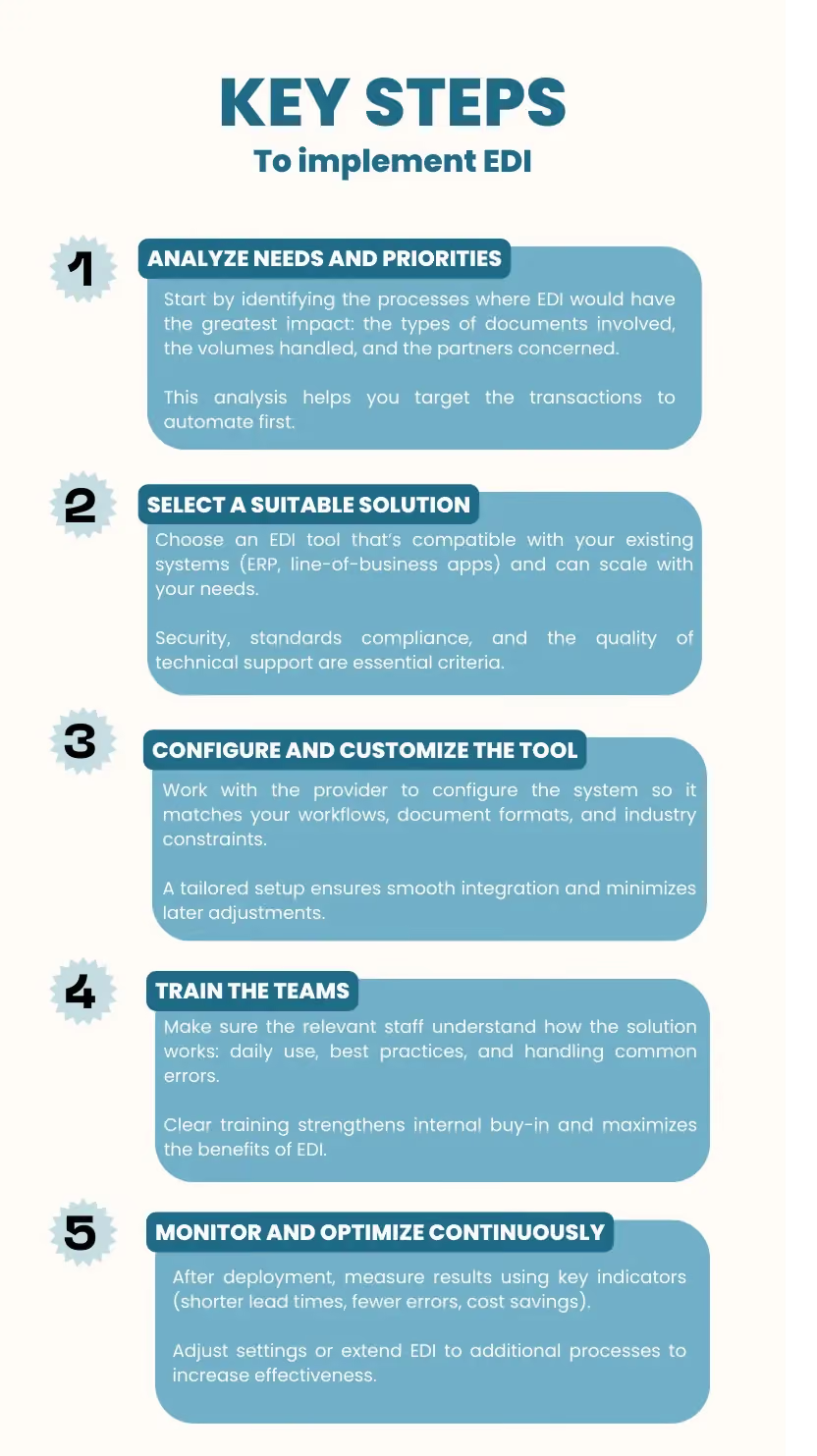
The success of an EDI project depends on rigorous preparation and gradual deployment. Here are the main steps to follow:
Tristan Thommen
Co-founder of Koncile - Automate your document processing and detect fraud with LLMs - tristan@koncile.ai
Tristan Thommen designs and builds the technology that automates the processing of unstructured documents and detects the fraud hiding within them. Combining AI, OCR, and business logic, he turns these documents into reliable, actionable data, making life easier for teams.
Get ahead on automation. See how Koncile can simplify your operations.
Discover Koncile
Discover Koncile
Our latest ARTICLES
Real life insights on document automation
All our ressources
All our ressources
Comparative
5 Best French OCR Solutions to Extract Data from Your Documents
French OCR solutions now make it possible to automatically extract data from your invoices, contracts, and accounting documents using optical character recognition, with hosting based in France. Here is a real comparison of all five OCR solutions, corrected against current 2026 figures where vendor claims had gone stale, covering what actually differentiates them beyond the fact that they are all hosted in France.
Read the article
FEATURE
Document processing and fraud detection: build or buy?
Extracting and structuring document data, enriching it, detecting fraud: with AI, building your own end-to-end solution has never looked so simple. Buying off the shelf still often turns out to be the better option. Here are the thirty-nine difficulties to expect before you start.
Read the article
FEATURE
In healthcare, an OCR is judged on what it flags, not on what it reads
Every OCR vendor advertises high accuracy rates, and most of them deliver. On a health document, that is not the right buying criterion. What counts is what the tool does when it is not sure, what it lets you verify, and what it guarantees about the data it handles.
Read the article
FEATURE
Top Healthcare OCR Tools: HIPAA Compliance and What the Clinical Evidence Shows
Amazon Textract has been formally HIPAA-eligible since October 2019. Most healthcare OCR comparisons never mention that, or check which of the other four tools on their list actually offer a signed BAA. Here is a rebuild that checks compliance status directly, and looks at what the real clinical trials on ambient AI scribes actually found, not just what the marketing claims.
Read the article
FEATURE
Best Accounting Software for Sole Proprietors and Freelancers in 2026
A freelancer sending a dozen invoices a month can blow through Xero's cheapest plan by week three, and a $19-a-month FreshBooks account caps out at five clients. The number on a pricing page is rarely the number you actually pay. Here is a real comparison of QuickBooks, Xero, Wave, and FreshBooks built for a business of one, not a growing team.
.avif)