Bluebeam OCR vs Alternatives: Complete Comparison for PDF Text Recognition
Complete review of Bluebeam OCR’s capabilities, benefits, limits, and top alternatives for professional document management.
.avif)
Bluebeam OCR is the text recognition module built into Bluebeam Revu, designed to extract searchable and editable text from scanned PDF drawings. This guide breaks down its strengths, limitations, use cases, and the top alternatives used by construction, engineering, and architectural teams.
What is Bluebeam OCR?
Bluebeam OCR is the built-in text recognition feature integrated into Bluebeam Revu (eXtreme edition). It converts scanned PDFs into searchable and editable documents while preserving the original layout. Designed for technical environments, it helps teams work efficiently with drawings, engineering reports, and administrative documents that were originally scanned.
A feature seamlessly integrated into Bluebeam Revu
Because OCR is native to Revu, no external software is required. Activation is immediate: opening a scanned PDF is enough to start the conversion. Users can then search for text, add annotations, correct elements, or export extracted data—all within the same interface. This tight integration ensures consistent workflows and reduces tool switching.
Tailored for construction and engineering teams
Bluebeam OCR is widely used by architects, engineers, project managers, and technical offices. It helps professionals:
• Identify text on technical drawings
• Extract annotations, legends, and title blocks
• Convert scanned PDFs into fully searchable files
• Improve document retrieval and streamline archiving
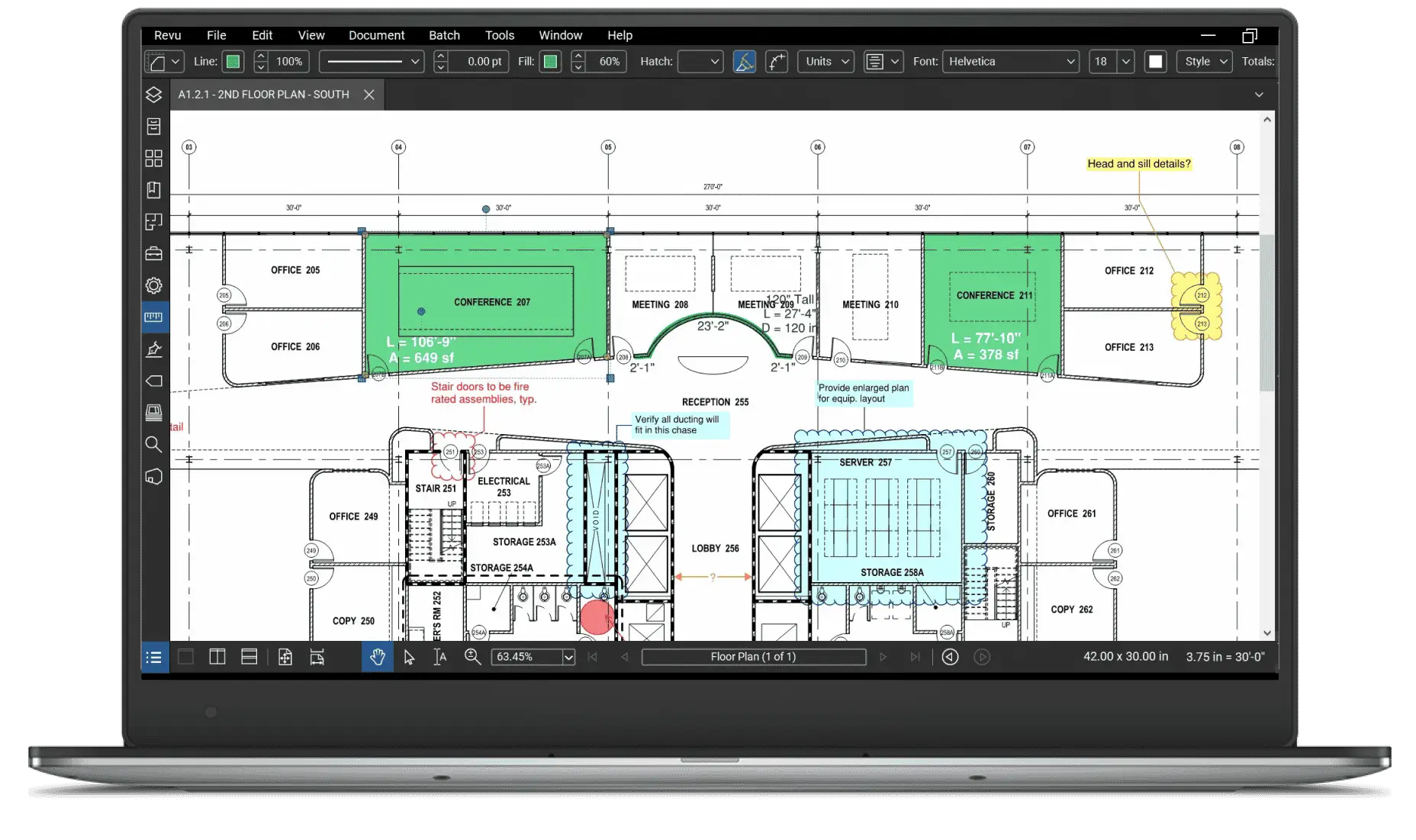
By focusing on these industry-specific needs, Bluebeam OCR enhances review cycles, collaboration, and document management across entire project lifecycles.
Key Features
Bluebeam OCR provides essential capabilities to make scanned documents editable and easier to process. These include automatic text recognition, layout preservation, and integration with Revu’s annotation and collaboration tools.
Its core functionality is the conversion of scanned PDFs into editable text. Technical drawings, inspection reports, and administrative documents can be converted in seconds, significantly reducing manual transcription time.
Bluebeam OCR also supports multiple languages, which is particularly useful in international projects where documents come from different teams or subcontractors.
In addition, the tool preserves the structure of the document. Columns, tables, plan legends, and technical layouts remain intact, which is critical for reading accuracy and avoiding misinterpretations.
Finally, OCR is fully integrated into Revu workflows. Teams can annotate, compare, modify, and archive documents without any third-party software.
Workflow Advantages
Implementing Bluebeam OCR in your daily workflow results in substantial time savings. Teams can eliminate hours of manual retyping, especially when working with scanned plans or documents shared by external partners.
Collaboration also improves significantly. Once text is searchable and editable, every team member can make corrections, add annotations, and validate changes directly within Revu. This strengthens version control and reduces confusion between multiple document iterations.
Error reduction is another major benefit. With fewer manual steps, the risk of transcription mistakes drops dramatically. This leads to more accurate reports, technical documents, and construction deliverables.
Finally, searchable documents allow more efficient archiving. Years of scanned plans or regulatory documents become accessible through simple keyword searches, speeding up audits and document retrieval.
Practical Use Cases
Bluebeam OCR is applicable across numerous scenarios in construction, engineering, and technical documentation.
A common example is reviewing scanned drawings. Teams can annotate documents, correct labels, verify measurements, and reorganize content without having to re-scan or re-export.
For reporting, OCR helps extract data from multiple PDFs and consolidate the information into standardized documents. This reduces repetitive tasks for project managers and engineers.
Technical archiving is another important use case. Contracts, permits, reports, and safety documents become much easier to index and search through.
International projects also benefit from Bluebeam’s multilingual recognition, allowing teams to integrate documents from different countries without manual text input.
Comparison with Other OCR Solutions
Compared to other OCR tools, Bluebeam OCR stands out for its ability to maintain the original layout of plans and documents—an essential requirement in technical industries.
Its tight integration with Bluebeam Revu is another major strength. Unlike standalone OCR tools, it allows teams to manage everything from annotation to archiving in one place.
However, some modern OCR tools powered by AI provide more advanced capabilities, such as improved accuracy on low-quality scans, handwritten content, or highly degraded documents.
Despite this, Bluebeam OCR remains a solid choice for construction and engineering teams, especially when working with complex PDFs containing tables, images, and structured layouts.
Conclusion
Bluebeam OCR is a reliable tool for converting scanned PDFs into editable and searchable documents. It enhances collaboration, decreases errors, and accelerates document processing. While some alternatives offer more advanced AI-driven features, Bluebeam OCR is a strong option for teams already working within the Bluebeam Revu ecosystem.
FAQ – Bluebeam OCR

Real life insights on document automation
5 Best French OCR Solutions to Extract Data from Your Documents
French OCR solutions now make it possible to automatically extract data from your invoices, contracts, and accounting documents using optical character recognition, with hosting based in France. Here is a real comparison of all five OCR solutions, corrected against current 2026 figures where vendor claims had gone stale, covering what actually differentiates them beyond the fact that they are all hosted in France.
Document processing and fraud detection: build or buy?
Extracting and structuring document data, enriching it, detecting fraud: with AI, building your own end-to-end solution has never looked so simple. Buying off the shelf still often turns out to be the better option. Here are the thirty-nine difficulties to expect before you start.

In healthcare, an OCR is judged on what it flags, not on what it reads
Every OCR vendor advertises high accuracy rates, and most of them deliver. On a health document, that is not the right buying criterion. What counts is what the tool does when it is not sure, what it lets you verify, and what it guarantees about the data it handles.

Top Healthcare OCR Tools: HIPAA Compliance and What the Clinical Evidence Shows
Amazon Textract has been formally HIPAA-eligible since October 2019. Most healthcare OCR comparisons never mention that, or check which of the other four tools on their list actually offer a signed BAA. Here is a rebuild that checks compliance status directly, and looks at what the real clinical trials on ambient AI scribes actually found, not just what the marketing claims.
Best Accounting Software for Sole Proprietors and Freelancers in 2026
A freelancer sending a dozen invoices a month can blow through Xero's cheapest plan by week three, and a $19-a-month FreshBooks account caps out at five clients. The number on a pricing page is rarely the number you actually pay. Here is a real comparison of QuickBooks, Xero, Wave, and FreshBooks built for a business of one, not a growing team.