Contents
In short. AI image generators don't output images at just any size. Each one works from a short list of pixel dimensions. We compared 7,489 AI generated images with 3,280 real photos and scans of documents: about one AI image in two had a width and height that no real file had. You can check it in ten seconds. And it stops working as soon as someone resizes the image.
Right click a file, open its properties, and you've got the width and height in pixels. Nothing to install, nothing to upload. For anyone doing document fraud detection, we don't know a cheaper check. And almost nobody talks about it.
The image sizes that give AI away
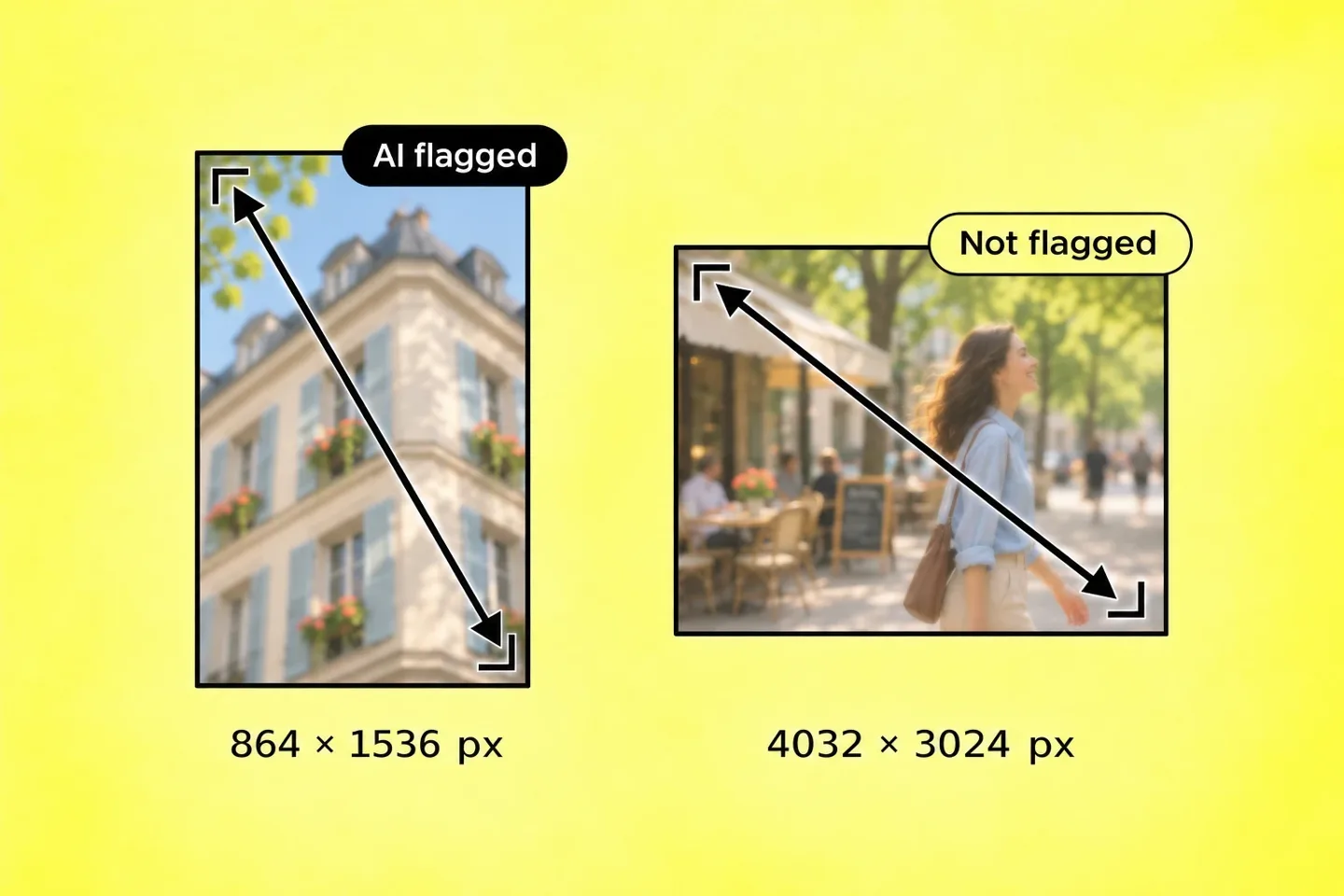
A phone saves whatever its sensor gives, say 4032 × 3024. A scanner saves whatever the page and the resolution produce: 1653 × 2338 for an A4 page at 200 dpi.
A generator draws in blocks of 16 pixels, with a capped total number of pixels. So it keeps picking from the same small menu of sizes. In our files, 87 to 89% of AI images had a width and height divisible by 16, against roughly one in ten for our clients' real documents.
The ones we run into all the time:
| Generator family | Typical sizes (pixels) |
|---|---|
| GPT Image | 864 × 1536, 768 × 1536, 1152 × 1536 |
| Gemini image models | 1536 × 2752, 768 × 1376, 1792 × 2400 |
| Seedream | 864 × 1536, 1152 × 1536, 1024 × 1536 |
| Real phones and scanners | 4032 × 3024, 2048 × 1536, 1653 × 2338 |
How reliable is this detection test?
We only kept sizes that a generator produced at least 5 times and that no real file ever had. That leaves 76. Depending on the batch, 48 to 58% of AI images land on one of them. On the real client side, none out of 3,280.
Download the CSV file with all the typical AI image dimensions (76 sizes, with the generator families).
Or test an image right here:
We built the list on one month of images, then tested it on generators released afterwards. It still catches half of them. Sizes barely move from one model version to the next.
Does an AI edit keep the size of the original?
Out of 1,897 requests like "just change the date on this photo" or "change the amount", not one output kept the original dimensions. Only 45% kept the same proportions. The generator redraws the whole image, in one of its own sizes.
In practice, the "photo" of a receipt edited by AI usually doesn't have the size a phone would have given it anymore.
AI generated fakes in your files?
A complete tool to detect documents and images generated or edited by AI. Plugs into your tools through MCP and API.
Try AI fake detection



Two other clues: bare PNGs and WebP files
Still without looking at the picture. The first one is a bare PNG: a photo saved as a full color PNG with none of the small technical blocks that cameras and editing software write. Phones save as JPEG or HEIC. The second one is WebP, which some generators output directly and which you almost never see on a real document photo.
Together with the dimensions, these clues flag 71 to 78% of the AI images in our files, for 0.4 to 0.5% of the real ones (15 files out of 3,280).
We also looked at JPEG quality and file weight. Nothing there: generators save with the same standard settings as plenty of real files.
Method
7,489 raw outputs from 63 image generators, collected in October and November 2026. On the other side: 3,280 real photos and scans of documents from client files, plus 1,399 files from public datasets. A size goes on the list if we saw it at least 5 times for one generator and never among real files.
Frequently asked questions
How to tell if an image is AI generated?
Look at its size in pixels first. If no phone or scanner produces that size, it's a first clue, and it takes ten seconds. Then check the format: bare PNG or WebP. None of these clues is enough on its own.
How do I check the dimensions of an image?
On Windows, right click the file, Properties, Details. On a Mac, select the file and press Command I. On a phone, open the photo details. You're looking for width and height in pixels.
Is an image with dimensions divisible by 16 always AI?
2048 × 1536, a very common phone size, is divisible by 16 too. What counts is the exact size.
Does removing the metadata hide this?
Dimensions and file format aren't metadata, you can't strip them. In our tests the clues didn't move after a metadata clean up.
What if the image was saved again as a JPEG?
As long as the size doesn't change, the dimension clue holds. In our tests, 51 to 58% of AI images were still flagged after a JPEG save at the same size.
What are the limits of this clue?
Resize the image and the clue is gone. A screenshot or a messaging app that compresses pictures does the same, so a normal size proves nothing. A few sizes also exist on both sides, like 1536 × 2048 or 720 × 1280, and we took them out of the list. A bare PNG can come from a simple conversion program, and every new generator shows up with its own sizes. It's a good first filter, nothing more: to decide, you need to analyse the image itself, which is what our own models do in our AI image detector for documents.