Die 10 besten Buchhaltungs-OCR-Lösungen 2026 zur Dateneingabeautomatisierung
Die 10 besten OCR-Lösungen 2026 zur Buchhaltungsautomatisierung. Daten schnell, präzise und sicher erfassen.
.webp)
Keine mühsame manuelle Eingabe von Rechnungen und Quittungen mehr. Dank der OCR-Software wird die Buchhaltung schneller, zuverlässiger und reibungsloser. Entdecken Sie unseren Vergleich der effizientesten Tools.
Warum sollten Sie OCR für Buchhaltungsaufgaben verwenden für 2026?

Die Buchhaltung beinhaltet die Verarbeitung einer großen Menge an Dokumenten.—Rechnungen, Zahlungsbelege, Kontoauszüge, Spesenabrechnungen und mehr. Und OCR Mit dem Tool (Optical Character Recognition) können Sie Papier- oder PDF-Dokumente digitalisieren und wichtige Daten wie Betrag, Datum, Lieferant, Mehrwertsteuer und IBAN automatisch extrahieren.
Durch die Integration von OCR in Ihre Buchhaltungstools sparen Sie wertvolle Zeit, reduzieren manuelle Eingabefehler und beschleunigen die Validierungsabläufe. Diese Technologie ist für Unternehmen, Wirtschaftsprüfungsgesellschaften und Finanzmanagementfachleute unverzichtbar geworden.
Wie verändert künstliche Intelligenz das Rechnungswesen?
Welche Arten von Dokumenten können verarbeitet werden?
OCR-Lösungen für die Buchhaltung können eine Vielzahl von Dokumenten verarbeiten, einschließlich:
- Lieferanten- und Kundenrechnungen
- Quittungen und Kassenscheine
- Bestellungen und Lieferscheine
- Spesenabrechnungen
- Kontoauszüge
- Steuererklärungen und Jahresabschlüsse
Einige Tools enthalten auch Funktionen für den Datenabgleich oder den Datenabgleich, z. B. zwischen einer Rechnung und einer Bestellung.
Hier finden Sie unsere Auswahl der 10 besten OCR-Lösungen für die Buchhaltung, einschließlich ihrer Funktionen, Vorteile und Einschränkungen.
Cegid

CEGID bietet eine umfassende Palette von Buchhaltungslösungen für KMU, mittelständische Unternehmen, Wirtschaftsprüfungsgesellschaften und große Unternehmen.
Das CEGID-Ökosystem integriert fortschrittliche OCR-Technologien in verschiedene Module — wie Rechnungsstellung, Beschaffung und Spesenmanagement — und ermöglicht so die Digitalisierung von Dokumenten, die automatische Klassifizierung und die nahtlose Integration von Belegen.
Das Ziel: Dokumenten-Workflows zu automatisieren, zuverlässige Buchhaltungsdaten sicherzustellen und die Einhaltung der Steuervorschriften zu vereinfachen.
Pennylane

Pennylane ist eine Komplettlösung, die Buchhaltungsverwaltungssoftware mit einer integrierten OCR-Engine kombiniert.
Es automatisiert das Abrufen von Belegen, füllt Buchhaltungseinträge vorab aus und zentralisiert alle Finanzflüsse auf einer einzigen Oberfläche.
Das Tool eignet sich besonders für KMU, Kleinstunternehmen, Freiberufler und Wirtschaftsprüfungsunternehmen, die nach einer modernen und benutzerfreundlichen Lösung suchen.
Zeit
.webp)
Zeit ist eine Mobile-First-Anwendung, die für Freiberufler, Selbstständige und kleine Unternehmen entwickelt wurde.
Es ermöglicht Benutzern, ihre Belege (Rechnungen, Tickets usw.) zu fotografieren, Daten automatisch per OCR zu extrahieren und sie sofort mit ihrem Buchhalter zu teilen.
Sein Mobile-First-Ansatz macht es zu einem idealen Tool für Benutzer ohne fortgeschrittene Buchhaltungskenntnisse.
Koncile
.webp)
Koncile ist eine intelligente OCR-Lösung für die Verarbeitung aller Arten von Geschäftsdokumenten: Rechnungen, Bestellungen, Verträge, Belege, Kontoauszüge und mehr. Mit seiner Bibliothek anpassbarer OCR-Vorlagen kann es sich an jede Branche anpassen. Im Bereich Buchhaltung bietet Koncile sofort einsatzbereite Modelle für das automatische Lesen von Lieferantenrechnungen, Spesenabrechnungen, Lieferscheinen und sogar Steuerpaketen. Das Ziel: die Automatisierung der Datenanalyse, Klassifizierung und Verarbeitung — auch in komplexen Kontexten wie mehrsprachigen Dokumenten, Fremdwährungen oder bestimmten Rechnungslegungsregeln.
Klippa
.webp)
Klippa ist eine umfassende Lösung zur Dokumentenautomatisierung, mit der Buchhaltungsprozesse durch künstliche Intelligenz beschleunigt werden sollen. Sie kombiniert eine leistungsstarke OCR-Engine, eine flexible API und erweiterte Datenstrukturierungsfunktionen, sodass Rechnungen, Spesenabrechnungen, Bestellungen und Kontoauszüge einfach verarbeitet werden können. Klippa eignet sich für Unternehmen jeder Größe, insbesondere für Unternehmen, die Dokumenten-Workflows automatisieren, die Rückverfolgbarkeit unterstützender Dokumente verbessern oder OCR in ihre bestehende Softwareumgebung integrieren möchten.
Sage

Salbei bietet mehrere Lösungen an, die OCR-Funktionen (Optical Character Recognition) enthalten, um die Verarbeitung von Buchhaltungsdokumenten, insbesondere von Lieferantenrechnungen, zu automatisieren. Diese Tools wurden entwickelt, um manuelle Aufgaben zu reduzieren, Arbeitsabläufe zu beschleunigen und die Zuverlässigkeit der Buchhaltungsdaten zu verbessern.
Dext (ehemalige Quittungsbank)
.webp)
Dext ist eine Pre-Accounting-Lösung, die die Erfassung, Extraktion und Kategorisierung von Daten aus Finanzdokumenten wie Rechnungen, Quittungen und Kontoauszügen automatisiert.
Mit seiner leistungsstarken OCR-Engine kann Dext große Mengen an Dokumenten mit hoher Genauigkeit verarbeiten, was es zu einem wertvollen Tool für Wirtschaftsprüfungsunternehmen und ähnliche Unternehmen macht.
Expensya

Expensya ist eine SaaS-Lösung zur Verwaltung von Geschäftsausgaben und zur Automatisierung der Erfassung, Genehmigung und buchhalterischen Integration von Spesenabrechnungen. Dank seiner leistungsstarken OCR+-Technologie extrahiert es sofort wichtige Informationen aus Belegen, wodurch manueller Aufwand und Fehler erheblich reduziert werden. Expensya ist sowohl über eine mobile App als auch über eine Webplattform verfügbar und lässt sich problemlos in bestehende Buchhaltungssysteme integrieren.
Regieren
.webp)
Regieren ist eine Finanzmanagementplattform zur Vereinfachung und Automatisierung der täglichen Buchhaltungsaufgaben, einschließlich Rechnungsbearbeitung, Zahlungen und Nachverfolgung.
Es kombiniert integrierte OCR, einen anpassbaren Genehmigungsworkflow und Banksynchronisierung und hilft Finanzteams dabei, die Effizienz zu steigern. Regate ist ideal für KMU und Wirtschaftsprüfungsunternehmen und lässt sich nahtlos in führende Buchhaltungssoftware integrieren.
Rossum
.webp)
Rossum ist eine Plattform für intelligente Dokumentenverarbeitung (IDP), die künstliche Intelligenz nutzt, um Daten aus Geschäftsdokumenten wie Rechnungen, Bestellungen und Kontoauszügen zu extrahieren, zu validieren und zu integrieren. Im Gegensatz zu herkömmlichen OCR-Systemen ist Rossum nicht auf starre Vorlagen angewiesen, sodass es sich ohne vorherige Konfiguration an verschiedene Dokumentenformate anpassen kann. Diese Flexibilität macht es zu einer idealen Lösung für große Unternehmen, die große Mengen verschiedener Dokumente verarbeiten.
Was sind die wichtigsten Kriterien für die Auswahl einer guten Buchhaltungs-OCR-Software?
Die Wahl der richtigen OCR-Software für die Buchhaltung ist keine leichte Entscheidung.
Die Lösung muss sowohl die technischen Anforderungen der Dokumentenverarbeitung als auch die betrieblichen Anforderungen Ihres Unternehmens erfüllen.
Hier sind die wichtigsten Kriterien, die es zu berücksichtigen gilt:
• Wichtige Buchhaltungsfunktionen: Arten der zu verwaltenden Dokumente (Rechnungen, Spesenabrechnungen usw.), wichtige Funktionen (Export, Bankabgleich usw.).
• Zuverlässigkeit der OCR-Erkennung: Genauigkeitsrate in verschiedenen Formaten (PDFs, Scans, Fotos); Fähigkeit, wichtige Felder (Beträge, Mehrwertsteuer, IBAN usw.) zu extrahieren.
• Sprach- und Formatbehandlung: Fähigkeit, mehrere Sprachen, Währungen und Rechnungslayouts zu verarbeiten.
• Konnektivität mit Ihren Tools: Nahtlose Integration mit Ihrer Buchhaltungssoftware (Sage, Cegid usw.); kompatible Exportformate (CSV, JSON, API).
• Erweiterte Automatisierungsfunktionen: Zuverlässigkeitsbewertung, Dublettenerkennung, intelligente Klassifizierung, automatische Buchhaltungszuweisung.
• Fit für Ihr Unternehmen: Relevanz für Ihre Branche (Transport, Immobilien usw.); Skalierbarkeit basierend auf der Größe und dem Wachstum Ihres Unternehmens.
• Benutzererfahrung: Einfache Bedienung, übersichtliche Oberfläche, mobile Erreichbarkeit, für den täglichen Gebrauch sind keine technischen Kenntnisse erforderlich.
• Sicherheit und Einhaltung gesetzlicher Vorschriften: DSGVO-Konformität, gesetzliche Archivierung, zuverlässiger Prüfpfad, sicherer Umgang mit sensiblen Daten.
• Auf Ihre Bedürfnisse zugeschnittene Preise: Gesamtkosten (Abonnement, Einrichtung, Schulung); das Preis-Leistungs-Verhältnis basiert auf Ihrem Dokumentenvolumen.
• Kundensupport und Onboarding: Verfügbarkeit von technischem Support, Übersichtlichkeit der Dokumentation, Qualität der Benutzereinbindung.
• Testoptionen vor dem Kauf: Kostenlose Testversion oder Demo verfügbar, um das Tool zu testen und zu bestätigen, dass es Ihren Anforderungen entspricht.
Kostenlose und kostenpflichtige Buchhaltungs-OCR
Heute gibt es viele OCR-Lösungen für die Buchhaltung, von kostenlosen Tools bis hin zu professionellen kostenpflichtigen Plattformen.
- Kostenloses OCR: Diese Tools können normalerweise ein einfaches Dokument (PDF-Rechnung, gescannte Quittung) in bearbeitbaren Text umwandeln. Sie eignen sich für den gelegentlichen oder individuellen Gebrauch, haben aber klare Einschränkungen: schlechte Erkennung von Buchhaltungsfeldern, keine Integration mit Buchhaltungssoftware (Sage, Cegid, QuickBooks, Xero...), kein Kundensupport und keine DSGVO-Konformitätsgarantien.
- Bezahltes OCR: professionelle Lösungen liefern Viel höhere Genauigkeit (bis zu 98— 99%), Automatische Strukturierung von Schlüsselfeldern (Betrag, Mehrwertsteuer, IBAN, Lieferant...) und Nahtlose Integration mit bestehenden Buchhaltungssystemen. Sie enthalten auch erweiterte Funktionen wie Dublettenerkennung, Bankabgleich, intelligente Kategorisierung oder gesetzeskonforme Archivierung.
In der Praxis ist ein Kostenloses OCR Kann ausreichen, wenn ein Freelancer von Zeit zu Zeit Quittungen scannt. Aber für KMU, Wirtschaftsprüfungsgesellschaften oder Unternehmen, die Hunderte von Rechnungen pro Monat bearbeiten, ist ein Bezahlte OCR-Lösung ist schnell unverzichtbar, um Fehler zu reduzieren, Zeit zu sparen und die Einhaltung der Vorschriften sicherzustellen.
Ein Wendepunkt für die moderne Buchhaltung
Die Integration von OCR-Software in die Buchhaltungsprozesse ist nicht mehr optional, sondern ein strategischer Ansatz.
Durch die Automatisierung des Lesens und Extrahierens von Daten aus Datenquellen sparen Spesenabrechnungen oder Kontoauszüge diesen Tools wertvolle Zeit, verbessern die Genauigkeit der Eingaben und reduzieren die Fehlerquote. In Kombination mit Künstlicher Intelligenz geht nichts mehr: Automatisierung von Bankgeschäften, intelligente Kategorisierung, Überwachung und Finanzprognosen.
Jedes Unternehmen kann die Lösung je nach Branche, Größe oder digitalem Reifegrad an seine spezifischen Bedürfnisse anpassen. Ganz gleich, ob das Ziel darin besteht, die Produktivität zu steigern, die Einhaltung der Vorschriften zu verbessern oder eine bessere Kontrolle über den Cashflow zu erlangen, die OCR-Buchhaltungssoftware ist ein großer Fortschritt für die Branche. Die richtige Wahl hängt letztlich von Ihren Bedürfnissen, den vorhandenen Tools... und Ihren Ambitionen in Bezug auf die Automatisierung ab.
Sommaire

Les agents qui automatisent vos documents
Unsere Praxiserfahrungen zur Dokumentenautomatisierung
Entwickler bauen MacDoc, ein illegales Tool zur Erstellung gefälschter Reisepässe
Im Februar 2026 legte die US-Justiz OnlyFake still, den bekanntesten Generator für gefälschte Dokumente auf dem Markt. Wenige Wochen später öffnete derselbe Dienst unter dem Namen MacDoc wieder. Seine Fälschungen kursieren bereits in den Unterlagen, die Versicherer, Vermieter und Kreditgeber erhalten. Die eigentliche Frage ist nicht mehr, ob sie existieren, sondern ob Ihre Kontrollen sie erkennen.
.webp)
Dokumenten-Deepfakes: die Fälschungen erkennen, die Ihre Prüfungen passieren (2026)
2026 hat der Dokumentenbetrug ein neues Gesicht: den Dokumenten-Deepfake, eine vollständig von KI erzeugte Fälschung. Laut dem Identity Fraud Index 2026 von Shufti ist dies die am schnellsten wachsende Betrugskategorie, mit einem auf das Jahr hochgerechneten Anstieg von schätzungsweise fast 3.900 %. Das Besondere: Sie sind an der Oberfläche sauber. So erkennen Sie diejenigen, die Ihre Prüfungen noch passieren.

Die 10 besten Software-Lösungen zur Dokumentenbetrugserkennung 2026
Dokumentenbetrug ist Photoshop längst entwachsen. 2026 ist die am schnellsten wachsende Bedrohung die KI-generierte Fälschung: Rechnungen, Kontoauszüge und Gehaltsabrechnungen, von Grund auf neu erzeugt, pixelgenau, mit sauberen und konsistenten Metadaten. Hier ist unser Vergleich der 10 besten Software-Lösungen zur Dokumentenbetrugserkennung, die jedes Finanz- und Risikoteam kennen sollte, und wie Sie die richtige auswählen.
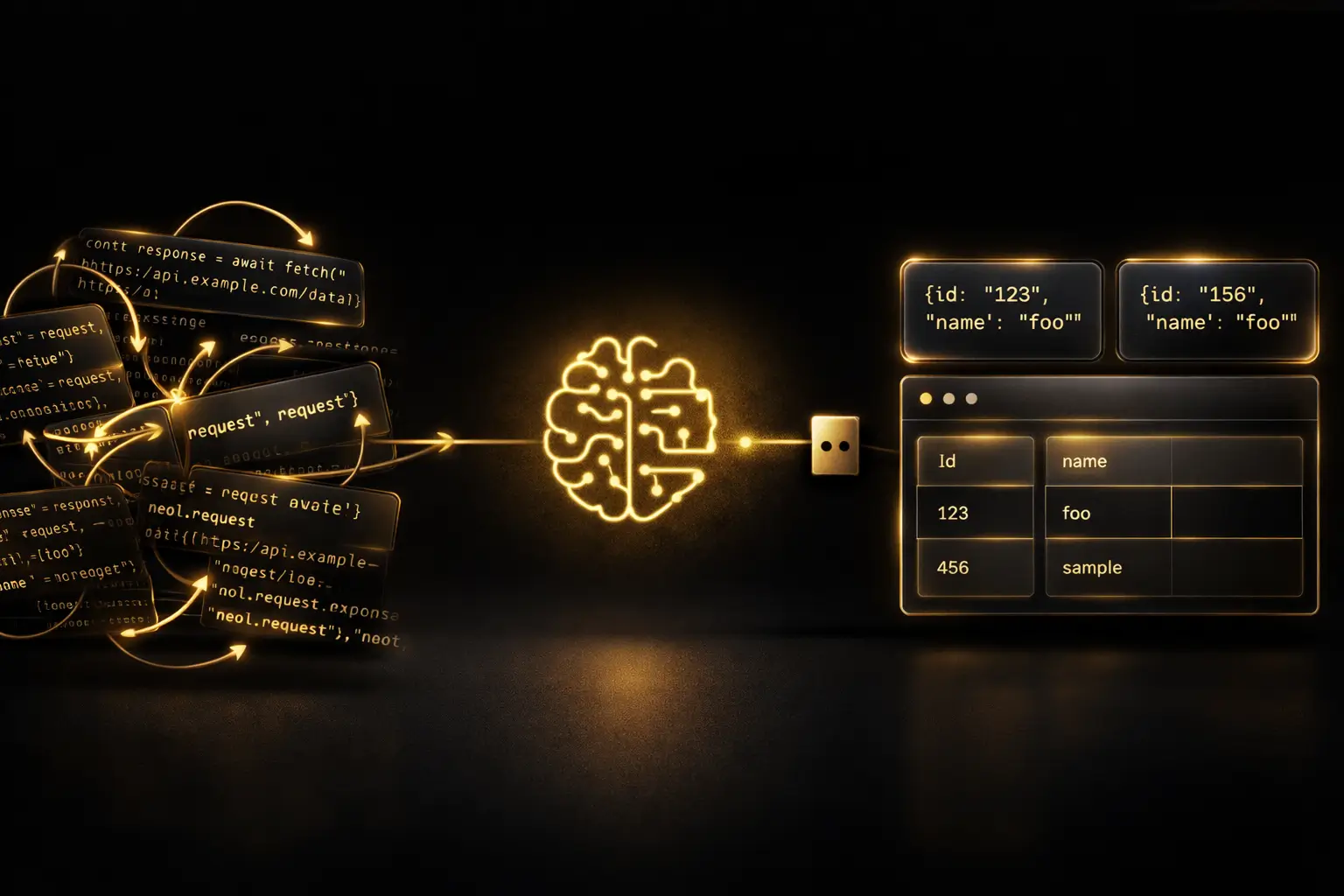
MCP OCR: Wie Koncile KI-Agenten die native Dokumentenextraktion ermöglicht
Bis vor Kurzem bedeutete die Anbindung einer OCR-Engine an einen KI-Assistenten, spezifischen Code zu schreiben, API-Aufrufe manuell zu verwalten und die gesamte Zwischenschicht zwischen dem Sprachmodell und der Dokumentenverarbeitungspipeline aufzubauen. Mit dem Model Context Protocol (MCP) entfällt diese gesamte Schicht. Bei Koncile haben wir einen MCP OCR Server entwickelt, der es Claude, Cursor oder jedem anderen kompatiblen KI-Agenten ermöglicht, Dokumente zu extrahieren, zu lesen und zu verwalten, ohne eine einzige Zeile Integrationscode zu schreiben.